

• RSIF8
    Roll no:14
    coding atsk no:23
    coding topic:Flashcard App

    # Flashcard App – A Smart Learning and Revision Tool

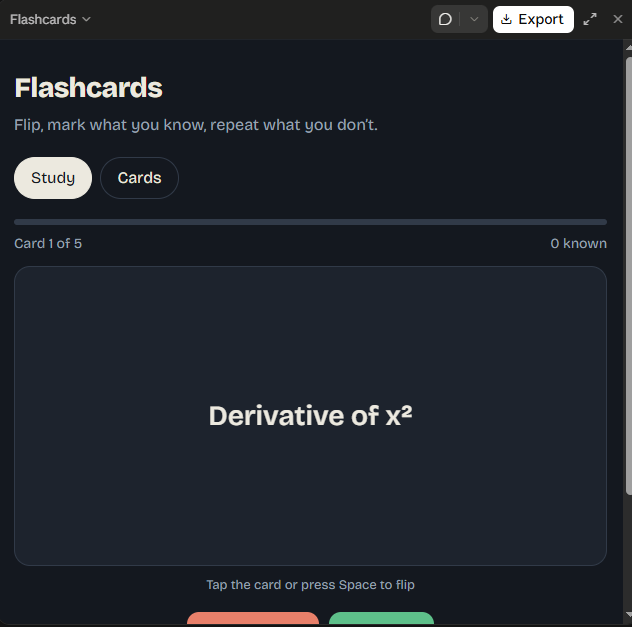
    The **Flashcard App** is a simple and interactive application designed to make learning, memorization, and revision easier and more effective. It allows users to create digital flashcards containing questions on one side and answers on the other, helping them practice important concepts and remember information more efficiently.

    Whether you are a student preparing for exams, learning a new language, or trying to memorize important facts, the Flashcard App provides a convenient way to organize your study material and improve your learning experience.

    ## Key Features

    - **Create Flashcards:** Add questions, terms, and their corresponding answers.
    - **Flip Cards:** Reveal answers whenever you are ready to check your knowledge.
    - **Easy Revision:** Review important information anytime.
    - **Organize Topics:** Group flashcards by subjects or categories.
    - **Improve Memory:** Practice recalling information to strengthen learning.
    - **User-Friendly Interface:** Enjoy a simple design that makes studying convenient.
    - **Self-Assessment:** Test your understanding and identify topics that need more practice.

    ## Project Purpose

    The main purpose of this project is to demonstrate how technology can support education through an interactive learning tool. It also helps beginners understand programming concepts such as user input, data management, interface design, and interactive controls.

    ## Conclusion

    The Flashcard App is a useful educational project that combines technology and effective study techniques in one convenient application. By encouraging active recall and regular revision, it can help learners develop better study habits and build confidence in their knowledge.

    **Learn smarter, revise regularly, and turn small study sessions into meaningful progress!**

    #FlashcardApp #EducationalApp #StudyTools #LearningMadeEasy #ProgrammingProject #StudentProject #ActiveRecall #StudySmarter #MemoryTechniques #CodingForBeginners #EducationTechnology
    RSIF8 Roll no:14 coding atsk no:23 coding topic:Flashcard App # 📚 Flashcard App – A Smart Learning and Revision Tool The **Flashcard App** is a simple and interactive application designed to make learning, memorization, and revision easier and more effective. It allows users to create digital flashcards containing questions on one side and answers on the other, helping them practice important concepts and remember information more efficiently. 🧠✨ Whether you are a student preparing for exams, learning a new language, or trying to memorize important facts, the Flashcard App provides a convenient way to organize your study material and improve your learning experience. ## 🌟 Key Features - 📝 **Create Flashcards:** Add questions, terms, and their corresponding answers. - 🔄 **Flip Cards:** Reveal answers whenever you are ready to check your knowledge. - 📖 **Easy Revision:** Review important information anytime. - 🗂️ **Organize Topics:** Group flashcards by subjects or categories. - 🧠 **Improve Memory:** Practice recalling information to strengthen learning. - 💻 **User-Friendly Interface:** Enjoy a simple design that makes studying convenient. - 🎯 **Self-Assessment:** Test your understanding and identify topics that need more practice. ## 🎯 Project Purpose The main purpose of this project is to demonstrate how technology can support education through an interactive learning tool. It also helps beginners understand programming concepts such as user input, data management, interface design, and interactive controls. ## 🚀 Conclusion The Flashcard App is a useful educational project that combines technology and effective study techniques in one convenient application. By encouraging active recall and regular revision, it can help learners develop better study habits and build confidence in their knowledge. **Learn smarter, revise regularly, and turn small study sessions into meaningful progress!** 🌟📚 #FlashcardApp #EducationalApp #StudyTools #LearningMadeEasy #ProgrammingProject #StudentProject #ActiveRecall #StudySmarter #MemoryTechniques #CodingForBeginners #EducationTechnology
    0 تبصرے 0 شیئرز 3227 ویوز
  • RSIF8
    Roll no:14
    coding task no:22
    coding task topic:BMI Calculator

    # BMI Calculator – A Simple Health Calculation Tool

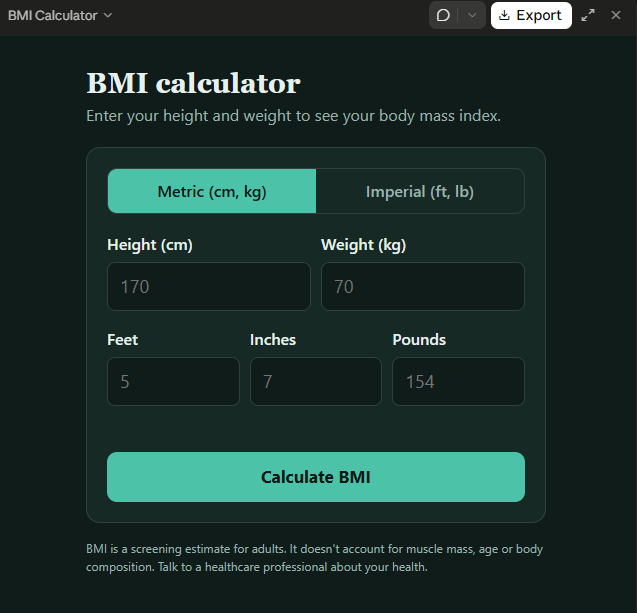
    The **BMI Calculator (Body Mass Index Calculator)** is a simple and useful application designed to calculate Body Mass Index (BMI) using a person's height and weight. It demonstrates how basic mathematical formulas can be used in a practical application to provide quick and easy results.

    This project allows users to enter their height and weight, calculate their BMI, and view the resulting value within seconds. The calculator uses the standard BMI formula:

    **BMI = Weight (kg) ÷ Height (m)²**

    **Key Features:**
    - Simple and user-friendly interface
    - Height input for accurate calculations
    - Weight input in kilograms
    - Automatic BMI calculation
    - Clear display of the calculated result
    - Useful for learning programming, mathematics, and basic application development

    **Project Purpose:**

    The main purpose of this project is to demonstrate how user input, mathematical calculations, and result display can be combined to create a functional application. It is suitable for students, beginners, and anyone interested in learning how to develop simple calculator programs.

    **Conclusion:**

    The BMI Calculator is an educational project that combines technology and mathematics in a practical way. It helps learners understand basic programming concepts while exploring a commonly used health-related calculation.

    **Note:** BMI is a general screening measure, not a complete assessment of health. For children and teenagers, BMI is interpreted using age- and sex-specific growth charts rather than adult categories.

    #BMICalculator #ProgrammingProject #CalculatorApp #HealthEducation #CodingForBeginners #Mathematics #SoftwareDevelopment #StudentProject #Technology #LearningByDoing
    RSIF8 Roll no:14 coding task no:22 coding task topic:BMI Calculator # 🧮 BMI Calculator – A Simple Health Calculation Tool The **BMI Calculator (Body Mass Index Calculator)** is a simple and useful application designed to calculate Body Mass Index (BMI) using a person's height and weight. It demonstrates how basic mathematical formulas can be used in a practical application to provide quick and easy results. 📊 This project allows users to enter their height and weight, calculate their BMI, and view the resulting value within seconds. The calculator uses the standard BMI formula: **BMI = Weight (kg) ÷ Height (m)²** 💡 **Key Features:** - ✅ Simple and user-friendly interface - 📏 Height input for accurate calculations - ⚖️ Weight input in kilograms - 🧮 Automatic BMI calculation - 📊 Clear display of the calculated result - 💻 Useful for learning programming, mathematics, and basic application development 🎯 **Project Purpose:** The main purpose of this project is to demonstrate how user input, mathematical calculations, and result display can be combined to create a functional application. It is suitable for students, beginners, and anyone interested in learning how to develop simple calculator programs. 🌟 **Conclusion:** The BMI Calculator is an educational project that combines technology and mathematics in a practical way. It helps learners understand basic programming concepts while exploring a commonly used health-related calculation. **Note:** BMI is a general screening measure, not a complete assessment of health. For children and teenagers, BMI is interpreted using age- and sex-specific growth charts rather than adult categories. #BMICalculator #ProgrammingProject #CalculatorApp #HealthEducation #CodingForBeginners #Mathematics #SoftwareDevelopment #StudentProject #Technology #LearningByDoing
    0 تبصرے 0 شیئرز 2231 ویوز
  • RSIF8
    Roll no:14
    coding task no:13
    coding topic:**Basic Calculator with GUI
    **Basic Calculator with GUI – A Simple and User-Friendly Application**

    **Description:**

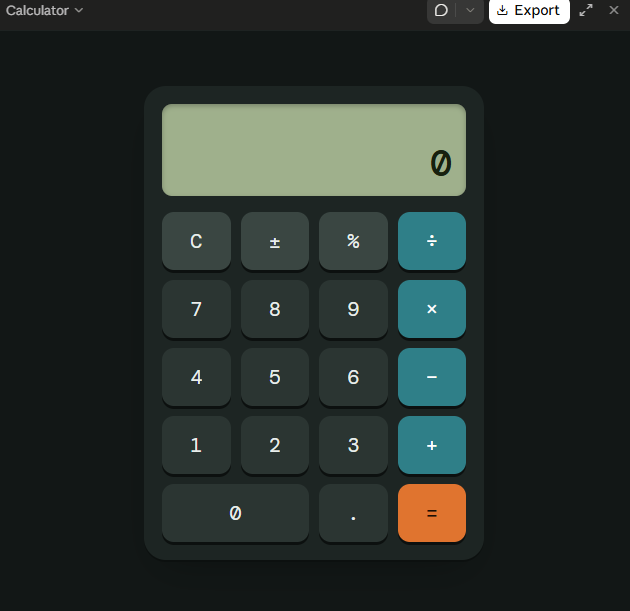
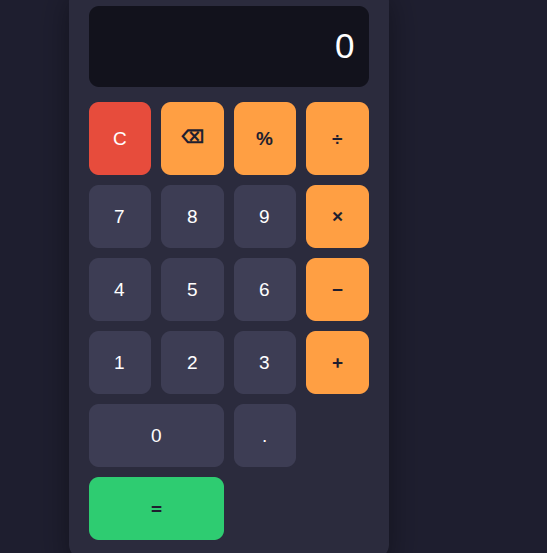
    The Basic Calculator with GUI is a beginner-friendly programming project designed to perform essential mathematical calculations through a simple, interactive, and user-friendly graphical interface. Instead of entering commands, users can perform calculations by clicking buttons, making the application easy and convenient to use.

    This project allows users to perform basic arithmetic operations, including **addition (+), subtraction (−), multiplication (×), and division (÷)**. It features a clear display screen for showing numbers and results, along with dedicated buttons for entering values, selecting operations, clearing the display, and calculating answers.

    **Key Features:**

    - **Addition:** Add two or more numbers easily.
    - **Subtraction:** Calculate the difference between numbers.
    - **Multiplication:** Multiply numbers quickly.
    - **Division:** Divide numbers and display the results.
    - **Graphical User Interface (GUI):** An interactive layout with clickable buttons.
    - **Clear Button:** Reset the display and start a new calculation.
    - **Instant Results:** Perform calculations quickly and efficiently.
    - **Error Handling:** Handle invalid calculations, such as division by zero.

    **Learning Objectives:**

    The main goal of this project is to help beginners understand the fundamentals of programming and GUI development. It introduces important concepts such as button events, user input, mathematical operators, functions, conditional statements, and displaying output on the screen.

    **Conclusion:**

    The Basic Calculator with GUI is an excellent project for anyone beginning their programming journey. It combines practical mathematical operations with an interactive design, demonstrating how code can be transformed into a useful desktop application. With further improvements, the calculator can also include percentage calculations, decimal numbers, keyboard support, and a more attractive interface.

    **Project Goal:** To create a simple, reliable, and easy-to-use calculator that makes everyday mathematical calculations faster and more convenient.

    #BasicCalculator #GUI #ProgrammingProject #BeginnerCoding #PythonProgramming #AppDevelopment #LearnToCode #ComputerScience #CodingForBeginners #SoftwareDevelopment
    RSIF8 Roll no:14 coding task no:13 coding topic:**Basic Calculator with GUI 🧮 **Basic Calculator with GUI – A Simple and User-Friendly Application** 💻 ✨ **Description:** The Basic Calculator with GUI is a beginner-friendly programming project designed to perform essential mathematical calculations through a simple, interactive, and user-friendly graphical interface. Instead of entering commands, users can perform calculations by clicking buttons, making the application easy and convenient to use. 🚀📱 This project allows users to perform basic arithmetic operations, including **addition (+), subtraction (−), multiplication (×), and division (÷)**. It features a clear display screen for showing numbers and results, along with dedicated buttons for entering values, selecting operations, clearing the display, and calculating answers. 🎯 **Key Features:** - ➕ **Addition:** Add two or more numbers easily. - ➖ **Subtraction:** Calculate the difference between numbers. - ✖️ **Multiplication:** Multiply numbers quickly. - ➗ **Division:** Divide numbers and display the results. - 🖥️ **Graphical User Interface (GUI):** An interactive layout with clickable buttons. - 🔄 **Clear Button:** Reset the display and start a new calculation. - ⚡ **Instant Results:** Perform calculations quickly and efficiently. - ⚠️ **Error Handling:** Handle invalid calculations, such as division by zero. 📚 **Learning Objectives:** The main goal of this project is to help beginners understand the fundamentals of programming and GUI development. It introduces important concepts such as button events, user input, mathematical operators, functions, conditional statements, and displaying output on the screen. 🌟 **Conclusion:** The Basic Calculator with GUI is an excellent project for anyone beginning their programming journey. It combines practical mathematical operations with an interactive design, demonstrating how code can be transformed into a useful desktop application. With further improvements, the calculator can also include percentage calculations, decimal numbers, keyboard support, and a more attractive interface. 💡 **Project Goal:** To create a simple, reliable, and easy-to-use calculator that makes everyday mathematical calculations faster and more convenient. #BasicCalculator #GUI #ProgrammingProject #BeginnerCoding #PythonProgramming #AppDevelopment #LearnToCode #ComputerScience #CodingForBeginners #SoftwareDevelopment 💻🧮🚀
    0 تبصرے 0 شیئرز 2720 ویوز
  • RSIF8
    Roll no:85
    Task no:54
    Task topic Number Guessing Game
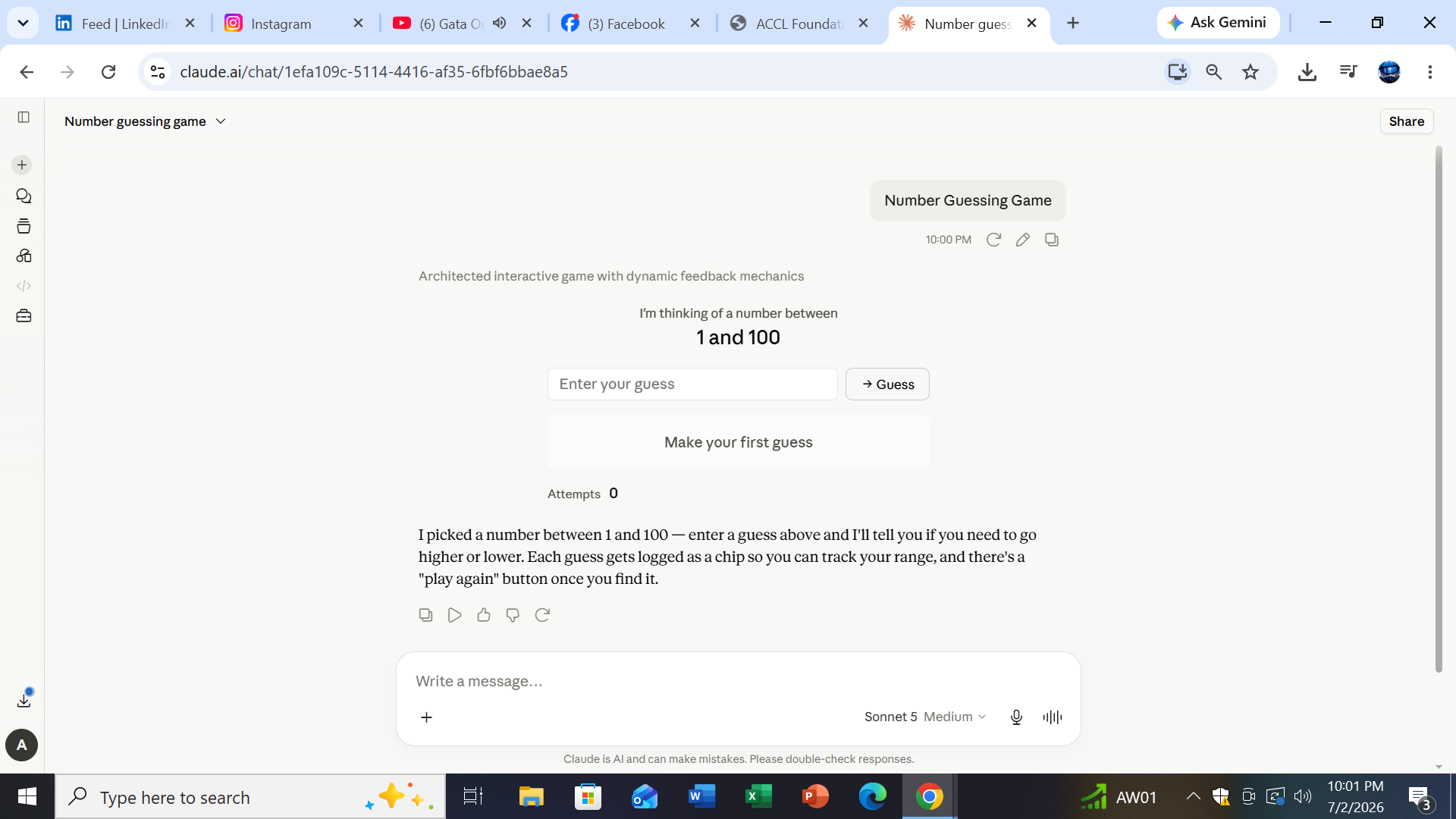
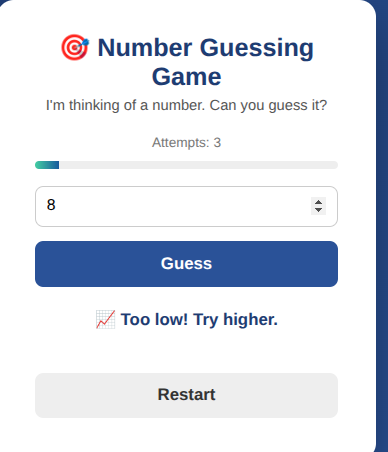
    Number Guessing Game is a fun and interactive game that challenges players to guess a secret number within a limited number of attempts. It helps improve logical thinking, problem-solving skills, and decision-making while keeping the experience entertaining. With each guess, players learn from hints such as "too high" or "too low," making every round exciting and educational.

    Beyond entertainment, a Number Guessing Game is an excellent way to strengthen critical thinking and basic mathematical reasoning. It encourages players to analyze patterns, make smarter guesses, and develop patience as they work toward the correct answer. This simple game is enjoyed by children, students, and adults alike.

    For beginner programmers, creating a Number Guessing Game is one of the best coding projects. It introduces essential programming concepts such as variables, loops, conditions, random number generation, and user input. Building this game provides a solid foundation for learning programming languages like Python, Java, C++, and JavaScript.

    Whether played for fun, learning, or coding practice, the Number Guessing Game demonstrates how a simple idea can become an engaging and rewarding experience. It combines entertainment with education, making it a timeless activity that inspires curiosity, creativity, and logical thinking.

    #️⃣ Hashtags:
    #NumberGuessingGame #Coding #Programming #Python #GameDevelopment #Learning #ProblemSolving #CriticalThinking #STEM #Education #Tech #Logic #ComputerScience ‍ #CodingForBeginners #Innovation
    RSIF8 Roll no:85 Task no:54 Task topic Number Guessing Game 🎯 Number Guessing Game is a fun and interactive game that challenges players to guess a secret number within a limited number of attempts. It helps improve logical thinking, problem-solving skills, and decision-making while keeping the experience entertaining. With each guess, players learn from hints such as "too high" or "too low," making every round exciting and educational. 🧠 Beyond entertainment, a Number Guessing Game is an excellent way to strengthen critical thinking and basic mathematical reasoning. It encourages players to analyze patterns, make smarter guesses, and develop patience as they work toward the correct answer. This simple game is enjoyed by children, students, and adults alike. 💻 For beginner programmers, creating a Number Guessing Game is one of the best coding projects. It introduces essential programming concepts such as variables, loops, conditions, random number generation, and user input. Building this game provides a solid foundation for learning programming languages like Python, Java, C++, and JavaScript. 🎮 Whether played for fun, learning, or coding practice, the Number Guessing Game demonstrates how a simple idea can become an engaging and rewarding experience. It combines entertainment with education, making it a timeless activity that inspires curiosity, creativity, and logical thinking. #️⃣ Hashtags: #NumberGuessingGame 🎯 #Coding 💻 #Programming 🖥️ #Python 🐍 #GameDevelopment 🎮 #Learning 📚 #ProblemSolving 🧩 #CriticalThinking 🧠 #STEM 🚀 #Education 🌟 #Tech 💡 #Logic 🔢 #ComputerScience 👨‍💻 #CodingForBeginners ✨ #Innovation 🌍
    0 تبصرے 0 شیئرز 2406 ویوز
  • Day 117
    rollno:-006
    foundation level
    Coding Task

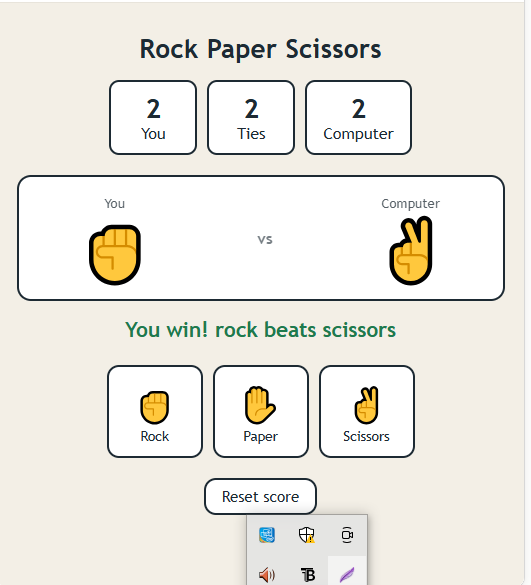
    Rock Paper Scissors is a fun 2-player game between the user and the computer. The player chooses Rock , Paper , or Scissors , and the computer makes its own choice.

    The game follows simple rules:

    Rock beats Scissors
    Paper beats Rock
    Scissors beats Paper
    Same choices result in a tie

    The screen displays the You, Ties, and Computer scores, along with the current round result. A Reset Score button allows the game to start fresh.

    Skills demonstrated: HTML, CSS, JavaScript, buttons, random computer choices, game logic, and score tracking.

    #RockPaperScissors #CodingProject #JavaScript #WebDevelopment #HTML #CSS #CodingForBeginners #GameDevelopment #Programming #RehanSchool
    Day 117 rollno:-006 foundation level 💻 Coding Task Rock Paper Scissors is a fun 2-player game between the user and the computer. The player chooses Rock 🪨, Paper 📄, or Scissors ✂️, and the computer makes its own choice. The game follows simple rules: 🪨 Rock beats Scissors 📄 Paper beats Rock ✂️ Scissors beats Paper 🤝 Same choices result in a tie The screen displays the You, Ties, and Computer scores, along with the current round result. A Reset Score button allows the game to start fresh. Skills demonstrated: HTML, CSS, JavaScript, buttons, random computer choices, game logic, and score tracking. #RockPaperScissors #CodingProject #JavaScript #WebDevelopment #HTML #CSS #CodingForBeginners #GameDevelopment #Programming #RehanSchool
    0 تبصرے 0 شیئرز 1268 ویوز
  • RSIF8
    Roll no: 09
    Coding task no: 06
    Coding task topic: Simple Alarm Clock that alerts at a set time.
    **Simple Alarm Clock – A Smart Way to Stay on Time!**

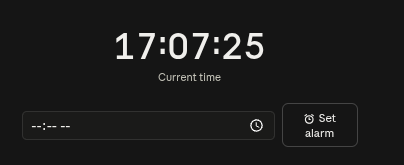
    This simple alarm clock project allows users to set a specific time and receive an alert when the time is reached. It’s a fun beginner-friendly coding project that demonstrates how programming can be used to manage time and create useful everyday applications. ‍

    #AlarmClock #CodingProject #Programming #ComputerScience #BeginnerCoding #Python #Technology #LearnToCode #CodingForBeginners #StudentProject
    RSIF8 Roll no: 09 Coding task no: 06 Coding task topic: Simple Alarm Clock that alerts at a set time. ⏰💻 **Simple Alarm Clock – A Smart Way to Stay on Time!** 🔔✨ This simple alarm clock project allows users to set a specific time and receive an alert when the time is reached. 🕐🔔 It’s a fun beginner-friendly coding project that demonstrates how programming can be used to manage time and create useful everyday applications. 🚀👨‍💻📚 #AlarmClock #CodingProject #Programming #ComputerScience #BeginnerCoding #Python #Technology #LearnToCode #CodingForBeginners #StudentProject ⏰💻✨
    0 تبصرے 0 شیئرز 1347 ویوز

  • #rsisb
    roll no.247
    Foundation level
    # Simple Calculator
    **Simple Calculator – Making Everyday Math Easy!**
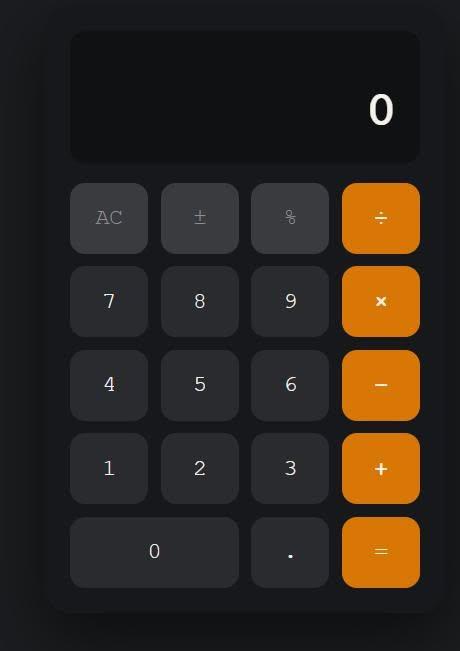
    A **Simple Calculator** is a useful and beginner-friendly application designed to make basic mathematical calculations quick, accurate, and convenient. Whether you are a student learning mathematics, a beginner exploring programming, or simply someone who needs to calculate numbers quickly, a calculator provides an easy way to perform everyday calculations.
    This project focuses on the fundamental arithmetic operations: **addition (+), subtraction (-), multiplication (×), and division (÷)**. Users can enter numbers, select an operation, and instantly see the result. The simple interface makes it easy to understand and use, while also demonstrating important concepts such as user input, mathematical operators, buttons, functions, and displaying results.
    Creating a Simple Calculator is also an excellent programming project for beginners. ‍‍ It helps learners understand how different parts of an application work together. From designing the interface to writing the calculation logic, every step provides an opportunity to develop problem-solving and programming skills.
    A calculator project can also be expanded with additional features such as decimal numbers, percentage calculations, clear and delete buttons, keyboard support, calculation history, and more advanced mathematical functions. This makes it a great starting point for learning how simple applications can gradually become more powerful and interactive.
    **Key Features:**
    Addition
    Subtraction
    Multiplication
    Division
    Easy-to-use interface
    Fast calculations
    Beginner-friendly design
    Useful for learning programming
    Clear and understandable results
    **Learning Value:**
    Working on a Simple Calculator helps learners practice logical thinking, understand basic programming concepts, handle user input, and create interactive applications. It demonstrates how mathematics and technology can come together to solve everyday problems.
    **Conclusion:**
    The Simple Calculator may be a small project, but it teaches some very important ideas about programming and application development. It is a perfect beginner project for turning basic mathematical operations into an interactive digital tool. Keep learning, keep experimenting, and keep building!
    #SimpleCalculator #Calculator #Math #Mathematics #Programming #Coding #BeginnerProject #CodingForBeginners #LearnProgramming #ComputerScience #Technology #Education #StudentProject #MathSkills #ProblemSolving #ProgrammingProject #DigitalLearning #CodingSkills #CreativeCoding #LearnToCode #TechEducation #BasicCalculator #EasyCoding #Innovation
    #rsisb roll no.247 Foundation level # Simple Calculator 🧮✨ 🧮 **Simple Calculator – Making Everyday Math Easy!** 🔢💡 A **Simple Calculator** is a useful and beginner-friendly application designed to make basic mathematical calculations quick, accurate, and convenient. ➕➖✖️➗ Whether you are a student learning mathematics, a beginner exploring programming, or simply someone who needs to calculate numbers quickly, a calculator provides an easy way to perform everyday calculations. 📚💻 This project focuses on the fundamental arithmetic operations: **addition (+), subtraction (-), multiplication (×), and division (÷)**. Users can enter numbers, select an operation, and instantly see the result. ⚡🔢 The simple interface makes it easy to understand and use, while also demonstrating important concepts such as user input, mathematical operators, buttons, functions, and displaying results. 🎯 Creating a Simple Calculator is also an excellent programming project for beginners. 👨‍💻👩‍💻 It helps learners understand how different parts of an application work together. From designing the interface to writing the calculation logic, every step provides an opportunity to develop problem-solving and programming skills. 🚀🧠 A calculator project can also be expanded with additional features such as decimal numbers, percentage calculations, clear and delete buttons, keyboard support, calculation history, and more advanced mathematical functions. 🌟📱 This makes it a great starting point for learning how simple applications can gradually become more powerful and interactive. ✨ **Key Features:** 🔹 Addition ➕ 🔹 Subtraction ➖ 🔹 Multiplication ✖️ 🔹 Division ➗ 🔹 Easy-to-use interface 🖥️ 🔹 Fast calculations ⚡ 🔹 Beginner-friendly design 🌱 🔹 Useful for learning programming 💻 🔹 Clear and understandable results ✅ 📚 **Learning Value:** Working on a Simple Calculator helps learners practice logical thinking, understand basic programming concepts, handle user input, and create interactive applications. 🧠💻 It demonstrates how mathematics and technology can come together to solve everyday problems. 🌟 **Conclusion:** The Simple Calculator may be a small project, but it teaches some very important ideas about programming and application development. 🧮🚀 It is a perfect beginner project for turning basic mathematical operations into an interactive digital tool. Keep learning, keep experimenting, and keep building! 💡🌈 #SimpleCalculator #Calculator #Math #Mathematics #Programming #Coding #BeginnerProject #CodingForBeginners #LearnProgramming #ComputerScience #Technology #Education #StudentProject #MathSkills #ProblemSolving #ProgrammingProject #DigitalLearning #CodingSkills #CreativeCoding #LearnToCode #TechEducation #BasicCalculator #EasyCoding #Innovation
    0 تبصرے 0 شیئرز 5937 ویوز
  • #rsisb
    roll no 46
    3 coding task
    I’m excited to share my latest coding project: Number Guessing Game! This fun and interactive game challenges players to guess a secret number within a limited number of attempts. Each guess gives a helpful hint, making the game exciting and engaging!

    Through this coding task, I practiced programming logic, problem-solving, user interaction, and game development skills. ‍ It was a great learning experience and a fun way to turn code into an interactive game!

    Can you guess the number?
    Keep coding, keep learning, and keep creating!

    #NumberGuessingGame #CodingTask #CodingProject #Programming #LearnToCode #GameDevelopment #CodingForBeginners #ProblemSolving #ProgrammingSkills #InteractiveGame #TechLearning #CodingJourney #KeepLearning #KeepCoding #CodeWithFun
    #rsisb roll no 46 3 coding task I’m excited to share my latest coding project: Number Guessing Game! 🎮🔢 This fun and interactive game challenges players to guess a secret number within a limited number of attempts. Each guess gives a helpful hint, making the game exciting and engaging! 🧠💡 Through this coding task, I practiced programming logic, problem-solving, user interaction, and game development skills. 🚀👨‍💻 It was a great learning experience and a fun way to turn code into an interactive game! 🌟 🎮 Can you guess the number? 🤔🔢 💻 Keep coding, keep learning, and keep creating! 🚀📚✨ #NumberGuessingGame #CodingTask #CodingProject #Programming #LearnToCode #GameDevelopment #CodingForBeginners #ProblemSolving #ProgrammingSkills #InteractiveGame #TechLearning #CodingJourney #KeepLearning #KeepCoding #CodeWithFun 🎯💻🎮🧠🚀✨
    0 تبصرے 0 شیئرز 5757 ویوز
  • #rsisb
    Roll No.240
    Foundation Level
    Create a Basic Calculator
    Coding Tsak No.1

    **Create a Basic Calculator | Step-by-Step Tutorial**

    In this video, you'll learn how to create a **basic calculator** from scratch in a simple and beginner-friendly way. Whether you're just starting your programming journey or want to practice your coding skills, this tutorial will guide you through each step clearly.

    You'll learn how to perform basic arithmetic operations such as **addition, subtraction, multiplication, and division**, while understanding the logic behind how a calculator works. This project is perfect for beginners and a great way to strengthen your programming fundamentals.

    If you enjoy this tutorial, don't forget to **Like , Share , and Subscribe ** for more easy coding lessons and beginner-friendly programming projects.

    #BasicCalculator #Programming #CodingForBeginners #LearnToCode #CodingTutorial #BeginnerProjects #TechSkills #SoftwareDevelopment #Education #CodingPractice

    Rehan School Islamabad Campus
    Asma Shaheen EducationWali
    Irum Asim
    Saima Happinesswali

    #rsisb Roll No.240 Foundation Level Create a Basic Calculator Coding Tsak No.1 🧮 **Create a Basic Calculator | Step-by-Step Tutorial** In this video, you'll learn how to create a **basic calculator** from scratch in a simple and beginner-friendly way. Whether you're just starting your programming journey or want to practice your coding skills, this tutorial will guide you through each step clearly. You'll learn how to perform basic arithmetic operations such as **addition, subtraction, multiplication, and division**, while understanding the logic behind how a calculator works. This project is perfect for beginners and a great way to strengthen your programming fundamentals. If you enjoy this tutorial, don't forget to **Like 👍, Share 📤, and Subscribe 🔔** for more easy coding lessons and beginner-friendly programming projects. #BasicCalculator 🧮 #Programming 💻 #CodingForBeginners 🚀 #LearnToCode 📚 #CodingTutorial 🎯 #BeginnerProjects 🌟 #TechSkills 💡 #SoftwareDevelopment 🔥 #Education 🎓 #CodingPractice ✨ Rehan School Islamabad Campus Asma Shaheen EducationWali Irum Asim Saima Happinesswali
    0 تبصرے 0 شیئرز 3718 ویوز