• RSIF8
    Roll no:14
    coding task no:22
    coding task topic:BMI Calculator

    # BMI Calculator – A Simple Health Calculation Tool

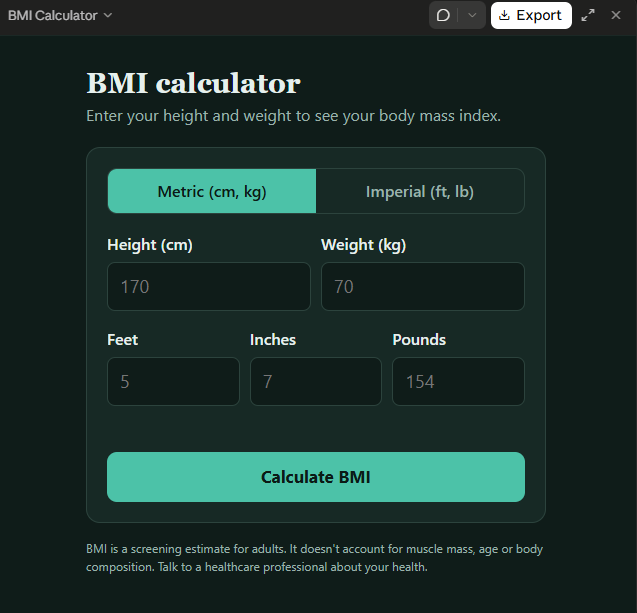
    The **BMI Calculator (Body Mass Index Calculator)** is a simple and useful application designed to calculate Body Mass Index (BMI) using a person's height and weight. It demonstrates how basic mathematical formulas can be used in a practical application to provide quick and easy results.

    This project allows users to enter their height and weight, calculate their BMI, and view the resulting value within seconds. The calculator uses the standard BMI formula:

    **BMI = Weight (kg) ÷ Height (m)²**

    **Key Features:**
    - Simple and user-friendly interface
    - Height input for accurate calculations
    - Weight input in kilograms
    - Automatic BMI calculation
    - Clear display of the calculated result
    - Useful for learning programming, mathematics, and basic application development

    **Project Purpose:**

    The main purpose of this project is to demonstrate how user input, mathematical calculations, and result display can be combined to create a functional application. It is suitable for students, beginners, and anyone interested in learning how to develop simple calculator programs.

    **Conclusion:**

    The BMI Calculator is an educational project that combines technology and mathematics in a practical way. It helps learners understand basic programming concepts while exploring a commonly used health-related calculation.

    **Note:** BMI is a general screening measure, not a complete assessment of health. For children and teenagers, BMI is interpreted using age- and sex-specific growth charts rather than adult categories.

    #BMICalculator #ProgrammingProject #CalculatorApp #HealthEducation #CodingForBeginners #Mathematics #SoftwareDevelopment #StudentProject #Technology #LearningByDoing
    RSIF8 Roll no:14 coding task no:22 coding task topic:BMI Calculator # 🧮 BMI Calculator – A Simple Health Calculation Tool The **BMI Calculator (Body Mass Index Calculator)** is a simple and useful application designed to calculate Body Mass Index (BMI) using a person's height and weight. It demonstrates how basic mathematical formulas can be used in a practical application to provide quick and easy results. 📊 This project allows users to enter their height and weight, calculate their BMI, and view the resulting value within seconds. The calculator uses the standard BMI formula: **BMI = Weight (kg) ÷ Height (m)²** 💡 **Key Features:** - ✅ Simple and user-friendly interface - 📏 Height input for accurate calculations - ⚖️ Weight input in kilograms - 🧮 Automatic BMI calculation - 📊 Clear display of the calculated result - 💻 Useful for learning programming, mathematics, and basic application development 🎯 **Project Purpose:** The main purpose of this project is to demonstrate how user input, mathematical calculations, and result display can be combined to create a functional application. It is suitable for students, beginners, and anyone interested in learning how to develop simple calculator programs. 🌟 **Conclusion:** The BMI Calculator is an educational project that combines technology and mathematics in a practical way. It helps learners understand basic programming concepts while exploring a commonly used health-related calculation. **Note:** BMI is a general screening measure, not a complete assessment of health. For children and teenagers, BMI is interpreted using age- and sex-specific growth charts rather than adult categories. #BMICalculator #ProgrammingProject #CalculatorApp #HealthEducation #CodingForBeginners #Mathematics #SoftwareDevelopment #StudentProject #Technology #LearningByDoing
    0 Комментарии 0 Поделились 1035 Просмотры
  • RSIF8
    Roll no:86
    Task no:27
    Task topicCreate a Basic Calculator
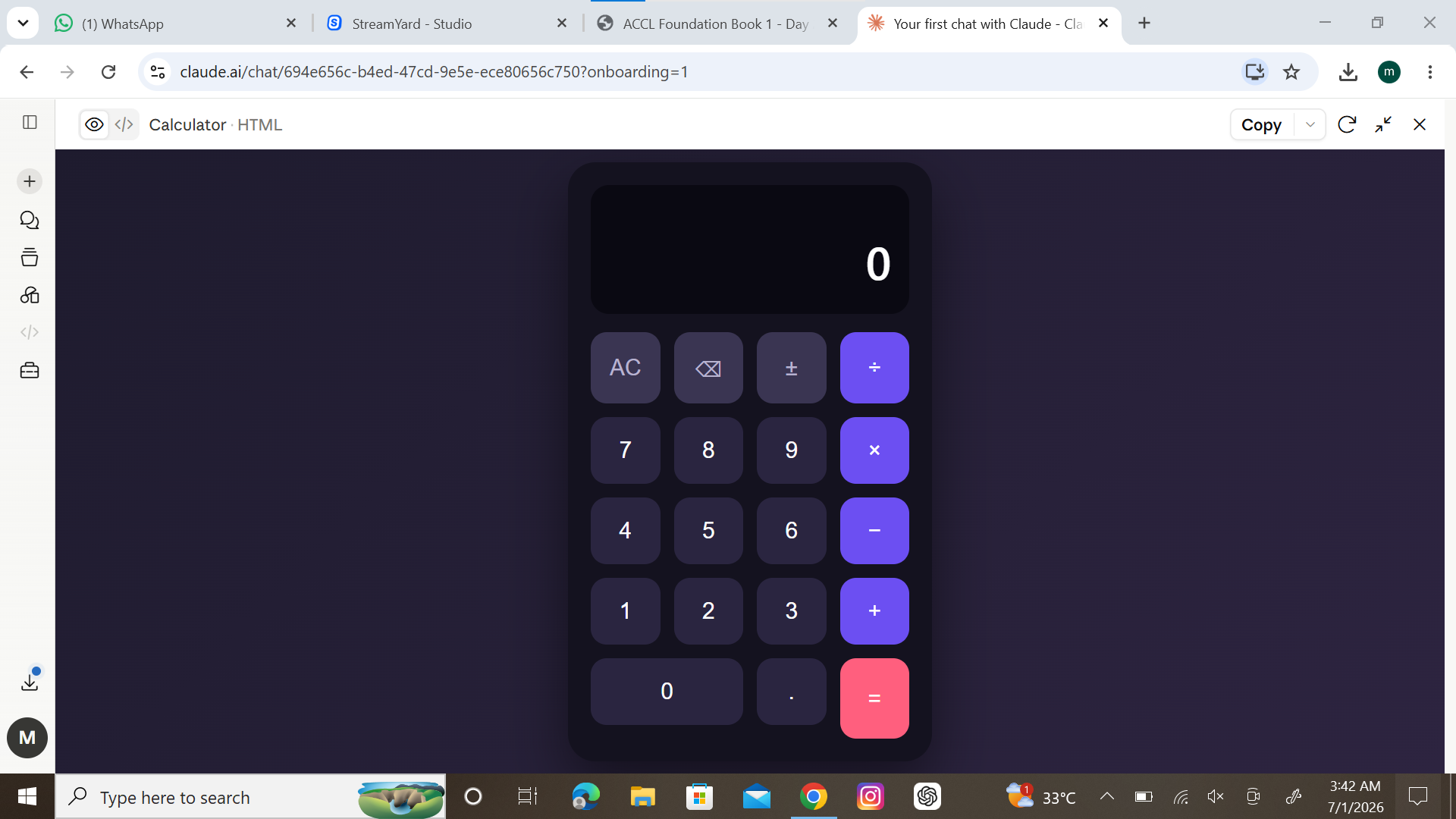
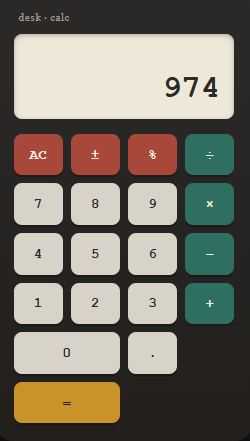
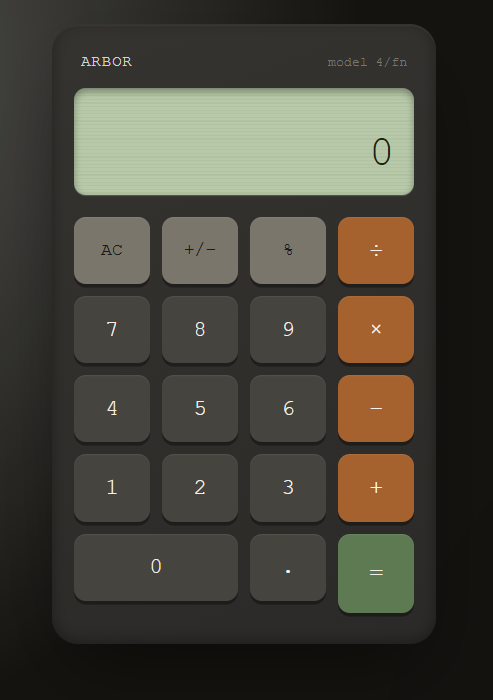
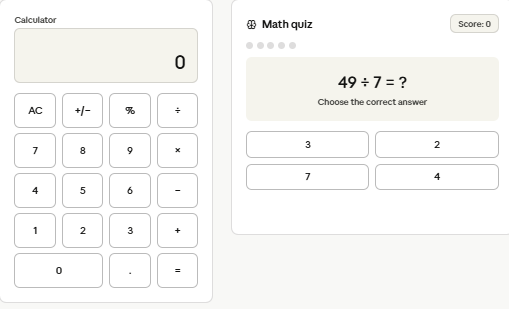
    Today, I created a Basic Calculator that can perform the four fundamental mathematical operations: Addition, Subtraction, Multiplication, and Division. This project helped me understand how user input, conditions, and calculations work together in programming.
    The calculator is simple, user-friendly, and designed to quickly solve basic arithmetic problems. Whether it's adding two numbers or performing division, the calculator provides accurate results instantly.
    Building this project improved my coding skills and strengthened my understanding of programming logic. It is a great beginner-friendly project for anyone starting their journey in software development and problem-solving.
    Screenshot Attached: The screenshot demonstrates the calculator interface and shows how users can enter numbers, select an operation, and receive the result. This project is a small step toward creating more advanced applications in the future.
    #BasicCalculator #Programming #CodingProject #SoftwareDevelopment #Python #JavaScript #LearningToCode #TechSkills #CalculatorApp #CodingJourney #ComputerScience #DeveloperLife #STEM #ProjectBasedLearning #FutureProgrammer
    RSIF8 Roll no:86 Task no:27 Task topicCreate a Basic Calculator Today, I created a Basic Calculator that can perform the four fundamental mathematical operations: ➕ Addition, ➖ Subtraction, ✖️ Multiplication, and ➗ Division. This project helped me understand how user input, conditions, and calculations work together in programming. 💻📚 The calculator is simple, user-friendly, and designed to quickly solve basic arithmetic problems. Whether it's adding two numbers or performing division, the calculator provides accurate results instantly. ⚡🔢 Building this project improved my coding skills and strengthened my understanding of programming logic. It is a great beginner-friendly project for anyone starting their journey in software development and problem-solving. 🚀🎯 📸 Screenshot Attached: The screenshot demonstrates the calculator interface and shows how users can enter numbers, select an operation, and receive the result. This project is a small step toward creating more advanced applications in the future. 🌟💡 #BasicCalculator #Programming #CodingProject #SoftwareDevelopment #Python #JavaScript #LearningToCode #TechSkills #CalculatorApp #CodingJourney #ComputerScience #DeveloperLife #STEM #ProjectBasedLearning #FutureProgrammer 🚀🖥️📱
    0 Комментарии 0 Поделились 1817 Просмотры
  • RSIF8
    Roll no 94
    Coding task no 1
    Coding task topic
    Create a Basic Calculator!
    Today, I worked on creating a Basic Calculator that can perform simple mathematical operations like Addition, Subtraction, Multiplication, and Division. This project helped me understand the fundamentals of programming, user input, and problem-solving skills.
    Building a calculator is a great way to learn how computers process numbers and perform calculations. It may be simple, but it's an important first step toward creating more advanced applications!
    #BasicCalculator #Programming #Coding #ComputerScience #STEM #TechSkills #LearningToCode #StudentProject #CalculatorApp #CodingJourney
    RSIF8 Roll no 94 Coding task no 1 Coding task topic 🧮✨ Create a Basic Calculator! ✨🧮 Today, I worked on creating a Basic Calculator that can perform simple mathematical operations like ➕ Addition, ➖ Subtraction, ✖️ Multiplication, and ➗ Division. This project helped me understand the fundamentals of programming, user input, and problem-solving skills. 🚀💻 Building a calculator is a great way to learn how computers process numbers and perform calculations. It may be simple, but it's an important first step toward creating more advanced applications! 🌟 #BasicCalculator #Programming #Coding #ComputerScience #STEM #TechSkills #LearningToCode #StudentProject #CalculatorApp #CodingJourney 🧮💻✨🚀
    0 Комментарии 0 Поделились 1609 Просмотры
  • #rsisb
    Roll No.280
    Coding Task.9
    Foundation Level
    Basic Calculator with GUI
    Basic Calculator with GUI is a simple and user-friendly calculator application designed to perform essential mathematical operations with an easy-to-use graphical interface.
    Addition
    Subtraction
    Multiplication
    Division
    The clean GUI makes calculations quick, simple, and convenient for everyone. Whether you’re a student learning programming or someone who needs a basic calculator, this project demonstrates how a functional calculator can be built with a graphical user interface.
    Features:
    Simple and clean interface
    Easy-to-use buttons
    Fast calculations
    Basic arithmetic operations
    Beginner-friendly project
    #️⃣ Hashtags:
    #BasicCalculator #CalculatorApp #GUI #Programming #Coding #Python #SoftwareDevelopment #BeginnerProject #CodingProject #Math #Calculator #Tech #LearnProgramming #ComputerScience #AppDevelopment
    #rsisb Roll No.280 Coding Task.9 Foundation Level 🧮 Basic Calculator with GUI ✨ Basic Calculator with GUI is a simple and user-friendly calculator application designed to perform essential mathematical operations with an easy-to-use graphical interface. 🖥️🔢 ➕ Addition ➖ Subtraction ✖️ Multiplication ➗ Division The clean GUI makes calculations quick, simple, and convenient for everyone. 🚀 Whether you’re a student learning programming or someone who needs a basic calculator, this project demonstrates how a functional calculator can be built with a graphical user interface. 💻📚 🌟 Features: ✅ Simple and clean interface ✅ Easy-to-use buttons ✅ Fast calculations ✅ Basic arithmetic operations ✅ Beginner-friendly project #️⃣ Hashtags: #BasicCalculator #CalculatorApp #GUI #Programming #Coding #Python #SoftwareDevelopment #BeginnerProject #CodingProject #Math #Calculator #Tech #LearnProgramming #ComputerScience #AppDevelopment 🧮💻🚀
    0 Комментарии 0 Поделились 2238 Просмотры
  • RSIF8
    Roll no 03
    Coding book 1
    Task no 01
    Task topic Create a basic calculator app using Claude.ai that can perform addition, subtraction, multiplication, and division.
    Claude AI Calculator App — Coding Challenge

    I created a Basic Calculator App using Claude AI! The app can perform essential mathematical operations including addition , subtraction , multiplication , and division .

    This project gave me an opportunity to explore AI-assisted coding, logical thinking, user interaction, and app development. It’s amazing how AI tools can support the learning and development process!

    Another small project completed, another step forward in my coding journey! ‍

    #ClaudeAI #CalculatorApp #CodingChallenge #AICoding #LearnToCode #ProgrammingJourney #AppDevelopment #TechSkills #CodePractice #AIInnovation #DeveloperJourney #CodingStudent #BuildInPublic #FutureDeveloper
    RSIF8 Roll no 03 Coding book 1 Task no 01 Task topic Create a basic calculator app using Claude.ai that can perform addition, subtraction, multiplication, and division. 🧮 Claude AI Calculator App — Coding Challenge 💻✨ I created a Basic Calculator App using Claude AI! 🤖🚀 The app can perform essential mathematical operations including addition ➕, subtraction ➖, multiplication ✖️, and division ➗. This project gave me an opportunity to explore AI-assisted coding, logical thinking, user interaction, and app development. 💡💻 It’s amazing how AI tools can support the learning and development process! Another small project completed, another step forward in my coding journey! 👨‍💻🔥 #ClaudeAI #CalculatorApp #CodingChallenge #AICoding #LearnToCode #ProgrammingJourney #AppDevelopment #TechSkills #CodePractice #AIInnovation #DeveloperJourney #CodingStudent #BuildInPublic #FutureDeveloper 🧮💻🤖🚀✨
    0 Комментарии 0 Поделились 2734 Просмотры
  • AI Coding Journey – Book 11
    Taking it back to where it all started with Task No. 01: Simple Calculator App!
    This project performs addition, subtraction, multiplication, and division — a perfect starting point for building coding logic!
    A small project that laid the foundation for everything I’ve built next!
    Check it out here:
    https://claude.ai/public/artifacts/4fdb91e7-95fa-448f-bbd4-5225c7142edc

    #AICoding #CalculatorApp #LearningByDoing #codinglife #book1
    ⚡💻 AI Coding Journey – Book 11 🚀📘 Taking it back to where it all started with Task No. 01: Simple Calculator App! 🔢🔥 This project performs addition, subtraction, multiplication, and division — a perfect starting point for building coding logic! 🛠️💡 💻 A small project that laid the foundation for everything I’ve built next! 🎥 Check it out here: https://claude.ai/public/artifacts/4fdb91e7-95fa-448f-bbd4-5225c7142edc #AICoding #CalculatorApp #LearningByDoing #codinglife #book1
    0 Комментарии 0 Поделились 1232 Просмотры
  • Simple Calculator Web App using Gemini CLI
    Description

    A simple and responsive calculator web application developed using Gemini CLI. The calculator performs Addition, Subtraction, Multiplication, and Division with a clean, modern, and user-friendly interface.

    Student Information

    Coding Book: 1
    Task: 1
    Roll No: 71

    Website Link

    http://rsmc71.rehanschool.us/calculator/

    Hashtags

    #GeminiCLI #CalculatorApp #WebDevelopment #HTML #CSS #JavaScript #CodingBook1 #Task1 #RollNo71 #Programming #FrontendDevelopment #AI #StudentProject #CodeWithAI #TechEducation
    Simple Calculator Web App using Gemini CLI Description A simple and responsive calculator web application developed using Gemini CLI. The calculator performs Addition, Subtraction, Multiplication, and Division with a clean, modern, and user-friendly interface. Student Information 📖 Coding Book: 1 📋 Task: 1 🎓 Roll No: 71 Website Link http://rsmc71.rehanschool.us/calculator/ Hashtags #GeminiCLI #CalculatorApp #WebDevelopment #HTML #CSS #JavaScript #CodingBook1 #Task1 #RollNo71 #Programming #FrontendDevelopment #AI #StudentProject #CodeWithAI #TechEducation
    0 Комментарии 0 Поделились 6962 Просмотры