• #rsisb
    RollNo.247
    Foundation Level
    Task No.2
    Set It Up
    Creating a Facebook account is one of the easiest ways to connect with friends, family, classmates, and communities from all over the world. Whether you want to share photos , watch videos , join groups , or promote your business , Facebook provides everything in one place.
    Step 1: Visit Facebook
    Open your web browser and go to facebook.com, or download the Facebook app from your device's app store.
    Step 2: Sign Up
    Click "Create New Account" and fill in your details:
    First and Last Name
    Email Address or Mobile Number
    Create a Strong Password
    Date of Birth
    Select Your Gender
    Step 3: Verify Your Account
    Facebook will send a verification code to your email or phone number. Enter the code to confirm your account.
    Step 4: Add Your Profile Picture
    Upload a clear and friendly profile photo so people can recognize you easily.
    Step 5: Complete Your Profile
    Add information such as:
    City
    School or College
    Workplace
    Hobbies & Interests
    Cover Photo
    A complete profile helps you connect with others more effectively.
    Step 6: Find Friends
    Search for friends by name, email, or phone number. You can also send friend requests and grow your network.
    Step 7: Adjust Privacy Settings
    Protect your personal information by choosing who can see your posts, photos, and profile details. Privacy settings help keep your account safe.
    Step 8: Start Posting
    Share your thoughts , photos , videos , achievements , and memorable moments with your friends and followers.
    Why Use Facebook?
    Stay connected with family and friends.
    Join educational and interest-based groups.
    Promote your business or personal brand.
    Watch entertaining and educational videos.
    Discover events and communities.
    Chat instantly using Messenger.
    Learning how to create and set up a Facebook account is a valuable digital skill. Once your profile is complete, you can safely explore Facebook's features, communicate with people worldwide, and become part of a global online community. Keep your account secure by using a strong password, enabling two-factor authentication, and avoiding suspicious links. Happy connecting!
    #Facebook #FacebookAccount #SocialMedia #DigitalSkills #OnlineLearning #TechTips #BeginnerGuide #CreateAccount #FacebookSetup #LearnTechnology #InternetBasics #AILearning #StudentLife #RehanSchool #DigitalEducation #SocialNetworking #TechEducation #OnlineCommunity #LearningJourney #StayConnected See less
    #rsisb RollNo.247 Foundation Level Task No.2 Set It Up 🌍📱 Creating a Facebook account is one of the easiest ways to connect with friends, family, classmates, and communities from all over the world. 🌐 Whether you want to share photos 📸, watch videos 🎥, join groups 👥, or promote your business 💼, Facebook provides everything in one place. 🚀 Step 1: Visit Facebook Open your web browser and go to facebook.com, or download the Facebook app from your device's app store. 📱💻 📝 Step 2: Sign Up Click "Create New Account" and fill in your details: 👤 First and Last Name 📧 Email Address or 📱 Mobile Number 🔒 Create a Strong Password 🎂 Date of Birth 🚻 Select Your Gender ✅ Step 3: Verify Your Account Facebook will send a verification code to your email or phone number. Enter the code to confirm your account. ✔️ 🖼️ Step 4: Add Your Profile Picture Upload a clear and friendly profile photo so people can recognize you easily. 😊 📖 Step 5: Complete Your Profile Add information such as: 🏠 City 🎓 School or College 💼 Workplace ❤️ Hobbies & Interests 📸 Cover Photo A complete profile helps you connect with others more effectively. 👥 Step 6: Find Friends Search for friends by name, email, or phone number. You can also send friend requests and grow your network. 🤝 🔒 Step 7: Adjust Privacy Settings Protect your personal information by choosing who can see your posts, photos, and profile details. Privacy settings help keep your account safe. 🛡️ 📢 Step 8: Start Posting Share your thoughts 💭, photos 📸, videos 🎥, achievements 🏆, and memorable moments with your friends and followers. 🌟 Why Use Facebook? 🌍 Stay connected with family and friends. 📚 Join educational and interest-based groups. 💼 Promote your business or personal brand. 🎥 Watch entertaining and educational videos. 📅 Discover events and communities. 💬 Chat instantly using Messenger. Learning how to create and set up a Facebook account is a valuable digital skill. Once your profile is complete, you can safely explore Facebook's features, communicate with people worldwide, and become part of a global online community. Keep your account secure by using a strong password, enabling two-factor authentication, and avoiding suspicious links. Happy connecting! 🚀🌟 #Facebook #FacebookAccount #SocialMedia #DigitalSkills #OnlineLearning #TechTips #BeginnerGuide #CreateAccount #FacebookSetup #LearnTechnology #InternetBasics #AILearning #StudentLife #RehanSchool #DigitalEducation #SocialNetworking #TechEducation #OnlineCommunity #LearningJourney #StayConnected See less
    0 Comments 0 Shares 4717 Views


  • #rsisb
    RollNo.247
    Fundional Level
    How to Make a Facebook Account and Set It Up
    Creating a Facebook account is quick and easy, and it opens the door to connecting with friends, family, communities, and businesses from around the world. Whether you're new to social media or just creating a fresh account, this step-by-step guide will help you get started.
    Step 1: Visit Facebook
    Open your web browser and go to the official Facebook website, or download the Facebook app from your device's app store.
    Step 2: Sign Up
    Click "Create New Account" and enter your details:
    Full Name
    Email Address or Mobile Number
    Create a Strong Password
    Date of Birth
    ⚧ Select Your Gender
    Click "Sign Up."
    Step 3: Verify Your Account
    Facebook will send a verification code to your email or phone number. Enter the code to confirm your account and activate it.
    Step 4: Add a Profile Picture
    Upload a clear profile photo so people can recognize you. A friendly smile makes a great first impression!
    Step 5: Add a Cover Photo
    Choose a beautiful cover image that reflects your personality, hobbies, or favorite places.
    Step 6: Complete Your Profile
    Fill in your profile information, such as:
    Hometown
    Education
    Workplace
    Relationship Status (Optional)
    Interests and Hobbies
    A complete profile helps friends find you more easily.
    Step 7: Find Friends
    Search for friends by name, sync your contacts, or send friend requests to people you know. Building your network makes Facebook more enjoyable.
    Step 8: Adjust Privacy Settings
    Protect your personal information by choosing who can:
    View your posts
    Send friend requests
    See your photos
    Find your profile
    Review your privacy settings regularly to stay safe online.
    Step 9: Like Pages and Join Groups
    Follow your favorite celebrities, businesses, sports teams, educational pages, and join groups that match your interests.
    Step 10: Share Your First Post
    Introduce yourself, share a photo, or post something positive. Engage with others by liking, commenting, and sharing content respectfully.
    Facebook Tips
    Use a strong password.
    Enable two-factor authentication for extra security.
    Never share your password with anyone.
    Be respectful when commenting or posting.
    Watch out for fake profiles and scams.
    Facebook is a great platform for staying connected, learning new things, growing your business, and sharing memorable moments with people you care about. Use it wisely, protect your privacy, and enjoy building meaningful connections online!
    #Facebook #FacebookAccount #CreateFacebook #SocialMedia #FacebookTips #OnlineSafety #DigitalSkills #TechTutorial #BeginnerGuide #LearnFacebook #ProfileSetup #PrivacySettings #ConnectWithFriends #SocialNetworking #InternetBasics #TechEducation #StayConnected #OnlineCommunity #EasyGuide #Technology See less
    #rsisb RollNo.247 Fundional Level 📘 How to Make a Facebook Account and Set It Up 🚀📱 Creating a Facebook account is quick and easy, and it opens the door to connecting with friends, family, communities, and businesses from around the world. 🌍💙 Whether you're new to social media or just creating a fresh account, this step-by-step guide will help you get started. 📝 Step 1: Visit Facebook Open your web browser and go to the official Facebook website, or download the Facebook app from your device's app store. 📲 👤 Step 2: Sign Up Click "Create New Account" and enter your details: 🧑 Full Name 📧 Email Address or 📱 Mobile Number 🔒 Create a Strong Password 🎂 Date of Birth ⚧ Select Your Gender Click "Sign Up." ✉️ Step 3: Verify Your Account Facebook will send a verification code to your email or phone number. Enter the code to confirm your account and activate it. ✅ 🖼️ Step 4: Add a Profile Picture Upload a clear profile photo so people can recognize you. A friendly smile makes a great first impression! 😊📸 🎨 Step 5: Add a Cover Photo Choose a beautiful cover image that reflects your personality, hobbies, or favorite places. 🌅🎉 📝 Step 6: Complete Your Profile Fill in your profile information, such as: 🏡 Hometown 🏫 Education 💼 Workplace ❤️ Relationship Status (Optional) 🎯 Interests and Hobbies A complete profile helps friends find you more easily. 🤝 Step 7: Find Friends Search for friends by name, sync your contacts, or send friend requests to people you know. Building your network makes Facebook more enjoyable. 👨‍👩‍👧‍👦💬 🔐 Step 8: Adjust Privacy Settings Protect your personal information by choosing who can: 👀 View your posts 👥 Send friend requests 📷 See your photos 📍 Find your profile Review your privacy settings regularly to stay safe online. 🛡️ 👍 Step 9: Like Pages and Join Groups Follow your favorite celebrities, businesses, sports teams, educational pages, and join groups that match your interests. 📚⚽🎮🎵 📸 Step 10: Share Your First Post Introduce yourself, share a photo, or post something positive. Engage with others by liking, commenting, and sharing content respectfully. 🌟💬❤️ 💡 Facebook Tips ✅ Use a strong password. 🔑 ✅ Enable two-factor authentication for extra security. 🔐 ✅ Never share your password with anyone. 🚫 ✅ Be respectful when commenting or posting. 🤝 ✅ Watch out for fake profiles and scams. ⚠️ Facebook is a great platform for staying connected, learning new things, growing your business, and sharing memorable moments with people you care about. Use it wisely, protect your privacy, and enjoy building meaningful connections online! 🌍💙✨ #Facebook #FacebookAccount #CreateFacebook #SocialMedia #FacebookTips #OnlineSafety #DigitalSkills #TechTutorial #BeginnerGuide #LearnFacebook #ProfileSetup #PrivacySettings #ConnectWithFriends #SocialNetworking #InternetBasics #TechEducation #StayConnected #OnlineCommunity #EasyGuide #Technology 📱🌐🚀✨ See less
    0 Comments 0 Shares 6283 Views
  • ? Project Completed: AI Email Agent ??
    Excited to share another project Ive built ? an AI Email Agent!
    This intelligent agent helps users generate professional emails, organize messages, automate email-related tasks, and improve communication with the power of AI. Designed with a clean interface and a focus on productivity, it makes email management faster and more efficient.
    Every project I build strengthens my skills in AI, automation, and software development. More innovative projects are coming soon! ??
    #AI #EmailAgent #ArtificialIntelligence #Automation #Python #WebDevelopment #SoftwareDevelopment #Productivity #Developer #Coding #BuildInPublic #RehanSchool #SadeemFreelancingwala
    ? Project Completed: AI Email Agent ?? Excited to share another project I've built ? an AI Email Agent! This intelligent agent helps users generate professional emails, organize messages, automate email-related tasks, and improve communication with the power of AI. Designed with a clean interface and a focus on productivity, it makes email management faster and more efficient. Every project I build strengthens my skills in AI, automation, and software development. More innovative projects are coming soon! ?? #AI #EmailAgent #ArtificialIntelligence #Automation #Python #WebDevelopment #SoftwareDevelopment #Productivity #Developer #Coding #BuildInPublic #RehanSchool #SadeemFreelancingwala
    0 Comments 0 Shares 2509 Views
  • ? Project Completed: International Outreach Agent ??
    Proud to share another AI-powered project ? International Outreach Agent!
    This intelligent agent streamlines global communication by helping users discover international contacts, generate personalized outreach emails, manage follow-ups, and organize communication efficiently. Built to save time and improve productivity, it makes international networking faster, smarter, and more effective.
    Every project I complete brings me one step closer to mastering AI, automation, and real-world software development. Excited to keep building impactful solutions! ?
    #AI #InternationalOutreach #OutreachAgent #Automation #EmailAutomation #Productivity #Python #WebDevelopment #SoftwareDevelopment #ArtificialIntelligence #BuildInPublic #DeveloperLife #RehanSchool #SadeemFreelancingwala
    ? Project Completed: International Outreach Agent ?? Proud to share another AI-powered project ? International Outreach Agent! This intelligent agent streamlines global communication by helping users discover international contacts, generate personalized outreach emails, manage follow-ups, and organize communication efficiently. Built to save time and improve productivity, it makes international networking faster, smarter, and more effective. Every project I complete brings me one step closer to mastering AI, automation, and real-world software development. Excited to keep building impactful solutions! ? #AI #InternationalOutreach #OutreachAgent #Automation #EmailAutomation #Productivity #Python #WebDevelopment #SoftwareDevelopment #ArtificialIntelligence #BuildInPublic #DeveloperLife #RehanSchool #SadeemFreelancingwala
    0 Comments 0 Shares 3123 Views
  • ??? Project Completed: AI Content Writer Agent ?
    Excited to share another AI-powered project ? Content Writer Agent!
    This intelligent agent helps users generate high-quality, engaging, and original content for blogs, articles, social media posts, product descriptions, emails, and marketing campaigns. It saves time, boosts creativity, and delivers well-structured content tailored to different audiences and writing styles.
    Every project I build strengthens my expertise in Artificial Intelligence, Natural Language Processing (NLP), and real-world software development. Looking forward to building more innovative AI solutions! ??
    Creating smarter content with the power of AI.
    #AI #ContentWriter #ContentCreation #GenerativeAI #NLP #ArtificialIntelligence #Copywriting #DigitalMarketing #Automation #Python #WebDevelopment #SoftwareDevelopment #DeveloperLife #BuildInPublic #Innovation #RehanSchool #SadeemFreelancingwala
    ??? Project Completed: AI Content Writer Agent ? Excited to share another AI-powered project ? Content Writer Agent! This intelligent agent helps users generate high-quality, engaging, and original content for blogs, articles, social media posts, product descriptions, emails, and marketing campaigns. It saves time, boosts creativity, and delivers well-structured content tailored to different audiences and writing styles. Every project I build strengthens my expertise in Artificial Intelligence, Natural Language Processing (NLP), and real-world software development. Looking forward to building more innovative AI solutions! ?? Creating smarter content with the power of AI. #AI #ContentWriter #ContentCreation #GenerativeAI #NLP #ArtificialIntelligence #Copywriting #DigitalMarketing #Automation #Python #WebDevelopment #SoftwareDevelopment #DeveloperLife #BuildInPublic #Innovation #RehanSchool #SadeemFreelancingwala
    0 Comments 0 Shares 3145 Views
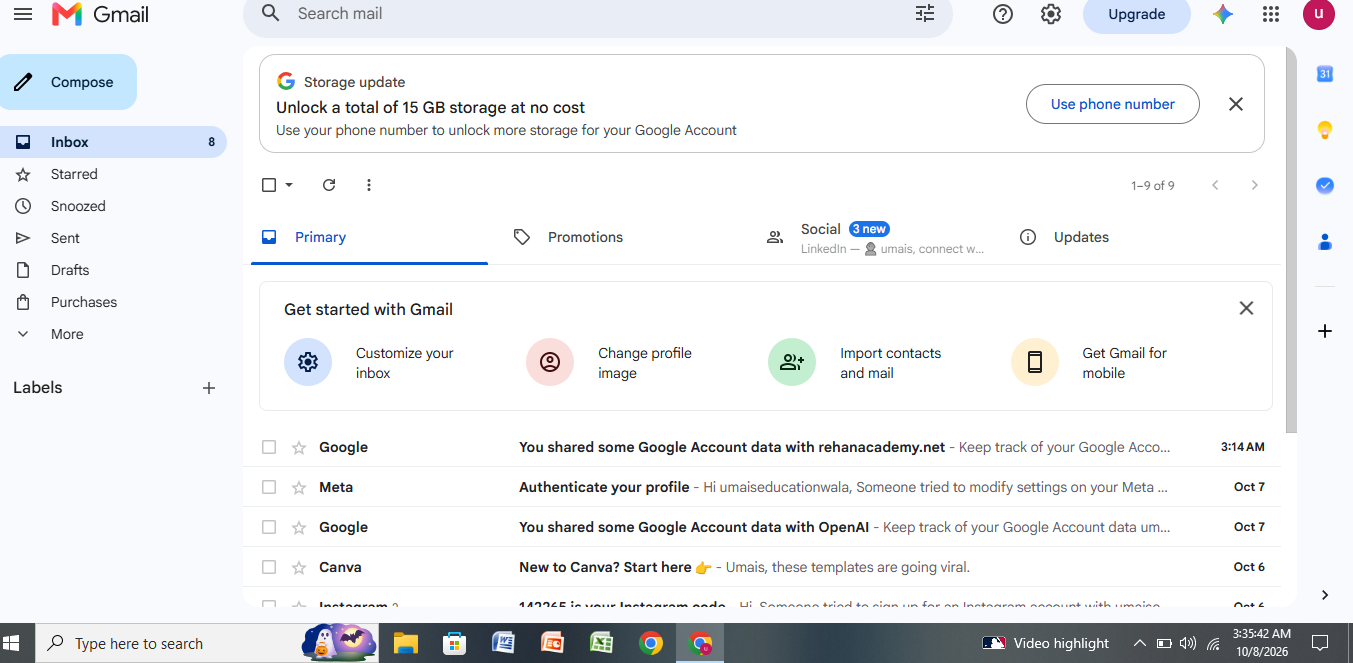
  • Spend 10 mins & make a Email & Facebook for your parents, & use it for them, add your relatives to it, tag their photos & when someone message them, tell them about it and send their reply back to them. It will only help you bring them nearer to you , Do it as they sent you to school when you were kids, it is now time for you to give back. Remember to open their FOLLOW function for sure. :)
    Spend 10 mins & make a Email & Facebook for your parents, & use it for them, add your relatives to it, tag their photos & when someone message them, tell them about it and send their reply back to them. It will only help you bring them nearer to you , Do it as they sent you to school when you were kids, it is now time for you to give back. Remember to open their FOLLOW function for sure. :)
    0 Comments 0 Shares 400 Views
  • Spend 10 mins & make a Email & Facebook for your parents, & use it for them, add your relatives to it, tag their photos & when someone message them, tell them about it and send their reply back to them. It will only help you bring them nearer to you , Do it as they sent you to school when you were kids, it is now time for you to give back. Remember to open their FOLLOW function for sure. :)
    Spend 10 mins & make a Email & Facebook for your parents, & use it for them, add your relatives to it, tag their photos & when someone message them, tell them about it and send their reply back to them. It will only help you bring them nearer to you , Do it as they sent you to school when you were kids, it is now time for you to give back. Remember to open their FOLLOW function for sure. :)
    0 Comments 0 Shares 317 Views
  • Spend 10 mins & make a Email & Facebook for your parents, & use it for them, add your relatives to it, tag their photos & when someone message them, tell them about it and send their reply back to them. It will only help you bring them nearer to you , Do it as they sent you to school when you were kids, it is now time for you to give back. Remember to open their FOLLOW function for sure. :)
    Spend 10 mins & make a Email & Facebook for your parents, & use it for them, add your relatives to it, tag their photos & when someone message them, tell them about it and send their reply back to them. It will only help you bring them nearer to you , Do it as they sent you to school when you were kids, it is now time for you to give back. Remember to open their FOLLOW function for sure. :)
    0 Comments 0 Shares 295 Views
  • Juat read my email and all I can say is :)
    Juat read my email and all I can say is :)
    0 Comments 0 Shares 204 Views
  • Spend 10 mins & make a Email & Facebook for your parents, & use it for them, add your relatives to it, tag their photos & when someone message them, tell them about it and send their reply back to them. It will only help you bring them nearer to you , Do it as they sent you to school when you were kids, it is now time for you to give back. Remember to open their FOLLOW function for sure. :)
    Spend 10 mins & make a Email & Facebook for your parents, & use it for them, add your relatives to it, tag their photos & when someone message them, tell them about it and send their reply back to them. It will only help you bring them nearer to you , Do it as they sent you to school when you were kids, it is now time for you to give back. Remember to open their FOLLOW function for sure. :)
    0 Comments 0 Shares 238 Views
More Results