• RSIF8
    ROll NO:106
    Task No:1
    Task Topic:# How to Create a Gmail Account?
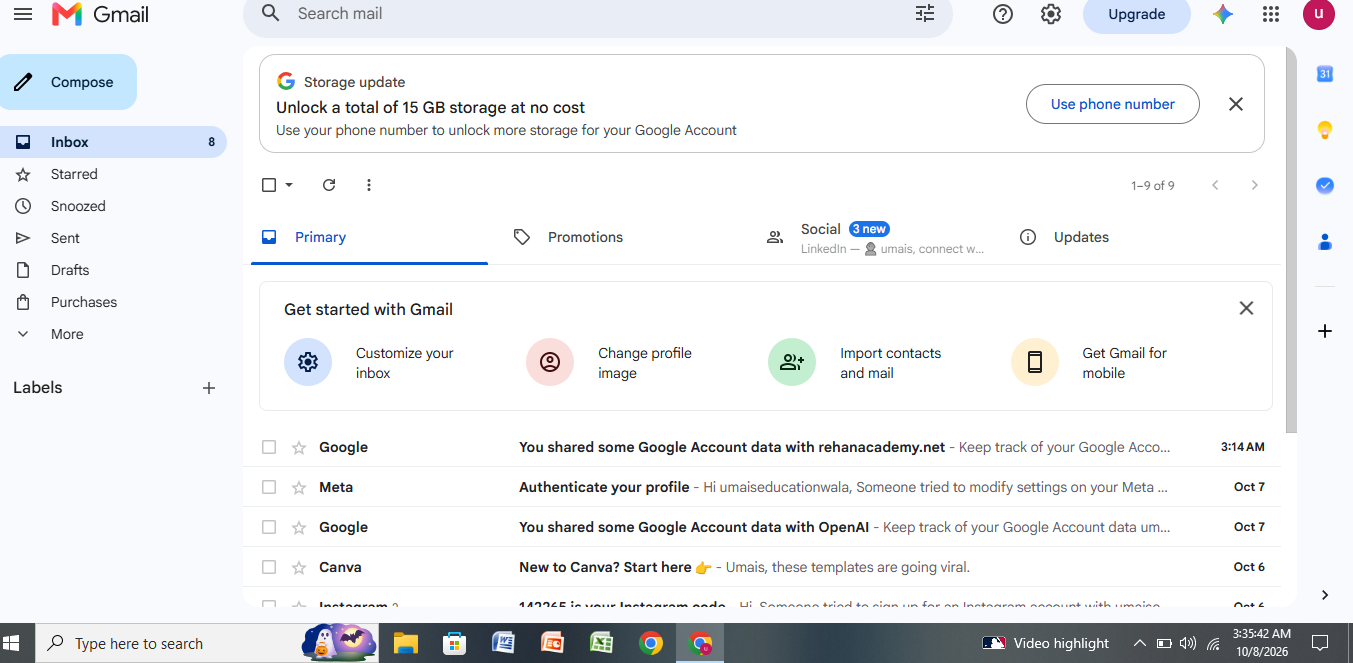
    Creating a Gmail account is quick and easy. Gmail is a free email service by Google that you can use to send and receive emails, sign up for websites, store files, and access Google services.
    ### Steps to Create a Gmail Account:
    1. Open your web browser and go to Gmail.
    2. Click **Create account**.
    3. Choose **For myself** or **For business**.
    4. Enter your **first name and last name**.
    5. Choose your desired **Gmail username**.
    6. Create a strong **password** and confirm it.
    7. Enter your phone number if Google asks you to verify your account.
    8. Add a **recovery email** if available.
    9. Enter your **date of birth and gender**.
    10. Read and accept Google's **Terms and Privacy Policy**.
    11. Your Gmail account is now ready to use.
    ### Conclusion
    That's it! Your new Gmail account is ready. You can now send emails, receive messages, and use other Google services with your new account.
    RSIF8 ROll NO:106 Task No:1 Task Topic:# How to Create a Gmail Account? Creating a Gmail account is quick and easy. Gmail is a free email service by Google that you can use to send and receive emails, sign up for websites, store files, and access Google services. ### Steps to Create a Gmail Account: 1. Open your web browser and go to Gmail. 2. Click **Create account**. 3. Choose **For myself** or **For business**. 4. Enter your **first name and last name**. 5. Choose your desired **Gmail username**. 6. Create a strong **password** and confirm it. 7. Enter your phone number if Google asks you to verify your account. 8. Add a **recovery email** if available. 9. Enter your **date of birth and gender**. 10. Read and accept Google's **Terms and Privacy Policy**. 11. Your Gmail account is now ready to use. ### Conclusion That's it! Your new Gmail account is ready. You can now send emails, receive messages, and use other Google services with your new account.
    0 تبصرے 0 شیئرز 278 ویوز
  • RSIF8
    Roll NO:11
    Task post no : 5
    Task topic How to Create an Instagram
    Account?
    How to Create an Instagram Account (Step-by-Step Guide)

    Want to join the world of reels, photos, and creativity? Let’s make your Instagram account in just a few minutes!

    Step 1: Download the App

    Open Play Store (Android) or App Store (iPhone)
    Search for Instagram
    Tap Install / Get

    Step 2: Open & Sign Up

    Open the app
    Tap Sign Up
    Choose one option:

    Sign up with Email
    Sign up with Phone Number
    Step 3: Create Login Details

    Enter your name
    Create a username (your unique ID)
    Create a strong password

    Tip: Pick a cool username like:
    anam_creates
    life.with.anam
    official.anam

    Step 4: Add Profile Info

    Now make your profile attractive

    Add a Profile Photo
    Write a Bio (short intro)
    Example bio ideas:

    Dream big | Work hard | Stay kind
    Student | Creator | Learner
    Living my story one post at a time
    Step 5: Find Friends

    Instagram will ask to connect contacts
    Tap Follow to start building your community

    Step 6: Your Account is Ready!

    Congratulations You are now on Instagram!

    Post your first photo:
    Tap + icon → Upload → Write caption → Post

    Something Different (Fun First Post Idea)

    Instead of a normal photo, make a “Hello Instagram” intro post

    Caption idea:
    Hello world!
    This is my new space to share my journey, creativity and daily life
    Follow me for positivity, learning & fun
    #NewOnInstagram #FirstPost #HelloWorld #InstaJourney #DreamBigRSIF8RSIF8
    RSIF8 Roll NO:11 Task post no : 5 Task topic How to Create an Instagram Account? 📸✨ How to Create an Instagram Account (Step-by-Step Guide) 🚀🔥 Want to join the world of reels, photos, and creativity? Let’s make your Instagram account in just a few minutes! 💥💬 📲 Step 1: Download the App 👉 Open Play Store (Android) or App Store (iPhone) 🔍 Search for Instagram ⬇️ Tap Install / Get 📝 Step 2: Open & Sign Up 1️⃣ Open the app 2️⃣ Tap Sign Up 3️⃣ Choose one option: 📧 Sign up with Email 📱 Sign up with Phone Number 🔐 Step 3: Create Login Details ✔️ Enter your name ✔️ Create a username (your unique ID) 😎 ✔️ Create a strong password 🔑 Tip: Pick a cool username like: ✨ anam_creates ✨ life.with.anam ✨ official.anam 👤 Step 4: Add Profile Info Now make your profile attractive 💖 📷 Add a Profile Photo 📝 Write a Bio (short intro) Example bio ideas: 🌸 Dream big | Work hard | Stay kind 🎓 Student | 📸 Creator | 💫 Learner ✨ Living my story one post at a time 👥 Step 5: Find Friends Instagram will ask to connect contacts 📱 Tap Follow to start building your community 🤝💬 🎉 Step 6: Your Account is Ready! Congratulations 🥳 You are now on Instagram! Post your first photo: 📸 Tap + icon → Upload → Write caption → Post 🚀 💡 Something Different (Fun First Post Idea) 🌈 Instead of a normal photo, make a “Hello Instagram” intro post 👋 Caption idea: ✨ Hello world! This is my new space to share my journey, creativity and daily life 💫 Follow me for positivity, learning & fun 🌸💖 #NewOnInstagram #FirstPost #HelloWorld #InstaJourney #DreamBigRSIF8RSIF8
    0 تبصرے 0 شیئرز 1474 ویوز
  • RSIF8
    Roll NO:11
    Task post no : 1
    Task topic How to Create a Gmail
    Account?
    How to Create a Gmail Account – Step by Step Guide

    Want your own email for school, work, or social media? Creating a Gmail account is super easy and FREE! Follow these simple steps and get started in minutes

    Step 1: Go to the Gmail sign-up page
    Step 2: Enter your First & Last Name
    Step 3: Choose a unique Username
    Step 4: Create a strong Password
    Step 5: Add your Phone Number for security
    Step 6: Verify with the code sent to your phone
    Step 7: Add recovery email (optional)
    Step 8: Enter your birthday & gender
    Step 9: Agree to Google’s terms
    Done! Your Gmail is ready to use!

    Now you can send emails , join YouTube , download apps , and use Google Drive

    Tip: Keep your password safe and never share it

    #Gmail #EmailAccount #GoogleAccount #TechTips #DigitalSkills #LearnOnline #Students #Beginners #HowTo #EasySteps
    RSIF8 Roll NO:11 Task post no : 1 Task topic How to Create a Gmail Account? ✨ How to Create a Gmail Account – Step by Step Guide ✨ Want your own email for school, work, or social media? 📱💻 Creating a Gmail account is super easy and FREE! 💯 Follow these simple steps and get started in minutes 🚀 🔹 Step 1: Go to the Gmail sign-up page 🌐 🔹 Step 2: Enter your First & Last Name 👤 🔹 Step 3: Choose a unique Username ✍️ 🔹 Step 4: Create a strong Password 🔐 🔹 Step 5: Add your Phone Number for security 📞 🔹 Step 6: Verify with the code sent to your phone ✔️ 🔹 Step 7: Add recovery email (optional) 📩 🔹 Step 8: Enter your birthday & gender 🎂 🔹 Step 9: Agree to Google’s terms 👍 🎉 Done! Your Gmail is ready to use! 🎉 Now you can send emails 📧, join YouTube ▶️, download apps 📲, and use Google Drive ☁️ 💡 Tip: Keep your password safe and never share it 🔒 #Gmail #EmailAccount #GoogleAccount #TechTips #DigitalSkills #LearnOnline #Students #Beginners #HowTo #EasySteps 🚀
    0 تبصرے 0 شیئرز 1086 ویوز
  • RSIF8
    Roll no:100
    Task no:5
    Task topic:How to Create an Instagram Account?
    **How to Create an Instagram Account in Just a Few Steps!**
    Ready to join Instagram? It's quick and easy!
    Download the Instagram app
    Sign up with your email or phone number
    Choose a unique username
    Create a strong password
    Add a profile picture
    Write a short bio
    Start following friends and sharing your favorite moments!
    Connect, create, and inspire with your amazing content. Your Instagram journey starts today!
    #Instagram #InstagramTips #CreateInstagramAccount #SocialMedia #DigitalTips #BeginnerGuide #ContentCreator #InstagramGuide #TechTips #OnlinePresence #SocialMediaMarketing #Reels #ExplorePage #Trending #Viral #InstaDaily
    RSIF8 Roll no:100 Task no:5 Task topic:How to Create an Instagram Account? 📱✨ **How to Create an Instagram Account in Just a Few Steps!** 🚀 Ready to join Instagram? 🌍💖 It's quick and easy! ✅ Download the Instagram app 📲 ✅ Sign up with your email or phone number 📧📞 ✅ Choose a unique username 👤 ✅ Create a strong password 🔒 ✅ Add a profile picture 🖼️ ✅ Write a short bio ✍️ ✅ Start following friends and sharing your favorite moments! 📸🎉 🌟 Connect, create, and inspire with your amazing content. Your Instagram journey starts today! 💜 #Instagram #InstagramTips #CreateInstagramAccount #SocialMedia #DigitalTips #BeginnerGuide #ContentCreator #InstagramGuide #TechTips #OnlinePresence #SocialMediaMarketing #Reels #ExplorePage #Trending #Viral #InstaDaily 🚀📸
    0 تبصرے 0 شیئرز 1080 ویوز
  • RSIF8
    Roll no 88
    Task no 2
    Task topic How to Make a Facebook
    Account and Set It Up?
    Creating a Facebook account is simple and helps you connect with friends, family, and people around the world. Facebook
    allows users to share photos, videos, posts, and communicate online easily.

    To create a Facebook account, visit the Facebook Sign Up Page
    and enter your name, email or phone number, password, date of birth, and gender. After that, click on the Sign Up button and verify your account using the confirmation code.

    Once your account is created, you can set up your profile by adding a profile picture, cover photo, bio, and personal details. You can also add friends, follow pages, join groups, and start sharing your posts online.

    Facebook is a great platform for communication, learning, entertainment, and staying connected with the world.

    #Facebook #CreateFacebookAccount #SocialMedia #FacebookSetup #DigitalSkills OnlineLearning Technology FacebookTips LearningJourney St
    16w
    RSIF8 Roll no 88 Task no 2 Task topic How to Make a Facebook Account and Set It Up? Creating a Facebook account is simple and helps you connect with friends, family, and people around the world. 🌍📱 Facebook allows users to share photos, videos, posts, and communicate online easily. 💬📸 To create a Facebook account, visit the Facebook Sign Up Page and enter your name, email or phone number, password, date of birth, and gender. 📝🔐 After that, click on the Sign Up button and verify your account using the confirmation code. ✅📩 Once your account is created, you can set up your profile by adding a profile picture, cover photo, bio, and personal details. 🎨📷 You can also add friends, follow pages, join groups, and start sharing your posts online. 🚀✨ Facebook is a great platform for communication, learning, entertainment, and staying connected with the world. 🌐💙 #Facebook #CreateFacebookAccount #SocialMedia #FacebookSetup #DigitalSkills OnlineLearning Technology FacebookTips LearningJourney St 📘✨ 16w
    0 تبصرے 0 شیئرز 834 ویوز
  • RISF8
    Roll no:100
    Task no:1
    Task Topic: How to Create a Gmail Account
    How to Create a Gmail Account | Step-by-Step Tutorial
    Want to create a new Gmail account but don't know where to start? In this easy step-by-step tutorial, I'll show you how to create a Gmail account in just a few minutes. Whether you're using a mobile phone or a computer , this guide is perfect for beginners.
    In this video, you'll learn:
    How to create a new Gmail account
    How to set up your Google account
    Tips for creating a secure password
    How to verify your phone number
    How to start using Gmail for emails and other Google services
    If you found this video helpful, don't forget to:
    Like
    Comment
    Subscribe
    Share with your friends
    Thanks for watching!
    #Gmail #GoogleAccount #CreateGmail #GmailTutorial #EmailAccount #Google #TechTutorial #HowTo #BeginnerGuide #GmailSetup #AndroidTips #ComputerTips #StepByStep #TechTips #YouTubeTutorial
    RISF8 Roll no:100 Task no:1 Task Topic: How to Create a Gmail Account 📧 How to Create a Gmail Account | Step-by-Step Tutorial 🚀 Want to create a new Gmail account but don't know where to start? 🤔 In this easy step-by-step tutorial, I'll show you how to create a Gmail account in just a few minutes. Whether you're using a mobile phone 📱 or a computer 💻, this guide is perfect for beginners. ✅ In this video, you'll learn: 📌 How to create a new Gmail account 📌 How to set up your Google account 📌 Tips for creating a secure password 🔒 📌 How to verify your phone number 📌 How to start using Gmail for emails and other Google services If you found this video helpful, don't forget to: 👍 Like 💬 Comment 🔔 Subscribe 📤 Share with your friends Thanks for watching! ❤️ #Gmail #GoogleAccount #CreateGmail #GmailTutorial #EmailAccount #Google #TechTutorial #HowTo #BeginnerGuide #GmailSetup #AndroidTips #ComputerTips #StepByStep #TechTips #YouTubeTutorial
    0 تبصرے 0 شیئرز 1173 ویوز
  • RSIF8
    Roll No: 99
    Task No:1
    Task Topic: HOW TO CREATE A GMAIL ACCOUNT?
    Creating a Gmail account is quick, easy, and completely free! Whether you're signing up for the first time or creating a new email for work, school, or personal use, this step-by-step guide will help you get started in just a few minutes.
    Follow the simple instructions, set up your account securely, and unlock access to Gmail, Google Drive, YouTube, Google Photos, Google Meet, and many other Google services.
    Save this post for later and share it with someone who needs help creating a Gmail account!
    #Gmail #Google #Email #GmailAccount #CreateGmail #GoogleAccount #EmailSetup #TechTips #DigitalSkills #OnlineGuide #Technology #Internet #Productivity #BeginnerGuide #HowTo #LearnTechnology #SocialMediaTips #TechTutorial #EasySteps #DigitalLife
    RSIF8 Roll No: 99 Task No:1 Task Topic: HOW TO CREATE A GMAIL ACCOUNT? Creating a Gmail account is quick, easy, and completely free! 📧 Whether you're signing up for the first time or creating a new email for work, school, or personal use, this step-by-step guide will help you get started in just a few minutes. Follow the simple instructions, set up your account securely, and unlock access to Gmail, Google Drive, YouTube, Google Photos, Google Meet, and many other Google services. 💡 Save this post for later and share it with someone who needs help creating a Gmail account! #Gmail #Google #Email #GmailAccount #CreateGmail #GoogleAccount #EmailSetup #TechTips #DigitalSkills #OnlineGuide #Technology #Internet #Productivity #BeginnerGuide #HowTo #LearnTechnology #SocialMediaTips #TechTutorial #EasySteps #DigitalLife
    0 تبصرے 0 شیئرز 1382 ویوز
  • RSIF8
    Roll no 88
    Task no 1
    Task topic How to Create a Gmail
    Account?
    How to Create a Gmail Account?

    Creating a Gmail account is quick, easy, and very useful for daily online activities. Gmail is a free email service by Google
    that helps you send emails, access YouTube, use Google Drive, and connect with many online platforms.

    To create a Gmail account, simply visit the Gmail Sign Up Page
    , enter your personal details, choose a unique username, create a strong password, and verify your phone number. After completing these steps, your Gmail account will be ready to use.

    Having a Gmail account makes communication easier and gives access to many helpful Google services for learning, work, and entertainment.

    #Gmail #GoogleAccount #CreateGmail #EmailAccount #DigitalSkills #OnlineLearning #Technology #GmailSetup #Internet #LearningJourney
    16w
    RSIF8 Roll no 88 Task no 1 Task topic How to Create a Gmail Account? 📧✨ How to Create a Gmail Account? ✨📧 Creating a Gmail account is quick, easy, and very useful for daily online activities. 💻📱 Gmail is a free email service by Google that helps you send emails, access YouTube, use Google Drive, and connect with many online platforms. 🌐🚀 To create a Gmail account, simply visit the Gmail Sign Up Page , enter your personal details, choose a unique username, create a strong password, and verify your phone number. 🔐📩 After completing these steps, your Gmail account will be ready to use. ✅✨ Having a Gmail account makes communication easier and gives access to many helpful Google services for learning, work, and entertainment. 🎯📚 #Gmail #GoogleAccount #CreateGmail #EmailAccount #DigitalSkills #OnlineLearning #Technology #GmailSetup #Internet #LearningJourney 📧💻✨ 16w
    0 تبصرے 0 شیئرز 1078 ویوز
  • RSIF8
    Roll no:112
    Task no:6
    Task Topic: How to Create a LinkedIn Account?
    Visit LinkedIn → Click Join Now
    Enter your email and create a password
    Add your name and location
    Add your job title/company (if any)
    Verify your email
    Add a professional profile picture
    Write an engaging About section
    Connect with people you know and grow your professional network!
    Start building your professional presence on LinkedIn today!
    #LinkedIn #LinkedInProfile #LinkedInTips #ProfessionalNetworking #CareerGrowth #JobSearch #PersonalBranding #CareerTips #ProfessionalProfile #Networking #CareerDevelopment #DigitalSkills
    RSIF8 Roll no:112 Task no:6 Task Topic: How to Create a LinkedIn Account? 🚀 Visit LinkedIn 🌐 → Click Join Now ➡️ 📧 Enter your email and create a password 👤 Add your name and location 📍 💼 Add your job title/company (if any) ✅ Verify your email 📸 Add a professional profile picture 📝 Write an engaging About section 🤝 Connect with people you know and grow your professional network! 🌟 Start building your professional presence on LinkedIn today! 🚀💙 #LinkedIn #LinkedInProfile #LinkedInTips #ProfessionalNetworking #CareerGrowth #JobSearch #PersonalBranding #CareerTips #ProfessionalProfile #Networking #CareerDevelopment #DigitalSkills
    0 تبصرے 0 شیئرز 999 ویوز
  • RSIF8
    Roll no:112
    Task no:5
    Task Topic: How to Create an Instagram Account & Set It Up!
    Ready to join Instagram? Download the Instagram app from the App Store or Google Play . Sign up using your email or phone number , then add your full name, username, and password .
    Make your profile stand out! Add a profile picture , bio , and website (optional). Follow suggested people and start sharing your photos, videos, and reels!
    Get started today and connect with the world on Instagram!
    #Instagram #InstagramSetup #CreateInstagramAccount #InstagramGuide #SocialMedia #SocialMediaTips #InstagramTips #NewToInstagram #OnlinePresence #DigitalSkills #SocialMediaGuide #InstagramProfile #Reels #ContentCreator #TechTips
    RSIF8 Roll no:112 Task no:5 Task Topic: How to Create an Instagram Account & Set It Up! Ready to join Instagram? 🎉 Download the Instagram app from the App Store or Google Play 📲. Sign up using your email or phone number 📧📞, then add your full name, username, and password 🔐. Make your profile stand out! 🌟 Add a profile picture 🖼️, bio ✍️, and website 🔗 (optional). Follow suggested people 👥 and start sharing your photos, videos, and reels! 📸🎥🎬 🚀 Get started today and connect with the world on Instagram! ❤️ #Instagram #InstagramSetup #CreateInstagramAccount #InstagramGuide #SocialMedia #SocialMediaTips #InstagramTips #NewToInstagram #OnlinePresence #DigitalSkills #SocialMediaGuide #InstagramProfile #Reels #ContentCreator #TechTips
    0 تبصرے 0 شیئرز 1276 ویوز
More Results