• #rsisb
    roll no.247
    Foundation level
    # Simple Calculator
    **Simple Calculator – Making Everyday Math Easy!**
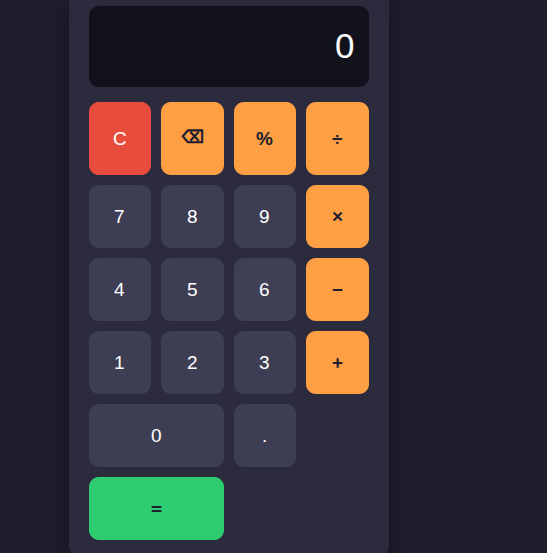
    A **Simple Calculator** is a useful and beginner-friendly application designed to make basic mathematical calculations quick, accurate, and convenient. Whether you are a student learning mathematics, a beginner exploring programming, or simply someone who needs to calculate numbers quickly, a calculator provides an easy way to perform everyday calculations.
    This project focuses on the fundamental arithmetic operations: **addition (+), subtraction (-), multiplication (×), and division (÷)**. Users can enter numbers, select an operation, and instantly see the result. The simple interface makes it easy to understand and use, while also demonstrating important concepts such as user input, mathematical operators, buttons, functions, and displaying results.
    Creating a Simple Calculator is also an excellent programming project for beginners. It helps learners understand how different parts of an application work together. From designing the interface to writing the calculation logic, every step provides an opportunity to develop problem-solving and programming skills.
    A calculator project can also be expanded with additional features such as decimal numbers, percentage calculations, clear and delete buttons, keyboard support, calculation history, and more advanced mathematical functions. This makes it a great starting point for learning how simple applications can gradually become more powerful and interactive.
    **Key Features:**
    Addition
    Subtraction
    Multiplication
    Division
    Easy-to-use interface
    Fast calculations
    Beginner-friendly design
    Useful for learning programming
    Clear and understandable results
    **Learning Value:**
    Working on a Simple Calculator helps learners practice logical thinking, understand basic programming concepts, handle user input, and create interactive applications. It demonstrates how mathematics and technology can come together to solve everyday problems.
    **Conclusion:**
    The Simple Calculator may be a small project, but it teaches some very important ideas about programming and application development. It is a perfect beginner project for turning basic mathematical operations into an interactive digital tool. Keep learning, keep experimenting, and keep building!
    #SimpleCalculator #Calculator #Math #Mathematics #Programming #Coding #BeginnerProject #CodingForBeginners #LearnProgramming #ComputerScience #Technology #Education #StudentProject #MathSkills #ProblemSolving #ProgrammingProject #DigitalLearning #CodingSkills #CreativeCoding #LearnToCode #TechEducation #BasicCalculator #EasyCoding #Innovation
    #rsisb roll no.247 Foundation level # Simple Calculator 🧮✨ 🧮 **Simple Calculator – Making Everyday Math Easy!** 🔢💡 A **Simple Calculator** is a useful and beginner-friendly application designed to make basic mathematical calculations quick, accurate, and convenient. ➕➖✖️➗ Whether you are a student learning mathematics, a beginner exploring programming, or simply someone who needs to calculate numbers quickly, a calculator provides an easy way to perform everyday calculations. 📚💻 This project focuses on the fundamental arithmetic operations: **addition (+), subtraction (-), multiplication (×), and division (÷)**. Users can enter numbers, select an operation, and instantly see the result. ⚡🔢 The simple interface makes it easy to understand and use, while also demonstrating important concepts such as user input, mathematical operators, buttons, functions, and displaying results. 🎯 Creating a Simple Calculator is also an excellent programming project for beginners. 👨‍💻👩‍💻 It helps learners understand how different parts of an application work together. From designing the interface to writing the calculation logic, every step provides an opportunity to develop problem-solving and programming skills. 🚀🧠 A calculator project can also be expanded with additional features such as decimal numbers, percentage calculations, clear and delete buttons, keyboard support, calculation history, and more advanced mathematical functions. 🌟📱 This makes it a great starting point for learning how simple applications can gradually become more powerful and interactive. ✨ **Key Features:** 🔹 Addition ➕ 🔹 Subtraction ➖ 🔹 Multiplication ✖️ 🔹 Division ➗ 🔹 Easy-to-use interface 🖥️ 🔹 Fast calculations ⚡ 🔹 Beginner-friendly design 🌱 🔹 Useful for learning programming 💻 🔹 Clear and understandable results ✅ 📚 **Learning Value:** Working on a Simple Calculator helps learners practice logical thinking, understand basic programming concepts, handle user input, and create interactive applications. 🧠💻 It demonstrates how mathematics and technology can come together to solve everyday problems. 🌟 **Conclusion:** The Simple Calculator may be a small project, but it teaches some very important ideas about programming and application development. 🧮🚀 It is a perfect beginner project for turning basic mathematical operations into an interactive digital tool. Keep learning, keep experimenting, and keep building! 💡🌈 #SimpleCalculator #Calculator #Math #Mathematics #Programming #Coding #BeginnerProject #CodingForBeginners #LearnProgramming #ComputerScience #Technology #Education #StudentProject #MathSkills #ProblemSolving #ProgrammingProject #DigitalLearning #CodingSkills #CreativeCoding #LearnToCode #TechEducation #BasicCalculator #EasyCoding #Innovation
    0 Комментарии 0 Поделились 3224 Просмотры
  • #rsisb
    Roll no.239
    Coding task no.15
    Foundation Level

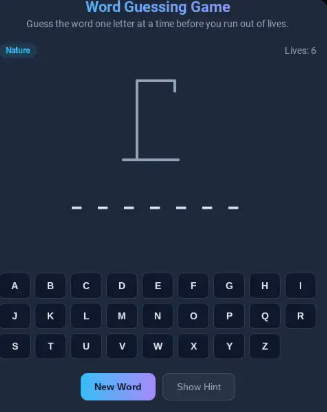
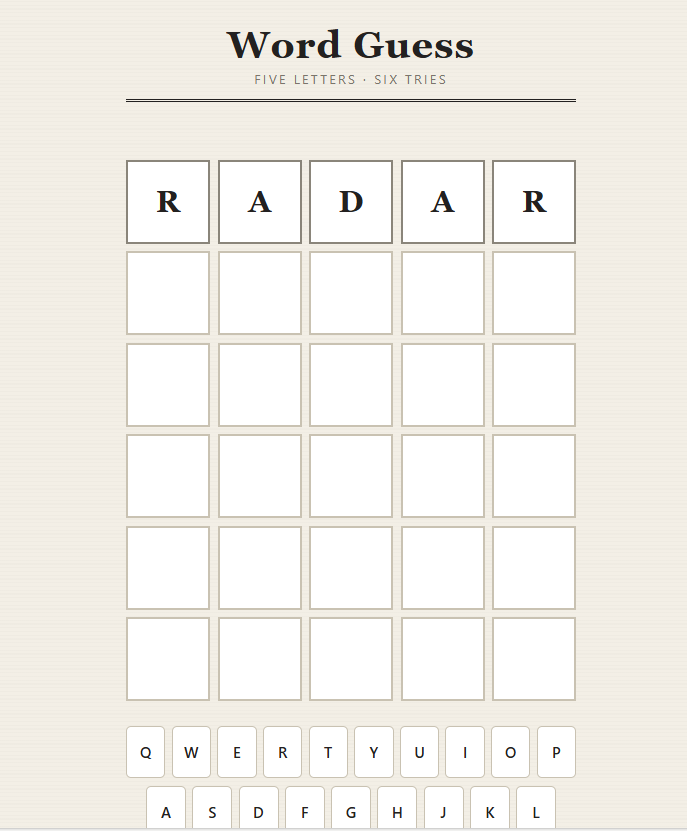
    Challenge your mind and test your vocabulary with an exciting **Word Guessing Game!** Guess the hidden word by using clues, thinking carefully, and making smart choices.

    This fun and interactive game is a great way to improve **vocabulary, spelling, memory, concentration, and problem-solving skills**. Every guess brings you one step closer to discovering the secret word!

    Whether you're playing with friends , practicing English , or building your coding skills through a simple game project , word guessing is an entertaining way to learn while having fun.

    **Think smart. Guess carefully. Discover the word!**

    #WordGuessingGame #WordGame #GuessTheWord #Vocabulary #EnglishVocabulary #LearningEnglish #EnglishGame #BrainGame #MindGame #PuzzleGame #FunLearning #EducationalGame #GameDevelopment #Coding #Programming #Python #JavaScript #HTML #CSS #CodingProject #BeginnerCoding #ComputerScience #Students #StudentProject #LearnToCode #ProgrammingForBeginners #ProblemSolving #CriticalThinking #BrainTraining #MemoryGame #Spelling #LanguageLearning #InteractiveGame #FunGame #GameChallenge #TechEducation #STEM #Education #Learning #Knowledge #CreativeCoding #CodingForStudents #BuildGames #GameProject #DigitalLearning #SmartLearning #LearnAndPlay #ChallengeYourMind
    #rsisb Roll no.239 Coding task no.15 Foundation Level Challenge your mind and test your vocabulary with an exciting **Word Guessing Game!** 🎯📚 Guess the hidden word by using clues, thinking carefully, and making smart choices. 💡🔍 This fun and interactive game is a great way to improve **vocabulary, spelling, memory, concentration, and problem-solving skills**. 🧠✍️📖 Every guess brings you one step closer to discovering the secret word! 🔐🔤 Whether you're playing with friends 👥, practicing English 🇬🇧, or building your coding skills through a simple game project 💻, word guessing is an entertaining way to learn while having fun. 🚀🎮 🔥 **Think smart. Guess carefully. Discover the word!** 🏆✨ #WordGuessingG🙃ame #WordGame #GuessTheWord #Vocabulary #EnglishVocabulary #LearningEnglish #EnglishGame #BrainGame #MindGame #PuzzleGame #FunLearning #EducationalGame #GameDevelopment #Coding #Programming #Python #JavaScript #HTML #CSS #CodingProject #BeginnerCoding #ComputerScience #Students #StudentProject #LearnToCode #ProgrammingForBeginners #ProblemSolving #CriticalThinking #BrainTraining #MemoryGame #Spelling #LanguageLearning #InteractiveGame #FunGame #GameChallenge #TechEducation #STEM #Education #Learning #Knowledge #CreativeCoding #CodingForStudents #BuildGames #GameProject #DigitalLearning #SmartLearning #LearnAndPlay #ChallengeYourMind 🎮🧠🔤💻🚀🏆✨
    0 Комментарии 0 Поделились 5992 Просмотры
  • #rsisb
    roll no 46
    4 codinge task

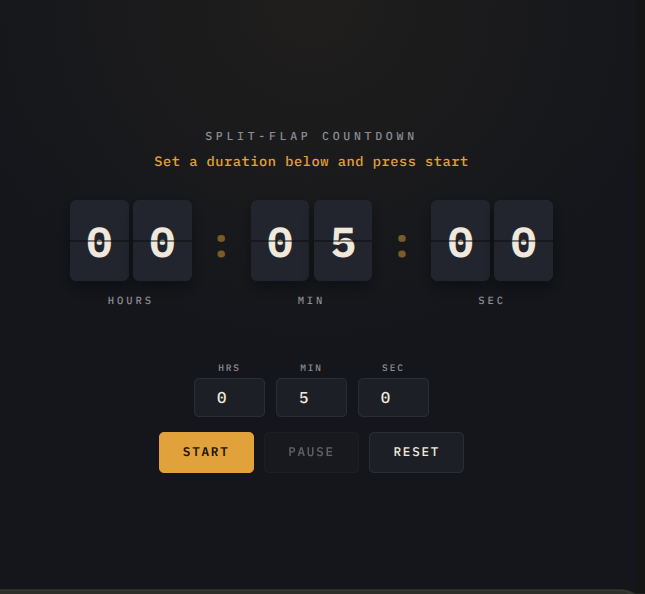
    Exciting things are about to begin! A **Countdown Timer** is a simple but powerful way to track time, build excitement, stay organized, and complete tasks on time. Whether you are preparing for an important event, starting a presentation, studying for a challenge, playing a game, or simply trying to improve your time-management skills, a countdown timer makes every second meaningful!

    This project helped me understand how technology can make everyday activities more interactive and useful. By watching the numbers count down, we learn the importance of **focus, patience, planning, and using our time wisely**.

    A countdown is more than just numbers moving toward zero—it reminds us that **time is valuable** and every moment is an opportunity to learn, create, and achieve something amazing.

    **Start the timer. Stay focused. Keep learning. Make every second count!**

    #CountdownTimer #EverySecondCounts #TimeManagement #TimeIsPrecious #StayFocused #Productivity #CodingProject #CodingForKids #LearningThroughCoding #Technology #DigitalSkills #CreativeCoding #ComputerScience #Programming #StudentProject #Innovation #FutureCoder #KeepLearning #MakeEverySecondCount #TechSkills
    #rsisb roll no 46 4 codinge task Exciting things are about to begin! 🎉 A **Countdown Timer** is a simple but powerful way to track time, build excitement, stay organized, and complete tasks on time. Whether you are preparing for an important event, starting a presentation, studying for a challenge, playing a game, or simply trying to improve your time-management skills, a countdown timer makes every second meaningful! 🎯💻 This project helped me understand how technology can make everyday activities more interactive and useful. By watching the numbers count down, we learn the importance of **focus, patience, planning, and using our time wisely**. ⏱️📚✨ A countdown is more than just numbers moving toward zero—it reminds us that **time is valuable** and every moment is an opportunity to learn, create, and achieve something amazing. 🌟💡 🚀 **Start the timer. Stay focused. Keep learning. Make every second count!** 💪⏰ #CountdownTimer #EverySecondCounts #TimeManagement #TimeIsPrecious #StayFocused #Productivity #CodingProject #CodingForKids #LearningThroughCoding #Technology #DigitalSkills #CreativeCoding #ComputerScience #Programming #StudentProject #Innovation #FutureCoder #KeepLearning #MakeEverySecondCount #TechSkills ⏳⏰💻🚀🎯📚🌟🔥💡
    0 Комментарии 0 Поделились 3657 Просмотры
  • #rsisb
    Roll no.247
    Foundation level# Basic Calculator with GUI

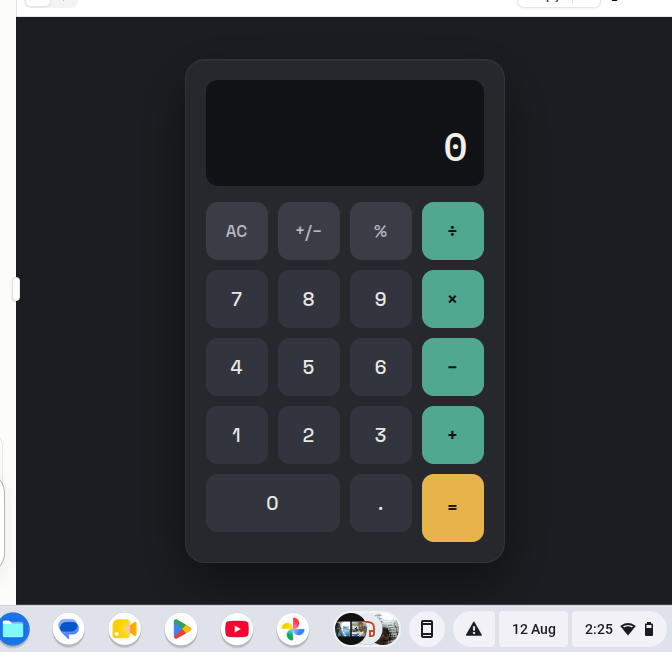
    Welcome to **Basic Calculator with GUI** — a simple, user-friendly, and interactive calculator project designed to make everyday mathematical calculations quick, easy, and enjoyable! This project demonstrates how a calculator can be built with a **Graphical User Interface (GUI)**, allowing users to perform calculations by simply clicking buttons instead of typing commands.

    The calculator provides essential mathematical operations such as **addition , subtraction , multiplication , and division **. It is designed with a clean and straightforward interface so that beginners, students, and anyone interested in programming can easily understand how a GUI-based application works.

    One of the most interesting aspects of this project is the combination of **programming logic and visual design**. Users can enter numbers, select mathematical operators, and instantly see the result displayed on the calculator screen. This makes the project a great example of how programming can be used to create practical and interactive applications.

    The **Basic Calculator with GUI** is also an excellent learning project for students who are beginning their programming journey. Through this project, learners can understand important concepts such as **variables, functions, event handling, buttons, input fields, operators, conditional logic, and GUI components**. These concepts provide a strong foundation for developing more advanced software applications in the future.

    The simple design makes the calculator easy to navigate, while the interactive buttons provide a smooth user experience. Whether you want to calculate a total, subtract numbers, multiply values, or divide one number by another, this calculator provides the essential tools needed for basic arithmetic.

    This project also highlights the importance of creating applications that are not only functional but also **easy to use and visually understandable**. A well-designed GUI helps users interact with software naturally and makes complex programming concepts more accessible.

    Overall, the **Basic Calculator with GUI** is a fun, educational, and practical programming project. It is perfect for beginners who want to practice GUI development while building something useful. With additional features, the project can later be expanded into a more advanced calculator with percentage calculations, decimal support, square roots, memory functions, calculation history, and more!

    **Project Highlights:**
    Simple and clean GUI design
    Addition, subtraction, multiplication, and division
    Interactive calculator buttons
    Easy-to-understand interface
    Beginner-friendly programming project
    Useful for learning GUI development
    Great practice for programming logic
    Can be expanded with advanced features

    **Learn. Code. Calculate. Create!**

    #BasicCalculator #CalculatorGUI #GUICalculator #Programming #Coding #ComputerScience #PythonProject #BeginnerProject #ProgrammingForBeginners #GUIProgramming #SoftwareDevelopment #CodingProject #MathCalculator #LearnProgramming #StudentProject #TechProject #InteractiveApplication #ComputerProgramming #CodingJourney #ProgrammingSkills #Education #Technology #Developer #CodeLearning #CreativeCoding #Math #CalculatorProject
    #rsisb Roll no.247 Foundation level# Basic Calculator with GUI 🧮💻 Welcome to **Basic Calculator with GUI** — a simple, user-friendly, and interactive calculator project designed to make everyday mathematical calculations quick, easy, and enjoyable! 🎉✨ This project demonstrates how a calculator can be built with a **Graphical User Interface (GUI)**, allowing users to perform calculations by simply clicking buttons instead of typing commands. 🖱️🔢 The calculator provides essential mathematical operations such as **addition ➕, subtraction ➖, multiplication ✖️, and division ➗**. It is designed with a clean and straightforward interface so that beginners, students, and anyone interested in programming can easily understand how a GUI-based application works. 💡👨‍💻👩‍💻 One of the most interesting aspects of this project is the combination of **programming logic and visual design**. 🎨💻 Users can enter numbers, select mathematical operators, and instantly see the result displayed on the calculator screen. This makes the project a great example of how programming can be used to create practical and interactive applications. 🚀 The **Basic Calculator with GUI** is also an excellent learning project for students who are beginning their programming journey. 📚🌟 Through this project, learners can understand important concepts such as **variables, functions, event handling, buttons, input fields, operators, conditional logic, and GUI components**. These concepts provide a strong foundation for developing more advanced software applications in the future. 🧠💻 The simple design makes the calculator easy to navigate, while the interactive buttons provide a smooth user experience. 🔢🖱️ Whether you want to calculate a total, subtract numbers, multiply values, or divide one number by another, this calculator provides the essential tools needed for basic arithmetic. ✅ This project also highlights the importance of creating applications that are not only functional but also **easy to use and visually understandable**. 🌟 A well-designed GUI helps users interact with software naturally and makes complex programming concepts more accessible. Overall, the **Basic Calculator with GUI** is a fun, educational, and practical programming project. 🧮✨ It is perfect for beginners who want to practice GUI development while building something useful. With additional features, the project can later be expanded into a more advanced calculator with percentage calculations, decimal support, square roots, memory functions, calculation history, and more! 🚀🔢 🎯 **Project Highlights:** 🔹 Simple and clean GUI design 🔹 Addition, subtraction, multiplication, and division 🔹 Interactive calculator buttons 🔹 Easy-to-understand interface 🔹 Beginner-friendly programming project 🔹 Useful for learning GUI development 🔹 Great practice for programming logic 🔹 Can be expanded with advanced features 💻 **Learn. Code. Calculate. Create!** 🧮🚀 #BasicCalculator #CalculatorGUI #GUICalculator #Programming #Coding #ComputerScience #PythonProject #BeginnerProject #ProgrammingForBeginners #GUIProgramming #SoftwareDevelopment #CodingProject #MathCalculator #LearnProgramming #StudentProject #TechProject #InteractiveApplication #ComputerProgramming #CodingJourney #ProgrammingSkills #Education #Technology #Developer #CodeLearning #CreativeCoding #Math #CalculatorProject 🧮💻
    0 Комментарии 0 Поделились 6829 Просмотры
  • #rsisb
    Roll No.190
    Story Post No.32
    Foundation Level

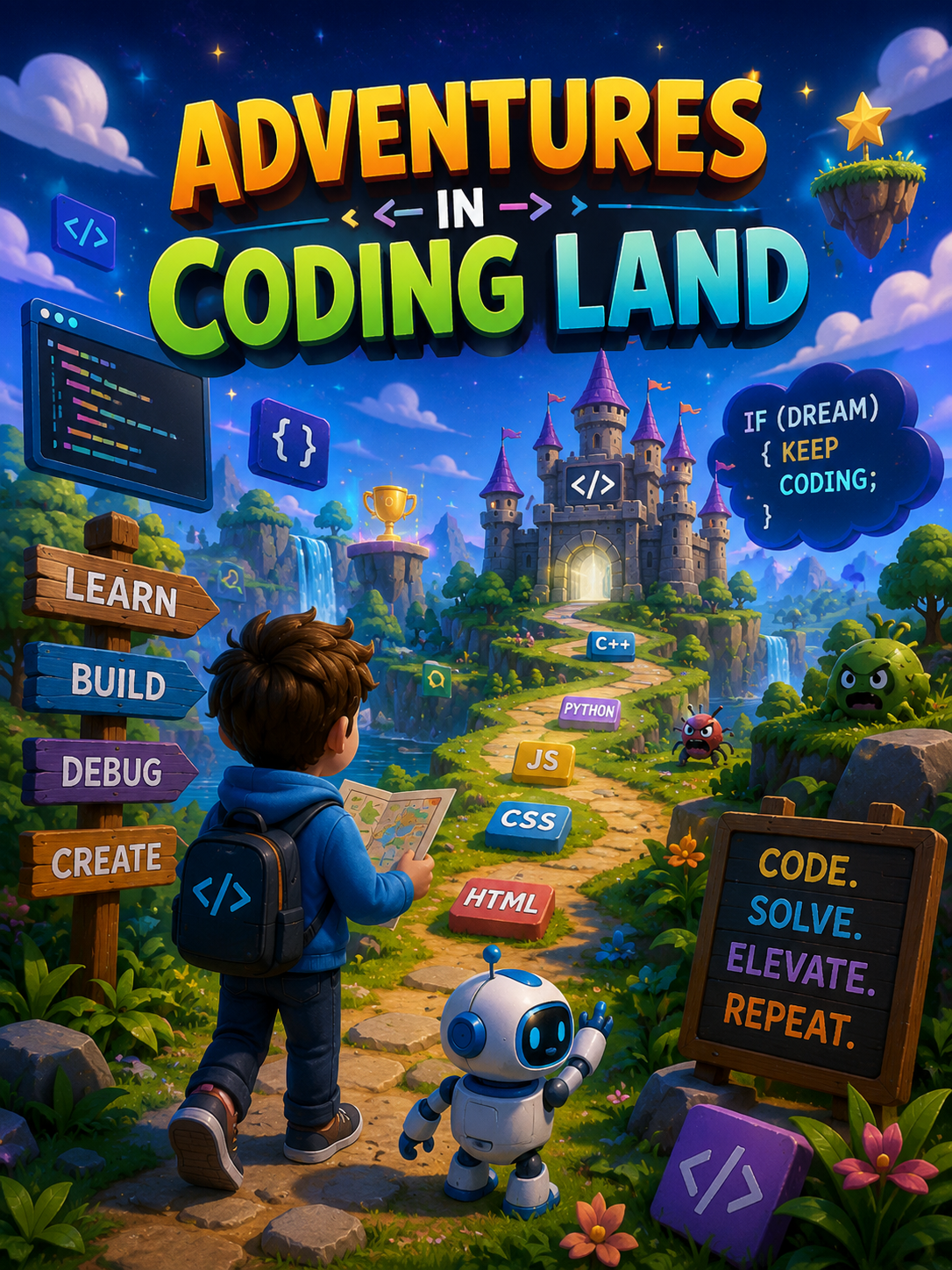
    adventures in Coding Land"

    Every line of code is a new adventure waiting to unfold.
    Explore a magical world where robots become your best coding companions.
    Unlock hidden castles by solving coding puzzles and challenges.
    Follow the path of HTML, CSS, JavaScript, and Python to discover new skills.
    Every bug you fix brings you one step closer to becoming a coding hero.
    Turn your imagination into apps, websites, and games through code.
    Build your own virtual world where creativity has no limits.
    Hunt for secret algorithms hidden across Coding Land.
    Solve logic puzzles to unlock magical treasures and achievements.
    Learn, build, debug, and repeat—the journey never ends.
    Defeat the Bug Monsters using patience and problem-solving.
    Collect "Code Gems" by completing exciting programming quests.
    Every programming language is a new kingdom to explore.
    Team up with friends to complete coding missions together.
    Every challenge makes you a smarter and more confident programmer.
    Dream big and build technology that changes the world.
    Coding is not just typing—it's learning how to think creatively.
    Every expert programmer started with a simple "Hello, World!"
    Celebrate every small victory because every project teaches something new.
    In Coding Land, curiosity is your greatest superpower.
    Caption

    Adventures in Coding Land

    Welcome to a world where every challenge is a puzzle, every bug is a lesson, and every project is a new adventure. In Coding Land, creativity meets logic, and imagination becomes reality through the power of programming.

    Whether you're building your first website, designing an exciting game, creating a useful app, or teaching a robot what to do, each line of code takes you one step closer to becoming a confident creator. Don't be afraid of mistakes—they're part of every great programmer's journey.

    Keep exploring, keep learning, and keep building. Your next adventure starts with a single line of code.

    Hashtags

    #Coding #Programming #CodeAdventure #CodingLand #LearnToCode #STEM #Technology #FutureProgrammer #CodeLife #CodingJourney #Python #JavaScript #HTML #CSS #Developer #TechEducation #Innovation #CreativeCoding #ProblemSolving #CodeEveryDay
    #rsisb Roll No.190 Story Post No.32 Foundation Level adventures in Coding Land" 💻🚀 🌟 Every line of code is a new adventure waiting to unfold. 🤖 Explore a magical world where robots become your best coding companions. 🏰 Unlock hidden castles by solving coding puzzles and challenges. 🗺️ Follow the path of HTML, CSS, JavaScript, and Python to discover new skills. 💡 Every bug you fix brings you one step closer to becoming a coding hero. 🚀 Turn your imagination into apps, websites, and games through code. 🎮 Build your own virtual world where creativity has no limits. 🔍 Hunt for secret algorithms hidden across Coding Land. 🧩 Solve logic puzzles to unlock magical treasures and achievements. 🌈 Learn, build, debug, and repeat—the journey never ends. 🛡️ Defeat the Bug Monsters using patience and problem-solving. ⚡ Collect "Code Gems" by completing exciting programming quests. 📚 Every programming language is a new kingdom to explore. 🌍 Team up with friends to complete coding missions together. 🎯 Every challenge makes you a smarter and more confident programmer. 🌠 Dream big and build technology that changes the world. 🧠 Coding is not just typing—it's learning how to think creatively. 🌱 Every expert programmer started with a simple "Hello, World!" 🏆 Celebrate every small victory because every project teaches something new. 💙 In Coding Land, curiosity is your greatest superpower. 🌟 Caption 🌍 Adventures in Coding Land 💻✨ Welcome to a world where every challenge is a puzzle, every bug is a lesson, and every project is a new adventure. In Coding Land, creativity meets logic, and imagination becomes reality through the power of programming. Whether you're building your first website, designing an exciting game, creating a useful app, or teaching a robot what to do, each line of code takes you one step closer to becoming a confident creator. Don't be afraid of mistakes—they're part of every great programmer's journey. Keep exploring, keep learning, and keep building. Your next adventure starts with a single line of code. 🚀🌟 📌 Hashtags #Coding #Programming #CodeAdventure #CodingLand #LearnToCode #STEM #Technology #FutureProgrammer #CodeLife #CodingJourney #Python #JavaScript #HTML #CSS #Developer #TechEducation #Innovation #CreativeCoding #ProblemSolving #CodeEveryDay
    0 Комментарии 0 Поделились 5551 Просмотры