• #rsisb
    Roll No.280
    Coding Task.10
    Fundation Level
    **Simple Contact Book – Store & Manage Contacts**
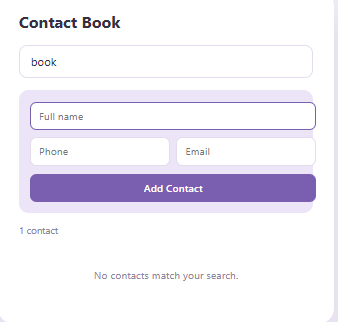
    The **Simple Contact Book** is a useful and easy-to-use application designed to help users **store, manage, and organize their contacts** in one convenient place.
    With this project, users can easily add new contacts, view saved information, update contact details, and remove contacts when they are no longer needed.
    This beginner-friendly project is a great way to learn important programming concepts such as **data storage, user input, contact management, and GUI/application design**.
    **Features:**
    Add new contacts
    Store names and phone numbers
    View saved contacts
    Update contact information
    Delete unwanted contacts
    Simple and user-friendly interface
    Beginner-friendly project
    A perfect project for students and beginners who want to practice programming while creating a practical everyday application!
    #SimpleContactBook #ContactBook #ContactManager #Coding #Programming #Python #GUI #AppDevelopment #CodingProject #BeginnerProject #SoftwareDevelopment #Tech #LearnProgramming #StudentProject #Contacts
    #rsisb Roll No.280 Coding Task.10 Fundation Level 📱📒 **Simple Contact Book – Store & Manage Contacts** 📒📱 The **Simple Contact Book** is a useful and easy-to-use application designed to help users **store, manage, and organize their contacts** in one convenient place. 👤📞✨ With this project, users can easily add new contacts, view saved information, update contact details, and remove contacts when they are no longer needed. 📝➕🔄🗑️ This beginner-friendly project is a great way to learn important programming concepts such as **data storage, user input, contact management, and GUI/application design**. 💻🚀📚 🌟 **Features:** ✅ Add new contacts ✅ Store names and phone numbers ✅ View saved contacts ✅ Update contact information ✅ Delete unwanted contacts ✅ Simple and user-friendly interface ✅ Beginner-friendly project 💡 A perfect project for students and beginners who want to practice programming while creating a practical everyday application! 🎓💻🔥 #SimpleContactBook #ContactBook #ContactManager #Coding #Programming #Python #GUI #AppDevelopment #CodingProject #BeginnerProject #SoftwareDevelopment #Tech #LearnProgramming #StudentProject #Contacts 📱💻🚀
    0 Commentaires 0 Parts 740 Vue
  • #rsisb
    Roll No.280
    Coding Task.9
    Foundation Level
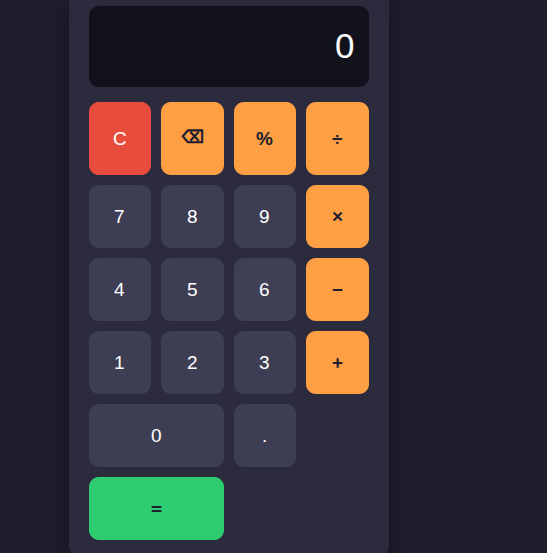
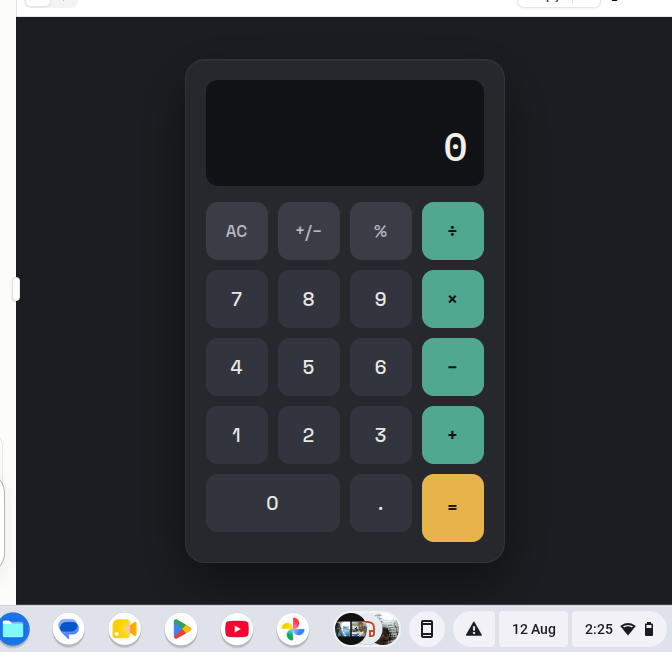
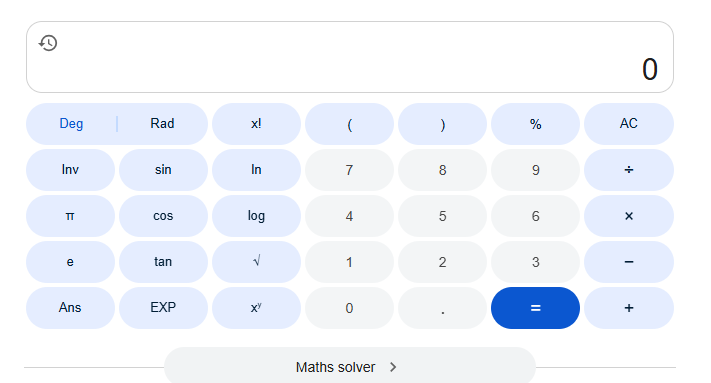
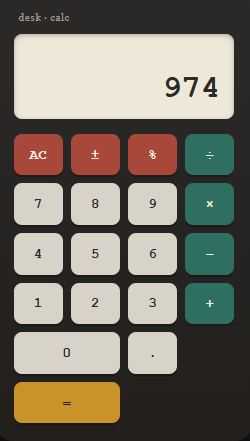
    Basic Calculator with GUI
    Basic Calculator with GUI is a simple and user-friendly calculator application designed to perform essential mathematical operations with an easy-to-use graphical interface.
    Addition
    Subtraction
    Multiplication
    Division
    The clean GUI makes calculations quick, simple, and convenient for everyone. Whether you’re a student learning programming or someone who needs a basic calculator, this project demonstrates how a functional calculator can be built with a graphical user interface.
    Features:
    Simple and clean interface
    Easy-to-use buttons
    Fast calculations
    Basic arithmetic operations
    Beginner-friendly project
    #️⃣ Hashtags:
    #BasicCalculator #CalculatorApp #GUI #Programming #Coding #Python #SoftwareDevelopment #BeginnerProject #CodingProject #Math #Calculator #Tech #LearnProgramming #ComputerScience #AppDevelopment
    #rsisb Roll No.280 Coding Task.9 Foundation Level 🧮 Basic Calculator with GUI ✨ Basic Calculator with GUI is a simple and user-friendly calculator application designed to perform essential mathematical operations with an easy-to-use graphical interface. 🖥️🔢 ➕ Addition ➖ Subtraction ✖️ Multiplication ➗ Division The clean GUI makes calculations quick, simple, and convenient for everyone. 🚀 Whether you’re a student learning programming or someone who needs a basic calculator, this project demonstrates how a functional calculator can be built with a graphical user interface. 💻📚 🌟 Features: ✅ Simple and clean interface ✅ Easy-to-use buttons ✅ Fast calculations ✅ Basic arithmetic operations ✅ Beginner-friendly project #️⃣ Hashtags: #BasicCalculator #CalculatorApp #GUI #Programming #Coding #Python #SoftwareDevelopment #BeginnerProject #CodingProject #Math #Calculator #Tech #LearnProgramming #ComputerScience #AppDevelopment 🧮💻🚀
    0 Commentaires 0 Parts 700 Vue
  • #rsisb
    Roll no 279
    codig task no 2
    Foundtion level

    **Tic-Tac-Toe Game (2-Player) — Fun, Simple & Challenging!**
    Get ready for a classic game of strategy and fun! This **2-player Tic-Tac-Toe Game** is a simple yet exciting project where two players compete against each other using **X and O **.
    Players take turns choosing an empty space on the game board. The goal is to be the first player to create a line of three matching symbols — horizontally , vertically , or diagonally . But be careful! Your opponent will be trying to stop your winning move while creating their own winning combination.
    This project is a great way to practice **programming, logical thinking, problem-solving, and game development skills**. Building a simple game like Tic-Tac-Toe can help you understand important concepts such as user input, conditions, functions, turns, and checking for a winner.
    Whether you're playing with a friend or using the project to improve your coding skills , Tic-Tac-Toe is a fun way to learn while enjoying a classic game!
    **Choose your move!**
    **Think carefully!**
    **Create your strategy!**
    **Beat your opponent!**
    **Have fun and keep coding!**
    #TicTacToe #TicTacToeGame #TwoPlayerGame #2PlayerGame #Coding #Programming #GameDevelopment #CodingProject #BeginnerCoding #LearnProgramming #JavaScript #HTML #CSS #ComputerScience #ProblemSolving #LogicalThinking #FunCoding #GameProject #StudentProject #TechSkills
    #rsisb Roll no 279 codig task no 2 Foundtion level 🎮❌⭕ **Tic-Tac-Toe Game (2-Player) — Fun, Simple & Challenging!** 🏆✨ Get ready for a classic game of strategy and fun! 🎉🎯 This **2-player Tic-Tac-Toe Game** is a simple yet exciting project where two players compete against each other using **X ❌ and O ⭕**. Players take turns choosing an empty space on the game board. 🕹️⬜ The goal is to be the first player to create a line of three matching symbols — horizontally ➡️, vertically ⬇️, or diagonally ↘️. 🏆🔥 But be careful! 👀 Your opponent will be trying to stop your winning move while creating their own winning combination. 🧠⚡ This project is a great way to practice **programming, logical thinking, problem-solving, and game development skills**. 💻🧠📚 Building a simple game like Tic-Tac-Toe can help you understand important concepts such as user input, conditions, functions, turns, and checking for a winner. 🚀✨ Whether you're playing with a friend 👥 or using the project to improve your coding skills 💻, Tic-Tac-Toe is a fun way to learn while enjoying a classic game! 🎮❤️ ❌ **Choose your move!** ⭕ **Think carefully!** 🧠 **Create your strategy!** 🏆 **Beat your opponent!** 🎉 **Have fun and keep coding!** 💻✨ #TicTacToe #TicTacToeGame #TwoPlayerGame #2PlayerGame #Coding #Programming #GameDevelopment #CodingProject #BeginnerCoding #LearnProgramming #JavaScript #HTML #CSS #ComputerScience #ProblemSolving #LogicalThinking #FunCoding #GameProject #StudentProject #TechSkills 🎮❌⭕💻🧠🏆🚀🎉
    0 Commentaires 0 Parts 2109 Vue

  • #rsisb
    roll no.247
    Foundation level
    # Simple Calculator
    **Simple Calculator – Making Everyday Math Easy!**
    A **Simple Calculator** is a useful and beginner-friendly application designed to make basic mathematical calculations quick, accurate, and convenient. Whether you are a student learning mathematics, a beginner exploring programming, or simply someone who needs to calculate numbers quickly, a calculator provides an easy way to perform everyday calculations.
    This project focuses on the fundamental arithmetic operations: **addition (+), subtraction (-), multiplication (×), and division (÷)**. Users can enter numbers, select an operation, and instantly see the result. The simple interface makes it easy to understand and use, while also demonstrating important concepts such as user input, mathematical operators, buttons, functions, and displaying results.
    Creating a Simple Calculator is also an excellent programming project for beginners. It helps learners understand how different parts of an application work together. From designing the interface to writing the calculation logic, every step provides an opportunity to develop problem-solving and programming skills.
    A calculator project can also be expanded with additional features such as decimal numbers, percentage calculations, clear and delete buttons, keyboard support, calculation history, and more advanced mathematical functions. This makes it a great starting point for learning how simple applications can gradually become more powerful and interactive.
    **Key Features:**
    Addition
    Subtraction
    Multiplication
    Division
    Easy-to-use interface
    Fast calculations
    Beginner-friendly design
    Useful for learning programming
    Clear and understandable results
    **Learning Value:**
    Working on a Simple Calculator helps learners practice logical thinking, understand basic programming concepts, handle user input, and create interactive applications. It demonstrates how mathematics and technology can come together to solve everyday problems.
    **Conclusion:**
    The Simple Calculator may be a small project, but it teaches some very important ideas about programming and application development. It is a perfect beginner project for turning basic mathematical operations into an interactive digital tool. Keep learning, keep experimenting, and keep building!
    #SimpleCalculator #Calculator #Math #Mathematics #Programming #Coding #BeginnerProject #CodingForBeginners #LearnProgramming #ComputerScience #Technology #Education #StudentProject #MathSkills #ProblemSolving #ProgrammingProject #DigitalLearning #CodingSkills #CreativeCoding #LearnToCode #TechEducation #BasicCalculator #EasyCoding #Innovation
    #rsisb roll no.247 Foundation level # Simple Calculator 🧮✨ 🧮 **Simple Calculator – Making Everyday Math Easy!** 🔢💡 A **Simple Calculator** is a useful and beginner-friendly application designed to make basic mathematical calculations quick, accurate, and convenient. ➕➖✖️➗ Whether you are a student learning mathematics, a beginner exploring programming, or simply someone who needs to calculate numbers quickly, a calculator provides an easy way to perform everyday calculations. 📚💻 This project focuses on the fundamental arithmetic operations: **addition (+), subtraction (-), multiplication (×), and division (÷)**. Users can enter numbers, select an operation, and instantly see the result. ⚡🔢 The simple interface makes it easy to understand and use, while also demonstrating important concepts such as user input, mathematical operators, buttons, functions, and displaying results. 🎯 Creating a Simple Calculator is also an excellent programming project for beginners. 👨‍💻👩‍💻 It helps learners understand how different parts of an application work together. From designing the interface to writing the calculation logic, every step provides an opportunity to develop problem-solving and programming skills. 🚀🧠 A calculator project can also be expanded with additional features such as decimal numbers, percentage calculations, clear and delete buttons, keyboard support, calculation history, and more advanced mathematical functions. 🌟📱 This makes it a great starting point for learning how simple applications can gradually become more powerful and interactive. ✨ **Key Features:** 🔹 Addition ➕ 🔹 Subtraction ➖ 🔹 Multiplication ✖️ 🔹 Division ➗ 🔹 Easy-to-use interface 🖥️ 🔹 Fast calculations ⚡ 🔹 Beginner-friendly design 🌱 🔹 Useful for learning programming 💻 🔹 Clear and understandable results ✅ 📚 **Learning Value:** Working on a Simple Calculator helps learners practice logical thinking, understand basic programming concepts, handle user input, and create interactive applications. 🧠💻 It demonstrates how mathematics and technology can come together to solve everyday problems. 🌟 **Conclusion:** The Simple Calculator may be a small project, but it teaches some very important ideas about programming and application development. 🧮🚀 It is a perfect beginner project for turning basic mathematical operations into an interactive digital tool. Keep learning, keep experimenting, and keep building! 💡🌈 #SimpleCalculator #Calculator #Math #Mathematics #Programming #Coding #BeginnerProject #CodingForBeginners #LearnProgramming #ComputerScience #Technology #Education #StudentProject #MathSkills #ProblemSolving #ProgrammingProject #DigitalLearning #CodingSkills #CreativeCoding #LearnToCode #TechEducation #BasicCalculator #EasyCoding #Innovation
    0 Commentaires 0 Parts 3908 Vue
  • #rsisb
    Roll no.247
    Foundation level# Basic Calculator with GUI

    Welcome to **Basic Calculator with GUI** — a simple, user-friendly, and interactive calculator project designed to make everyday mathematical calculations quick, easy, and enjoyable! This project demonstrates how a calculator can be built with a **Graphical User Interface (GUI)**, allowing users to perform calculations by simply clicking buttons instead of typing commands.

    The calculator provides essential mathematical operations such as **addition , subtraction , multiplication , and division **. It is designed with a clean and straightforward interface so that beginners, students, and anyone interested in programming can easily understand how a GUI-based application works.

    One of the most interesting aspects of this project is the combination of **programming logic and visual design**. Users can enter numbers, select mathematical operators, and instantly see the result displayed on the calculator screen. This makes the project a great example of how programming can be used to create practical and interactive applications.

    The **Basic Calculator with GUI** is also an excellent learning project for students who are beginning their programming journey. Through this project, learners can understand important concepts such as **variables, functions, event handling, buttons, input fields, operators, conditional logic, and GUI components**. These concepts provide a strong foundation for developing more advanced software applications in the future.

    The simple design makes the calculator easy to navigate, while the interactive buttons provide a smooth user experience. Whether you want to calculate a total, subtract numbers, multiply values, or divide one number by another, this calculator provides the essential tools needed for basic arithmetic.

    This project also highlights the importance of creating applications that are not only functional but also **easy to use and visually understandable**. A well-designed GUI helps users interact with software naturally and makes complex programming concepts more accessible.

    Overall, the **Basic Calculator with GUI** is a fun, educational, and practical programming project. It is perfect for beginners who want to practice GUI development while building something useful. With additional features, the project can later be expanded into a more advanced calculator with percentage calculations, decimal support, square roots, memory functions, calculation history, and more!

    **Project Highlights:**
    Simple and clean GUI design
    Addition, subtraction, multiplication, and division
    Interactive calculator buttons
    Easy-to-understand interface
    Beginner-friendly programming project
    Useful for learning GUI development
    Great practice for programming logic
    Can be expanded with advanced features

    **Learn. Code. Calculate. Create!**

    #BasicCalculator #CalculatorGUI #GUICalculator #Programming #Coding #ComputerScience #PythonProject #BeginnerProject #ProgrammingForBeginners #GUIProgramming #SoftwareDevelopment #CodingProject #MathCalculator #LearnProgramming #StudentProject #TechProject #InteractiveApplication #ComputerProgramming #CodingJourney #ProgrammingSkills #Education #Technology #Developer #CodeLearning #CreativeCoding #Math #CalculatorProject
    #rsisb Roll no.247 Foundation level# Basic Calculator with GUI 🧮💻 Welcome to **Basic Calculator with GUI** — a simple, user-friendly, and interactive calculator project designed to make everyday mathematical calculations quick, easy, and enjoyable! 🎉✨ This project demonstrates how a calculator can be built with a **Graphical User Interface (GUI)**, allowing users to perform calculations by simply clicking buttons instead of typing commands. 🖱️🔢 The calculator provides essential mathematical operations such as **addition ➕, subtraction ➖, multiplication ✖️, and division ➗**. It is designed with a clean and straightforward interface so that beginners, students, and anyone interested in programming can easily understand how a GUI-based application works. 💡👨‍💻👩‍💻 One of the most interesting aspects of this project is the combination of **programming logic and visual design**. 🎨💻 Users can enter numbers, select mathematical operators, and instantly see the result displayed on the calculator screen. This makes the project a great example of how programming can be used to create practical and interactive applications. 🚀 The **Basic Calculator with GUI** is also an excellent learning project for students who are beginning their programming journey. 📚🌟 Through this project, learners can understand important concepts such as **variables, functions, event handling, buttons, input fields, operators, conditional logic, and GUI components**. These concepts provide a strong foundation for developing more advanced software applications in the future. 🧠💻 The simple design makes the calculator easy to navigate, while the interactive buttons provide a smooth user experience. 🔢🖱️ Whether you want to calculate a total, subtract numbers, multiply values, or divide one number by another, this calculator provides the essential tools needed for basic arithmetic. ✅ This project also highlights the importance of creating applications that are not only functional but also **easy to use and visually understandable**. 🌟 A well-designed GUI helps users interact with software naturally and makes complex programming concepts more accessible. Overall, the **Basic Calculator with GUI** is a fun, educational, and practical programming project. 🧮✨ It is perfect for beginners who want to practice GUI development while building something useful. With additional features, the project can later be expanded into a more advanced calculator with percentage calculations, decimal support, square roots, memory functions, calculation history, and more! 🚀🔢 🎯 **Project Highlights:** 🔹 Simple and clean GUI design 🔹 Addition, subtraction, multiplication, and division 🔹 Interactive calculator buttons 🔹 Easy-to-understand interface 🔹 Beginner-friendly programming project 🔹 Useful for learning GUI development 🔹 Great practice for programming logic 🔹 Can be expanded with advanced features 💻 **Learn. Code. Calculate. Create!** 🧮🚀 #BasicCalculator #CalculatorGUI #GUICalculator #Programming #Coding #ComputerScience #PythonProject #BeginnerProject #ProgrammingForBeginners #GUIProgramming #SoftwareDevelopment #CodingProject #MathCalculator #LearnProgramming #StudentProject #TechProject #InteractiveApplication #ComputerProgramming #CodingJourney #ProgrammingSkills #Education #Technology #Developer #CodeLearning #CreativeCoding #Math #CalculatorProject 🧮💻
    0 Commentaires 0 Parts 7523 Vue
  • #rsisb
    Roll No.247
    Coding task No.1
    Foundation Level

    # Create a Basic Calculator | Beginner Programming Project

    Creating a **Basic Calculator** is one of the best beginner programming projects for anyone who wants to learn coding. It helps you understand the fundamentals of programming, including variables, user input, operators, functions, and conditional statements. Whether you're using **Python, JavaScript, C++, Java, or any other programming language**, building a calculator is a great way to strengthen your coding skills.

    A basic calculator typically performs the four essential mathematical operations:
    Addition
    Subtraction
    Multiplication
    Division

    As you build your calculator, you'll also learn how to accept user input, process calculations, display results, and handle invalid inputs gracefully. This project improves logical thinking and problem-solving abilities while giving you hands-on experience with real programming concepts.

    Once you've mastered a basic calculator, you can enhance it with advanced features such as:
    Percentage calculations
    Square root and power functions
    Scientific calculator features
    Memory storage
    User-friendly graphical interface (GUI)
    Error handling for invalid operations
    Keyboard shortcuts and responsive design

    This beginner-friendly project is perfect for students, aspiring software developers, and anyone starting their programming journey. Every successful programmer begins with small projects like this before moving on to larger applications. Keep practicing, experiment with new features, and continue learning every day. Small steps today lead to big achievements tomorrow!

    Happy Coding! Keep building, keep learning, and never stop creating amazing projects!

    #BasicCalculator #Programming #Coding #Python #JavaScript #Java #Cpp #SoftwareDevelopment #CodingForBeginners #LearnProgramming #CodeNewbie #Developer #ComputerScience #TechEducation #CodingProject #ProgrammingTutorial #STEM #ArtificialIntelligence #WebDevelopment #AppDevelopment #ProblemSolving #TechSkills #LearnToCode #CodingJourney #ProgrammingLife #BeginnerProjects #Innovation #Technology #FutureDevelopers
    #rsisb Roll No.247 Coding task No.1 Foundation Level # 🧮 Create a Basic Calculator | Beginner Programming Project 💻✨ Creating a **Basic Calculator** is one of the best beginner programming projects for anyone who wants to learn coding. 🚀 It helps you understand the fundamentals of programming, including variables, user input, operators, functions, and conditional statements. Whether you're using **Python, JavaScript, C++, Java, or any other programming language**, building a calculator is a great way to strengthen your coding skills. A basic calculator typically performs the four essential mathematical operations: ➕ Addition ➖ Subtraction ✖️ Multiplication ➗ Division As you build your calculator, you'll also learn how to accept user input, process calculations, display results, and handle invalid inputs gracefully. This project improves logical thinking and problem-solving abilities while giving you hands-on experience with real programming concepts. Once you've mastered a basic calculator, you can enhance it with advanced features such as: 🔹 Percentage calculations 🔹 Square root and power functions 🔹 Scientific calculator features 🔹 Memory storage 🔹 User-friendly graphical interface (GUI) 🔹 Error handling for invalid operations 🔹 Keyboard shortcuts and responsive design This beginner-friendly project is perfect for students, aspiring software developers, and anyone starting their programming journey. Every successful programmer begins with small projects like this before moving on to larger applications. Keep practicing, experiment with new features, and continue learning every day. Small steps today lead to big achievements tomorrow! 🌟 Happy Coding! 💻🎯 Keep building, keep learning, and never stop creating amazing projects! 🚀 #BasicCalculator #Programming #Coding #Python #JavaScript #Java #Cpp #SoftwareDevelopment #CodingForBeginners #LearnProgramming #CodeNewbie #Developer #ComputerScience #TechEducation #CodingProject #ProgrammingTutorial #STEM #ArtificialIntelligence #WebDevelopment #AppDevelopment #ProblemSolving #TechSkills #LearnToCode #CodingJourney #ProgrammingLife #BeginnerProjects #Innovation #Technology #FutureDevelopers
    0 Commentaires 0 Parts 7286 Vue