• RSIF8
    Roll no:14
    coding task no:13
    coding topic:**Basic Calculator with GUI
    **Basic Calculator with GUI – A Simple and User-Friendly Application**

    **Description:**

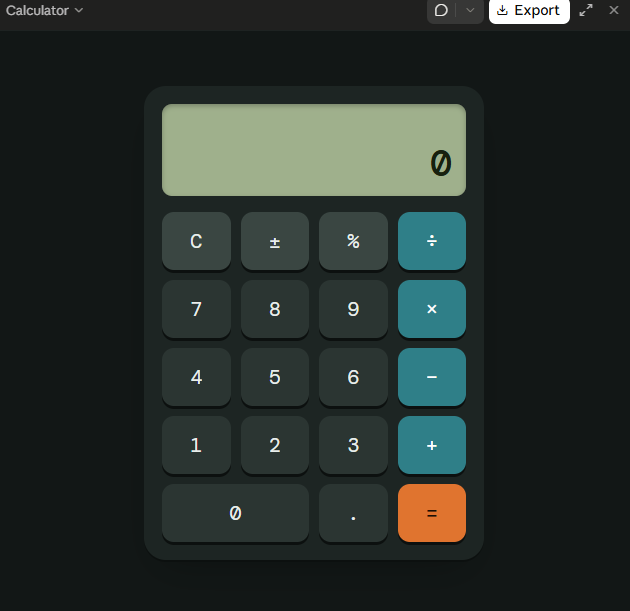
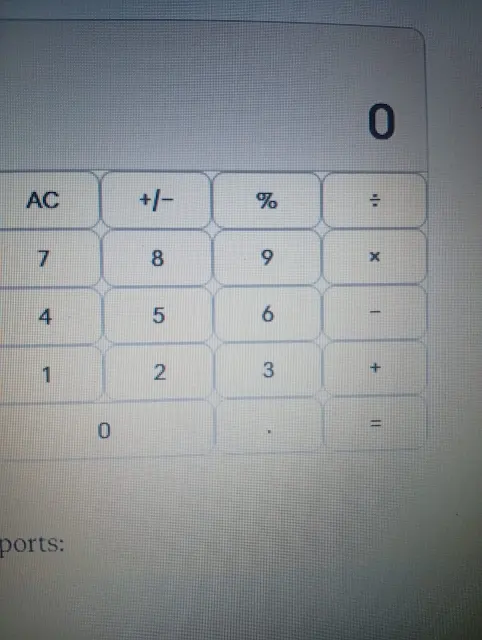
    The Basic Calculator with GUI is a beginner-friendly programming project designed to perform essential mathematical calculations through a simple, interactive, and user-friendly graphical interface. Instead of entering commands, users can perform calculations by clicking buttons, making the application easy and convenient to use.

    This project allows users to perform basic arithmetic operations, including **addition (+), subtraction (−), multiplication (×), and division (÷)**. It features a clear display screen for showing numbers and results, along with dedicated buttons for entering values, selecting operations, clearing the display, and calculating answers.

    **Key Features:**

    - **Addition:** Add two or more numbers easily.
    - **Subtraction:** Calculate the difference between numbers.
    - **Multiplication:** Multiply numbers quickly.
    - **Division:** Divide numbers and display the results.
    - **Graphical User Interface (GUI):** An interactive layout with clickable buttons.
    - **Clear Button:** Reset the display and start a new calculation.
    - **Instant Results:** Perform calculations quickly and efficiently.
    - **Error Handling:** Handle invalid calculations, such as division by zero.

    **Learning Objectives:**

    The main goal of this project is to help beginners understand the fundamentals of programming and GUI development. It introduces important concepts such as button events, user input, mathematical operators, functions, conditional statements, and displaying output on the screen.

    **Conclusion:**

    The Basic Calculator with GUI is an excellent project for anyone beginning their programming journey. It combines practical mathematical operations with an interactive design, demonstrating how code can be transformed into a useful desktop application. With further improvements, the calculator can also include percentage calculations, decimal numbers, keyboard support, and a more attractive interface.

    **Project Goal:** To create a simple, reliable, and easy-to-use calculator that makes everyday mathematical calculations faster and more convenient.

    #BasicCalculator #GUI #ProgrammingProject #BeginnerCoding #PythonProgramming #AppDevelopment #LearnToCode #ComputerScience #CodingForBeginners #SoftwareDevelopment
    RSIF8 Roll no:14 coding task no:13 coding topic:**Basic Calculator with GUI ๐Ÿงฎ **Basic Calculator with GUI – A Simple and User-Friendly Application** ๐Ÿ’ป โœจ **Description:** The Basic Calculator with GUI is a beginner-friendly programming project designed to perform essential mathematical calculations through a simple, interactive, and user-friendly graphical interface. Instead of entering commands, users can perform calculations by clicking buttons, making the application easy and convenient to use. ๐Ÿš€๐Ÿ“ฑ This project allows users to perform basic arithmetic operations, including **addition (+), subtraction (−), multiplication (×), and division (÷)**. It features a clear display screen for showing numbers and results, along with dedicated buttons for entering values, selecting operations, clearing the display, and calculating answers. ๐ŸŽฏ **Key Features:** - โž• **Addition:** Add two or more numbers easily. - โž– **Subtraction:** Calculate the difference between numbers. - โœ–๏ธ **Multiplication:** Multiply numbers quickly. - โž— **Division:** Divide numbers and display the results. - ๐Ÿ–ฅ๏ธ **Graphical User Interface (GUI):** An interactive layout with clickable buttons. - ๐Ÿ”„ **Clear Button:** Reset the display and start a new calculation. - โšก **Instant Results:** Perform calculations quickly and efficiently. - โš ๏ธ **Error Handling:** Handle invalid calculations, such as division by zero. ๐Ÿ“š **Learning Objectives:** The main goal of this project is to help beginners understand the fundamentals of programming and GUI development. It introduces important concepts such as button events, user input, mathematical operators, functions, conditional statements, and displaying output on the screen. ๐ŸŒŸ **Conclusion:** The Basic Calculator with GUI is an excellent project for anyone beginning their programming journey. It combines practical mathematical operations with an interactive design, demonstrating how code can be transformed into a useful desktop application. With further improvements, the calculator can also include percentage calculations, decimal numbers, keyboard support, and a more attractive interface. ๐Ÿ’ก **Project Goal:** To create a simple, reliable, and easy-to-use calculator that makes everyday mathematical calculations faster and more convenient. #BasicCalculator #GUI #ProgrammingProject #BeginnerCoding #PythonProgramming #AppDevelopment #LearnToCode #ComputerScience #CodingForBeginners #SoftwareDevelopment ๐Ÿ’ป๐Ÿงฎ๐Ÿš€
    0 Comments 0 Shares 1330 Views
  • RSIF8
    Roll no 94
    Coding task no 15
    Coding task topic
    Basic Calculator with Graphical User Interface (GUI)
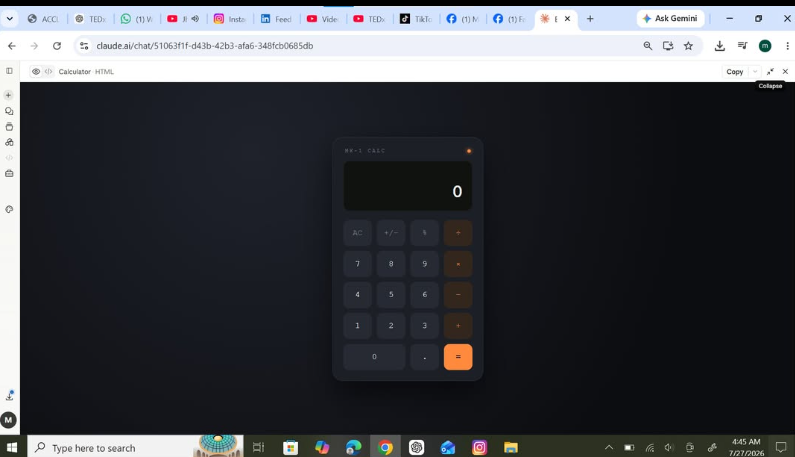
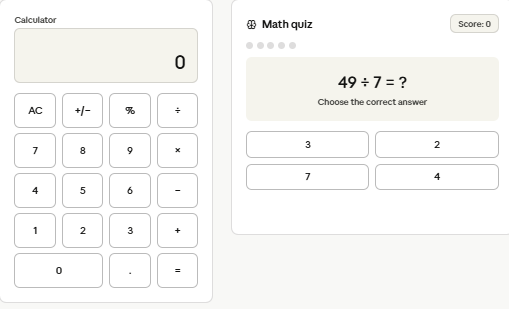
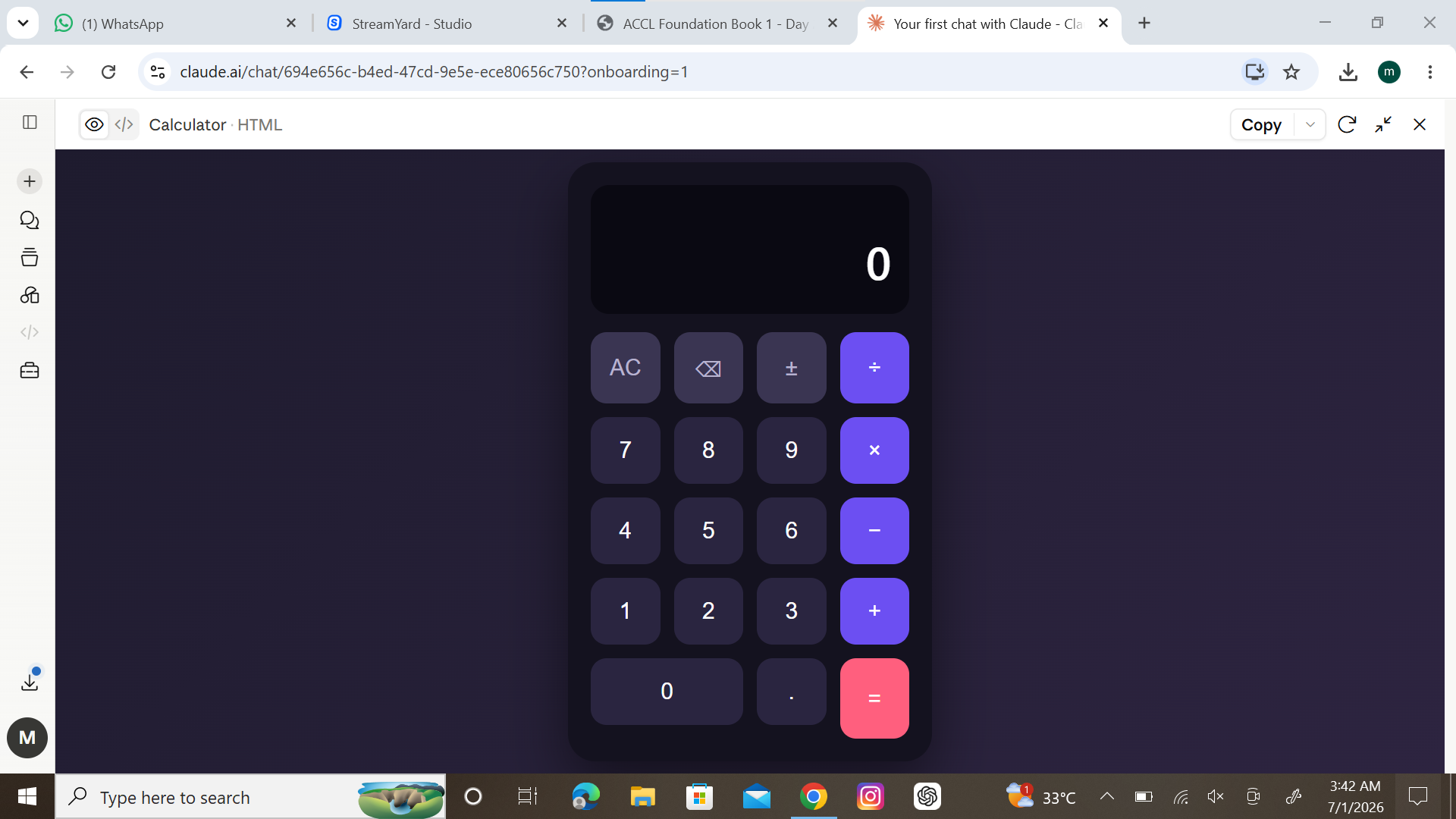
    I successfully created a Basic Calculator with a Graphical User Interface (GUI) that can perform simple arithmetic operations like Addition, Subtraction, Multiplication, and Division. The calculator features an easy-to-use design, making calculations quick and efficient.
    Screenshot attached to showcase the working application. This project helped me improve my programming, problem-solving, and GUI design skills.
    #BasicCalculator #GUI #Programming #CodingProject #PythonProgramming #TechSkills #SoftwareDevelopment #LearningByDoing #StudentProject #ComputerScience #Innovation #FutureProgrammer
    RSIF8 Roll no 94 Coding task no 15 Coding task topic ๐Ÿš€ Basic Calculator with Graphical User Interface (GUI) ๐Ÿงฎโœจ I successfully created a Basic Calculator with a Graphical User Interface (GUI) that can perform simple arithmetic operations like โž• Addition, โž– Subtraction, โœ–๏ธ Multiplication, and โž— Division. The calculator features an easy-to-use design, making calculations quick and efficient. ๐Ÿ“ฑ๐Ÿ’ป ๐Ÿ“ธ Screenshot attached to showcase the working application. This project helped me improve my programming, problem-solving, and GUI design skills. ๐ŸŒŸ #BasicCalculator #GUI #Programming #CodingProject #PythonProgramming #TechSkills #SoftwareDevelopment #LearningByDoing #StudentProject #ComputerScience #Innovation #FutureProgrammer ๐Ÿš€๐Ÿ’ป๐Ÿงฎ
    0 Comments 0 Shares 1398 Views
  • RSIF8
    Roll no:81
    conding task no:2
    conding task topic Basic Calculator – Arithmetic Operations
    Welcome to my Basic Calculator project! A basic calculator is a simple and useful tool that helps us solve mathematical problems quickly and easily.
    In this project, we can perform four basic arithmetic operations: addition , subtraction , multiplication , and division . This calculator is helpful for students and beginners who want to improve their math skills and learn how calculations work.
    Learn, Practice, and Calculate!
    Thank you for watching my project. Don't forget to like, share, and follow for more educational content!
    #BasicCalculator #ArithmeticOperations #Mathematics #Addition #Subtraction #Multiplication #Division #Coding #Education #StudentProject #LearningMadeEasy
    RSIF8 Roll no:81 conding task no:2 conding task topic๐Ÿงฎ Basic Calculator – Arithmetic Operations โž•โž–โœ–๏ธโž— Welcome to my Basic Calculator project! ๐ŸŽ‰ A basic calculator is a simple and useful tool that helps us solve mathematical problems quickly and easily. In this project, we can perform four basic arithmetic operations: addition โž•, subtraction โž–, multiplication โœ–๏ธ, and division โž—. This calculator is helpful for students and beginners who want to improve their math skills and learn how calculations work. ๐Ÿ’ก Learn, Practice, and Calculate! ๐Ÿš€ Thank you for watching my project. Don't forget to like, share, and follow for more educational content! โค๏ธ #BasicCalculator #ArithmeticOperations #Mathematics #Addition #Subtraction #Multiplication #Division #Coding #Education #StudentProject #LearningMadeEasy ๐Ÿงฎ๐Ÿ“š
    0 Comments 0 Shares 1049 Views
  • RSIF8
    Roll no:81
    coding task no:1
    coding taskm topic **Basic Calculator – Arithmetic Operations**

    Welcome to my Basic Calculator project! A basic calculator helps us perform important mathematical operations quickly and easily. It can add , subtract , multiply , and divide numbers.

    This project is useful for students and beginners who want to learn basic mathematics and understand how a calculator works. It makes calculations simple, fast, and accurate.

    **Learn Mathematics the Easy Way!**

    Like, Share, and Follow for more educational projects!

    #BasicCalculator #ArithmeticOperations #Mathematics #Addition #Subtraction #Multiplication #Division #Learning #Education #StudentProject #Technology
    RSIF8 Roll no:81 coding task no:1 coding taskm topic๐Ÿงฎ **Basic Calculator – Arithmetic Operations** โž•โž–โœ–๏ธโž— Welcome to my Basic Calculator project! ๐ŸŽ‰ A basic calculator helps us perform important mathematical operations quickly and easily. It can add โž•, subtract โž–, multiply โœ–๏ธ, and divide โž— numbers. This project is useful for students and beginners who want to learn basic mathematics and understand how a calculator works. It makes calculations simple, fast, and accurate. ๐Ÿš€ ๐Ÿ“š **Learn Mathematics the Easy Way!** ๐Ÿ‘ Like, Share, and Follow for more educational projects! #BasicCalculator #ArithmeticOperations #Mathematics #Addition #Subtraction #Multiplication #Division #Learning #Education #StudentProject #Technology ๐Ÿงฎโœจ
    0 Comments 1 Shares 1141 Views
  • I am currently serving as the Vice Principal at Rehan School, and I am excited to share my first coding task — a Basic Calculator

    This project marks the beginning of my coding journey, where I implemented basic operations like addition, subtraction, multiplication, and division

    Through this task, I explored problem-solving skills and gained a practical understanding of programming fundamentals

    As an education leader, I truly believe that learning should never stop Technology and coding are essential skills in today’s world, and I am committed to growing in this field ‍

    This project can also be helpful for beginners who are starting their coding journey

    Looking forward to learning more, growing more, and inspiring others to step into the world of coding

    #CodingJourney #BasicCalculator #LearningNeverStops #WomenInTech #EducationLeader #SkillDevelopment #DigitalSkills #GrowthMindset
    I am currently serving as the Vice Principal at Rehan School, and I am excited to share my first coding task — a Basic Calculator ๐Ÿ’ปโœจ This project marks the beginning of my coding journey, where I implemented basic operations like addition, subtraction, multiplication, and division โž•โž–โœ–๏ธโž— Through this task, I explored problem-solving skills and gained a practical understanding of programming fundamentals ๐Ÿ“š๐Ÿ’ก As an education leader, I truly believe that learning should never stop ๐Ÿš€ Technology and coding are essential skills in today’s world, and I am committed to growing in this field ๐ŸŒ๐Ÿ‘ฉ‍๐Ÿ’ป This project can also be helpful for beginners who are starting their coding journey ๐ŸŒฑ Looking forward to learning more, growing more, and inspiring others to step into the world of coding ๐Ÿ’ซ #CodingJourney #BasicCalculator #LearningNeverStops #WomenInTech #EducationLeader #SkillDevelopment #DigitalSkills #GrowthMindset
    0 Comments 0 Shares 1521 Views
  • RSIF8
    Roll no:86
    Task no:27
    Task topicCreate a Basic Calculator
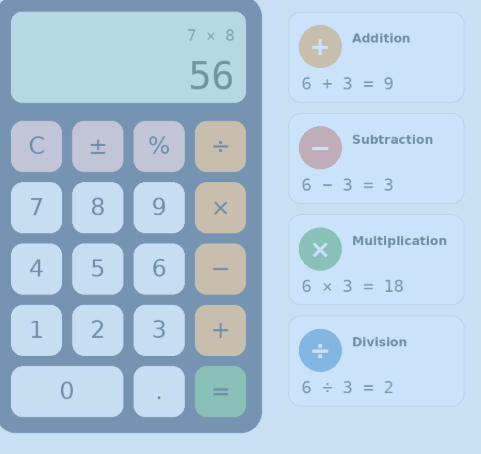
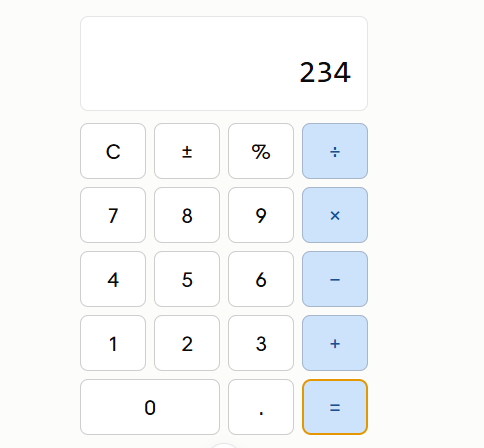
    Today, I created a Basic Calculator that can perform the four fundamental mathematical operations: Addition, Subtraction, Multiplication, and Division. This project helped me understand how user input, conditions, and calculations work together in programming.
    The calculator is simple, user-friendly, and designed to quickly solve basic arithmetic problems. Whether it's adding two numbers or performing division, the calculator provides accurate results instantly.
    Building this project improved my coding skills and strengthened my understanding of programming logic. It is a great beginner-friendly project for anyone starting their journey in software development and problem-solving.
    Screenshot Attached: The screenshot demonstrates the calculator interface and shows how users can enter numbers, select an operation, and receive the result. This project is a small step toward creating more advanced applications in the future.
    #BasicCalculator #Programming #CodingProject #SoftwareDevelopment #Python #JavaScript #LearningToCode #TechSkills #CalculatorApp #CodingJourney #ComputerScience #DeveloperLife #STEM #ProjectBasedLearning #FutureProgrammer
    RSIF8 Roll no:86 Task no:27 Task topicCreate a Basic Calculator Today, I created a Basic Calculator that can perform the four fundamental mathematical operations: โž• Addition, โž– Subtraction, โœ–๏ธ Multiplication, and โž— Division. This project helped me understand how user input, conditions, and calculations work together in programming. ๐Ÿ’ป๐Ÿ“š The calculator is simple, user-friendly, and designed to quickly solve basic arithmetic problems. Whether it's adding two numbers or performing division, the calculator provides accurate results instantly. โšก๐Ÿ”ข Building this project improved my coding skills and strengthened my understanding of programming logic. It is a great beginner-friendly project for anyone starting their journey in software development and problem-solving. ๐Ÿš€๐ŸŽฏ ๐Ÿ“ธ Screenshot Attached: The screenshot demonstrates the calculator interface and shows how users can enter numbers, select an operation, and receive the result. This project is a small step toward creating more advanced applications in the future. ๐ŸŒŸ๐Ÿ’ก #BasicCalculator #Programming #CodingProject #SoftwareDevelopment #Python #JavaScript #LearningToCode #TechSkills #CalculatorApp #CodingJourney #ComputerScience #DeveloperLife #STEM #ProjectBasedLearning #FutureProgrammer ๐Ÿš€๐Ÿ–ฅ๏ธ๐Ÿ“ฑ
    0 Comments 0 Shares 1609 Views
  • RSIF8
    Roll No : 87
    claude ai No : 2
    claude ai topic: Basic Calculator (arithmetic operations)
    **Basic Calculator Project – My Completed Task**
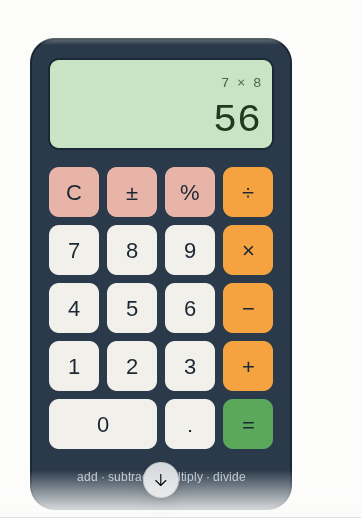
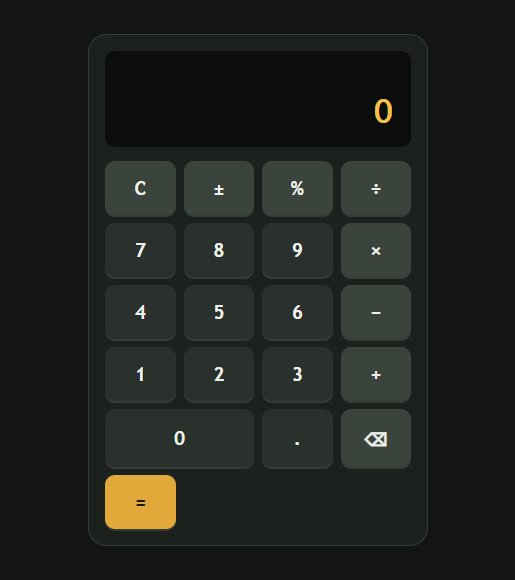
    I have successfully created a **Basic Calculator** as part of my learning and coding practice. This calculator has a simple, clean, and user-friendly interface that makes it easy to perform everyday mathematical calculations. The calculator includes important buttons such as **addition (+), subtraction (−), multiplication (×), division (÷), percentage (%), decimal (.), plus/minus (±), clear (C), and equals )**.
    The calculator display shows the numbers and results clearly, while the organized button layout makes it easy for users to enter numbers and select the required mathematical operation. I focused on making the design simple and easy to understand so that anyone can use it without difficulty.
    Creating this calculator helped me understand how a calculator works and gave me valuable practice with **HTML, CSS, and JavaScript**. I learned how to design buttons, create a calculator layout, handle user input, perform mathematical operations, and display the final result.
    This project was a great opportunity to improve my **coding, problem-solving, logical thinking, and web development skills**. I am happy to complete this project and excited to continue learning and creating more useful projects in the future.
    #BasicCalculator #Calculator #Coding #WebDevelopment #HTML #CSS #JavaScript #Programming #CodingPractice #Learning #StudentProject #ProjectCompleted #Math #Technology #ComputerSkills #ProblemSolving #ProgrammingSkills #KeepLearning #KeepGrowing
    RSIF8 Roll No : 87 claude ai No : 2 claude ai topic: Basic Calculator (arithmetic operations) ๐Ÿงฎโœจ **Basic Calculator Project – My Completed Task** โœจ๐Ÿงฎ I have successfully created a **Basic Calculator** as part of my learning and coding practice. This calculator has a simple, clean, and user-friendly interface that makes it easy to perform everyday mathematical calculations. The calculator includes important buttons such as **addition (+), subtraction (−), multiplication (×), division (÷), percentage (%), decimal (.), plus/minus (±), clear (C), and equals ๐Ÿ˜Š)**. The calculator display shows the numbers and results clearly, while the organized button layout makes it easy for users to enter numbers and select the required mathematical operation. I focused on making the design simple and easy to understand so that anyone can use it without difficulty. Creating this calculator helped me understand how a calculator works and gave me valuable practice with **HTML, CSS, and JavaScript**. I learned how to design buttons, create a calculator layout, handle user input, perform mathematical operations, and display the final result. ๐Ÿ’ป๐Ÿ“š This project was a great opportunity to improve my **coding, problem-solving, logical thinking, and web development skills**. I am happy to complete this project and excited to continue learning and creating more useful projects in the future. ๐Ÿš€๐Ÿ’ฏ #BasicCalculator #Calculator #Coding #WebDevelopment #HTML #CSS #JavaScript #Programming #CodingPractice #Learning #StudentProject #ProjectCompleted #Math #Technology #ComputerSkills #ProblemSolving #ProgrammingSkills #KeepLearning #KeepGrowing ๐Ÿงฎ๐Ÿ’ป๐Ÿš€โœจ
    0 Comments 0 Shares 2629 Views
  • RSIF8
    Roll No : 87
    claude ai No : 1
    claude ai topic: Create a Basic Calculator
    **Basic Calculator Project – My Completed Task**
    I have successfully created a **Basic Calculator** as part of my learning and coding practice. This calculator has a simple, clean, and user-friendly interface that makes it easy to perform everyday mathematical calculations. The calculator includes important buttons such as **addition (+), subtraction (−), multiplication (×), division (÷), percentage (%), decimal (.), plus/minus (±), clear (C), and equals )**.
    The calculator display shows the numbers and results clearly, while the organized button layout makes it easy for users to enter numbers and select the required mathematical operation. I focused on making the design simple and easy to understand so that anyone can use it without difficulty.
    Creating this calculator helped me understand how a calculator works and gave me valuable practice with **HTML, CSS, and JavaScript**. I learned how to design buttons, create a calculator layout, handle user input, perform mathematical operations, and display the final result.
    This project was a great opportunity to improve my **coding, problem-solving, logical thinking, and web development skills**. I am happy to complete this project and excited to continue learning and creating more useful projects in the future.
    #BasicCalculator #Calculator #Coding #WebDevelopment #HTML #CSS #JavaScript #Programming #CodingPractice #Learning #StudentProject #ProjectCompleted #Math #Technology #ComputerSkills #ProblemSolving #ProgrammingSkills #KeepLearning #KeepGrowing
    RSIF8 Roll No : 87 claude ai No : 1 claude ai topic: Create a Basic Calculator ๐Ÿงฎโœจ **Basic Calculator Project – My Completed Task** โœจ๐Ÿงฎ I have successfully created a **Basic Calculator** as part of my learning and coding practice. This calculator has a simple, clean, and user-friendly interface that makes it easy to perform everyday mathematical calculations. The calculator includes important buttons such as **addition (+), subtraction (−), multiplication (×), division (÷), percentage (%), decimal (.), plus/minus (±), clear (C), and equals ๐Ÿ˜Š)**. The calculator display shows the numbers and results clearly, while the organized button layout makes it easy for users to enter numbers and select the required mathematical operation. I focused on making the design simple and easy to understand so that anyone can use it without difficulty. Creating this calculator helped me understand how a calculator works and gave me valuable practice with **HTML, CSS, and JavaScript**. I learned how to design buttons, create a calculator layout, handle user input, perform mathematical operations, and display the final result. ๐Ÿ’ป๐Ÿ“š This project was a great opportunity to improve my **coding, problem-solving, logical thinking, and web development skills**. I am happy to complete this project and excited to continue learning and creating more useful projects in the future. ๐Ÿš€๐Ÿ’ฏ #BasicCalculator #Calculator #Coding #WebDevelopment #HTML #CSS #JavaScript #Programming #CodingPractice #Learning #StudentProject #ProjectCompleted #Math #Technology #ComputerSkills #ProblemSolving #ProgrammingSkills #KeepLearning #KeepGrowing ๐Ÿงฎ๐Ÿ’ป๐Ÿš€โœจ
    0 Comments 0 Shares 2220 Views
  • RSIF8
    Roll no 94
    Coding task no 1
    Coding task topic
    Create a Basic Calculator!
    Today, I worked on creating a Basic Calculator that can perform simple mathematical operations like Addition, Subtraction, Multiplication, and Division. This project helped me understand the fundamentals of programming, user input, and problem-solving skills.
    Building a calculator is a great way to learn how computers process numbers and perform calculations. It may be simple, but it's an important first step toward creating more advanced applications!
    #BasicCalculator #Programming #Coding #ComputerScience #STEM #TechSkills #LearningToCode #StudentProject #CalculatorApp #CodingJourney
    RSIF8 Roll no 94 Coding task no 1 Coding task topic ๐Ÿงฎโœจ Create a Basic Calculator! โœจ๐Ÿงฎ Today, I worked on creating a Basic Calculator that can perform simple mathematical operations like โž• Addition, โž– Subtraction, โœ–๏ธ Multiplication, and โž— Division. This project helped me understand the fundamentals of programming, user input, and problem-solving skills. ๐Ÿš€๐Ÿ’ป Building a calculator is a great way to learn how computers process numbers and perform calculations. It may be simple, but it's an important first step toward creating more advanced applications! ๐ŸŒŸ #BasicCalculator #Programming #Coding #ComputerScience #STEM #TechSkills #LearningToCode #StudentProject #CalculatorApp #CodingJourney ๐Ÿงฎ๐Ÿ’ปโœจ๐Ÿš€
    0 Comments 0 Shares 1553 Views