• RSIF8
    Roll No : 87
    claude ai No : 1
    claude ai topic: Create a Basic Calculator
    **Basic Calculator Project – My Completed Task**
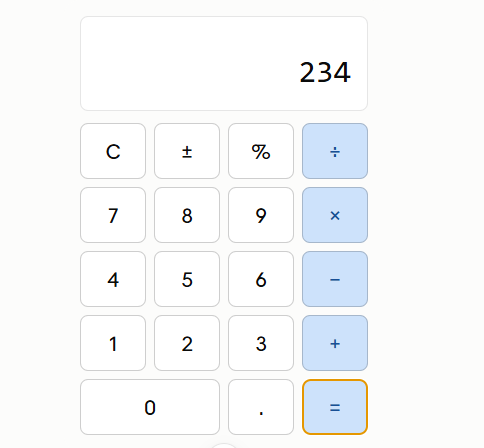
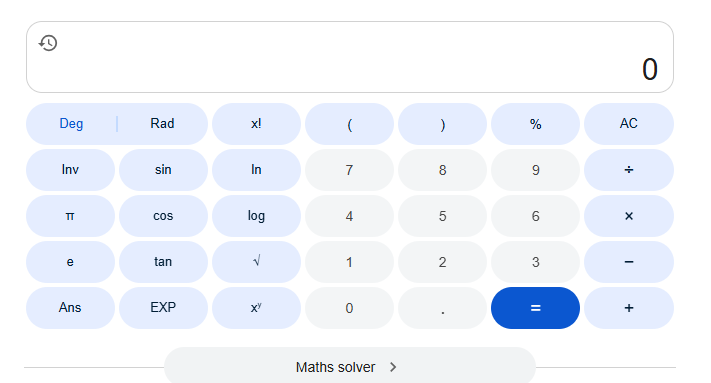
    I have successfully created a **Basic Calculator** as part of my learning and coding practice. This calculator has a simple, clean, and user-friendly interface that makes it easy to perform everyday mathematical calculations. The calculator includes important buttons such as **addition (+), subtraction (−), multiplication (×), division (÷), percentage (%), decimal (.), plus/minus (±), clear (C), and equals )**.
    The calculator display shows the numbers and results clearly, while the organized button layout makes it easy for users to enter numbers and select the required mathematical operation. I focused on making the design simple and easy to understand so that anyone can use it without difficulty.
    Creating this calculator helped me understand how a calculator works and gave me valuable practice with **HTML, CSS, and JavaScript**. I learned how to design buttons, create a calculator layout, handle user input, perform mathematical operations, and display the final result.
    This project was a great opportunity to improve my **coding, problem-solving, logical thinking, and web development skills**. I am happy to complete this project and excited to continue learning and creating more useful projects in the future.
    #BasicCalculator #Calculator #Coding #WebDevelopment #HTML #CSS #JavaScript #Programming #CodingPractice #Learning #StudentProject #ProjectCompleted #Math #Technology #ComputerSkills #ProblemSolving #ProgrammingSkills #KeepLearning #KeepGrowing
    RSIF8 Roll No : 87 claude ai No : 1 claude ai topic: Create a Basic Calculator ๐Ÿงฎโœจ **Basic Calculator Project – My Completed Task** โœจ๐Ÿงฎ I have successfully created a **Basic Calculator** as part of my learning and coding practice. This calculator has a simple, clean, and user-friendly interface that makes it easy to perform everyday mathematical calculations. The calculator includes important buttons such as **addition (+), subtraction (−), multiplication (×), division (÷), percentage (%), decimal (.), plus/minus (±), clear (C), and equals ๐Ÿ˜Š)**. The calculator display shows the numbers and results clearly, while the organized button layout makes it easy for users to enter numbers and select the required mathematical operation. I focused on making the design simple and easy to understand so that anyone can use it without difficulty. Creating this calculator helped me understand how a calculator works and gave me valuable practice with **HTML, CSS, and JavaScript**. I learned how to design buttons, create a calculator layout, handle user input, perform mathematical operations, and display the final result. ๐Ÿ’ป๐Ÿ“š This project was a great opportunity to improve my **coding, problem-solving, logical thinking, and web development skills**. I am happy to complete this project and excited to continue learning and creating more useful projects in the future. ๐Ÿš€๐Ÿ’ฏ #BasicCalculator #Calculator #Coding #WebDevelopment #HTML #CSS #JavaScript #Programming #CodingPractice #Learning #StudentProject #ProjectCompleted #Math #Technology #ComputerSkills #ProblemSolving #ProgrammingSkills #KeepLearning #KeepGrowing ๐Ÿงฎ๐Ÿ’ป๐Ÿš€โœจ
    0 Commenti 0 condivisioni 628 Views
  • Class Foundation Level
    #rsisb
    Roll#209
    Sesame Ai Maya: 35


    Technology & IT Careers — Building the Future with Technology!

    Today, I had an exciting and informative conversation with Sesame Maya about “Technology & IT Careers.” We explored the growing world of technology, including software development , artificial intelligence , cybersecurity , data science , cloud computing , web development , and other exciting career opportunities.

    Technology is changing the way we live and work, creating new opportunities for young people around the world. Developing the right technical skills, gaining practical experience, and continuously learning can help students prepare for successful careers in the future.

    This conversation helped me understand the importance of technology skills and inspired me to think about how I can develop my abilities and prepare for exciting opportunities in the IT industry.

    Learn technology, build your skills, and create your future!

    #TechnologyAndIT #ITCareers #GermanyWala #SesameMaya #Technology #SoftwareDevelopment #ArtificialIntelligence #Cybersecurity #DataScience #CloudComputing #WebDevelopment #TechSkills #CareerGoals #FutureReady #CareerDevelopment #SkillDevelopment #LearningJourney #FutureOfTechnology #DreamBig #KeepLearning
    Class Foundation Level #rsisb Roll#209 Sesame Ai Maya: 35 ๐Ÿ’ป๐Ÿš€ Technology & IT Careers — Building the Future with Technology! ๐Ÿ‡ฉ๐Ÿ‡ช๐ŸŒ Today, I had an exciting and informative conversation with Sesame Maya ๐Ÿค–๐Ÿ’ฌ about “Technology & IT Careers.” ๐Ÿ’ป๐Ÿš€ We explored the growing world of technology, including software development ๐Ÿ‘จ‍๐Ÿ’ป, artificial intelligence ๐Ÿค–, cybersecurity ๐Ÿ”, data science ๐Ÿ“Š, cloud computing โ˜๏ธ, web development ๐ŸŒ, and other exciting career opportunities. Technology is changing the way we live and work, creating new opportunities for young people around the world. ๐ŸŒโœจ Developing the right technical skills, gaining practical experience, and continuously learning can help students prepare for successful careers in the future. ๐Ÿ“š๐ŸŽฏ This conversation helped me understand the importance of technology skills and inspired me to think about how I can develop my abilities and prepare for exciting opportunities in the IT industry. ๐Ÿ’ก๐Ÿ’ผ Learn technology, build your skills, and create your future! ๐Ÿ’ป๐Ÿš€๐ŸŽ“โœจ #TechnologyAndIT ๐Ÿ’ป #ITCareers ๐Ÿš€ #GermanyWala ๐Ÿ‡ฉ๐Ÿ‡ช #SesameMaya ๐Ÿค– #Technology ๐ŸŒ #SoftwareDevelopment ๐Ÿ‘จ‍๐Ÿ’ป #ArtificialIntelligence ๐Ÿค– #Cybersecurity ๐Ÿ” #DataScience ๐Ÿ“Š #CloudComputing โ˜๏ธ #WebDevelopment ๐ŸŒ #TechSkills ๐Ÿ“š #CareerGoals ๐ŸŽฏ #FutureReady ๐Ÿš€ #CareerDevelopment ๐Ÿ’ผ #SkillDevelopment ๐Ÿ’ก #LearningJourney ๐Ÿ“– #FutureOfTechnology ๐ŸŒŸ #DreamBig โœจ #KeepLearning ๐ŸŽ“
    0 Commenti 0 condivisioni 914 Views 10
  • RSIF8
    Roll no: 99
    Coding task no: 2
    Coding topic: Create a Tic-Tac-Toe Game
    Built a fully working Tic Tac Toe game using HTML, CSS, and JavaScript.
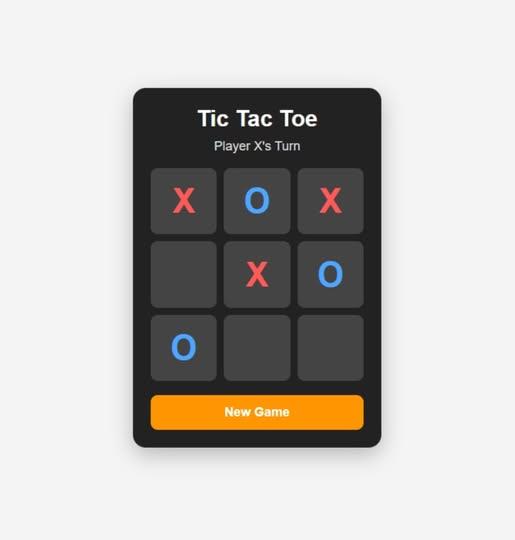
    The game includes player turns, win/draw detection, winning highlights, and a restart button.
    I used ChatGPT for vibe coding — generated the code with AI, tested it, and learned how the HTML, CSS, and JavaScript work together.
    Another task completed!
    #TicTacToe #VibeCoding #ChatGPT #HTML #CSS #JavaScript #Coding #WebDevelopment #LearningToCode #BuildInPublic
    RSIF8 Roll no: 99 Coding task no: 2 Coding topic: Create a Tic-Tac-Toe Game Built a fully working Tic Tac Toe game using HTML, CSS, and JavaScript. The game includes player turns, win/draw detection, winning highlights, and a restart button. I used ChatGPT for vibe coding ๐Ÿค–๐Ÿ’ป — generated the code with AI, tested it, and learned how the HTML, CSS, and JavaScript work together. Another task completed! โœ…๐Ÿš€ #TicTacToe #VibeCoding #ChatGPT #HTML #CSS #JavaScript #Coding #WebDevelopment #LearningToCode #BuildInPublic
    0 Commenti 0 condivisioni 709 Views
  • RSIF8
    Roll no: 99
    Coding task no: 1
    Coding topic Create a Basic Calculator
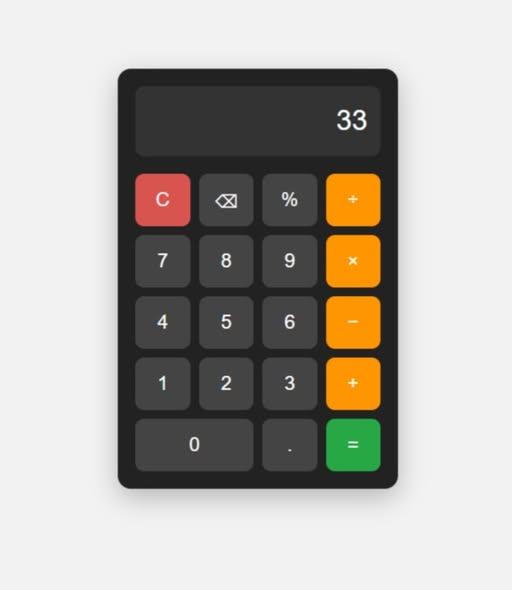
    Today’s task was to build a functional calculator that can perform basic mathematical operations such as:
    Addition
    Subtraction
    Multiplication
    Division
    I built the calculator using HTML, CSS, and JavaScript, with a proper interactive interface where users can enter numbers and perform calculations.
    But here’s the interesting part: I didn’t write all the code from scratch myself. Instead, I used ChatGPT for vibe coding — I described what I wanted, worked with the generated code, tested it, and made sure the final calculator actually worked.
    This task taught me that coding isn’t only about writing every line manually. It’s also about understanding the problem, communicating your idea clearly, testing the result, debugging, and learning from the code.
    One more small project completed!
    One more step forward in my learning journey.
    #VibeCoding #ChatGPT #HTML #CSS #JavaScript #WebDevelopment #Coding #Programming #Calculator #100DaysOfCode #LearningToCode #BuildInPublic #TechJourney #WebDesign #FrontendDevelopment #CodingJourney #AI #ArtificialIntelligence #Developer #StudentDeveloper
    RSIF8 Roll no: 99 Coding task no: 1 Coding topic Create a Basic Calculator Today’s task was to build a functional calculator that can perform basic mathematical operations such as: โž• Addition โž– Subtraction โœ–๏ธ Multiplication โž— Division I built the calculator using HTML, CSS, and JavaScript, with a proper interactive interface where users can enter numbers and perform calculations. But here’s the interesting part: I didn’t write all the code from scratch myself. Instead, I used ChatGPT for vibe coding ๐Ÿค–๐Ÿ’ป — I described what I wanted, worked with the generated code, tested it, and made sure the final calculator actually worked. This task taught me that coding isn’t only about writing every line manually. It’s also about understanding the problem, communicating your idea clearly, testing the result, debugging, and learning from the code. One more small project completed! โœ… One more step forward in my learning journey. ๐Ÿ“š๐Ÿš€ #VibeCoding #ChatGPT #HTML #CSS #JavaScript #WebDevelopment #Coding #Programming #Calculator #100DaysOfCode #LearningToCode #BuildInPublic #TechJourney #WebDesign #FrontendDevelopment #CodingJourney #AI #ArtificialIntelligence #Developer #StudentDeveloper
    0 Commenti 0 condivisioni 1232 Views
  • #rsisb
    Roll no.239
    Coding task no.13
    Foundation Level


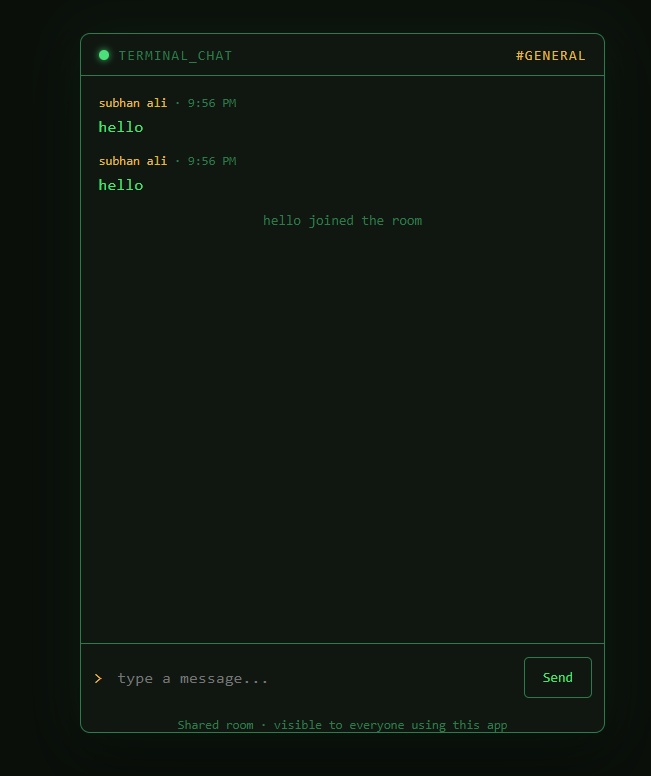
    A **Simple Chat Application** is a basic software project that allows two or more users to communicate by sending and receiving messages in real time.

    It is a great project for learning important programming concepts such as **user interfaces, networking, databases, and real-time communication**.

    ### Key Features

    * Send and receive messages
    * User login or username system
    * Online/offline status
    * Message timestamps
    * Notifications
    * Chat history

    ### Technologies You Can Use

    * **HTML, CSS & JavaScript** for the frontend
    * **Node.js** for the backend
    * **Socket.IO** for real-time messaging
    * **Firebase** for authentication and database services

    Building a simple chat application is an excellent way to understand how modern messaging platforms work. Start small, learn the basics, and gradually add more advanced features!

    #ChatApplication #WebDevelopment #Programming #JavaScript #NodeJS #SocketIO #Coding #Developer #TechProject #LearnToCode
    #rsisb Roll no.239 Coding task no.13 Foundation Level A **Simple Chat Application** is a basic software project that allows two or more users to communicate by sending and receiving messages in real time. ๐Ÿ“ฑ๐Ÿ’ป It is a great project for learning important programming concepts such as **user interfaces, networking, databases, and real-time communication**. ### โœจ Key Features * ๐Ÿ’ฌ Send and receive messages * ๐Ÿ‘ค User login or username system * ๐ŸŸข Online/offline status * ๐Ÿ“… Message timestamps * ๐Ÿ”” Notifications * ๐Ÿ—‚๏ธ Chat history ### ๐Ÿ› ๏ธ Technologies You Can Use * **HTML, CSS & JavaScript** for the frontend * **Node.js** for the backend * **Socket.IO** for real-time messaging * **Firebase** for authentication and database services Building a simple chat application is an excellent way to understand how modern messaging platforms work. ๐Ÿš€ Start small, learn the basics, and gradually add more advanced features! #ChatApplication #WebDevelopment #Programming #JavaScript #NodeJS #SocketIO #Coding #Developer #TechProject #LearnToCode ๐Ÿ’ป๐Ÿš€
    0 Commenti 0 condivisioni 1721 Views
  • RSISB
    Roll No:#209
    Clone No.1


    WhatsApp Clone (Non-Functional)

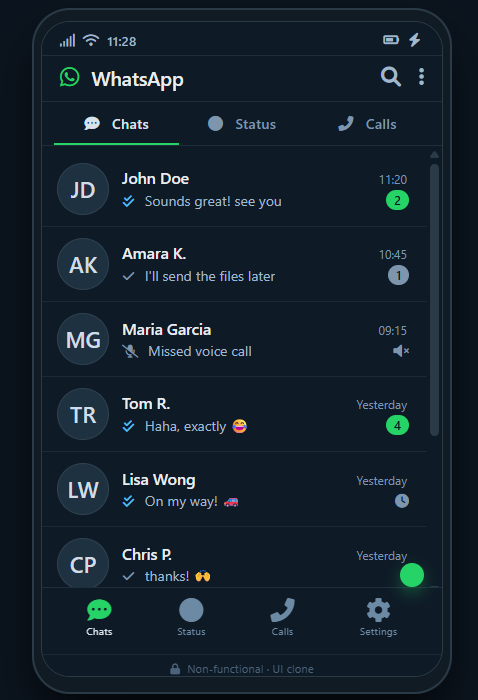
    A creative WhatsApp Clone project designed to recreate the look and feel of a modern messaging application. This non-functional clone focuses on UI design, layout, and visual elements, including chat screens, contact lists, message bubbles, profile sections, and a familiar messaging interface.

    The project is perfect for practicing frontend development, UI/UX design, responsive layouts, and web development skills. Although it is non-functional and does not send real messages, it demonstrates how a popular messaging platform can be recreated for learning and design purposes.

    A great project to showcase creativity, coding skills, and modern interface design!

    #WhatsAppClone #NonFunctional #WebDevelopment #FrontendDevelopment #UIDesign #UXDesign #WebDesign #Coding #Programming #HTML #CSS #JavaScript #ResponsiveDesign #FrontendProject #CodingProject #Developer #Learning #Tech #SoftwareDevelopment #PortfolioProject
    RSISB Roll No:#209 Clone No.1 ๐Ÿ“ฑ๐Ÿ’ฌ WhatsApp Clone (Non-Functional) ๐Ÿ’ฌ๐Ÿ“ฑ A creative WhatsApp Clone project designed to recreate the look and feel of a modern messaging application. ๐ŸŽจโœจ This non-functional clone focuses on UI design, layout, and visual elements, including chat screens, contact lists, message bubbles, profile sections, and a familiar messaging interface. ๐Ÿ’š๐Ÿ—จ๏ธ The project is perfect for practicing frontend development, UI/UX design, responsive layouts, and web development skills. ๐Ÿ’ป๐Ÿš€ Although it is non-functional and does not send real messages, it demonstrates how a popular messaging platform can be recreated for learning and design purposes. ๐ŸŒŸ๐Ÿ“š ๐Ÿ’ก A great project to showcase creativity, coding skills, and modern interface design! ๐Ÿ”ฅ๐Ÿ‘จ‍๐Ÿ’ป #WhatsAppClone #NonFunctional #WebDevelopment #FrontendDevelopment #UIDesign #UXDesign #WebDesign #Coding #Programming #HTML #CSS #JavaScript #ResponsiveDesign #FrontendProject #CodingProject #Developer #Learning #Tech #SoftwareDevelopment #PortfolioProject ๐Ÿ“ฑ๐Ÿ’ฌ๐Ÿ’ป๐ŸŽจโœจ๐Ÿš€๐Ÿง‘‍๐Ÿ’ป๐ŸŒŸ๐Ÿ”ฅ๐Ÿ“š๐Ÿ’š
    0 Commenti 0 condivisioni 3603 Views
  • #rsisb
    Roll No.247
    Foundation level

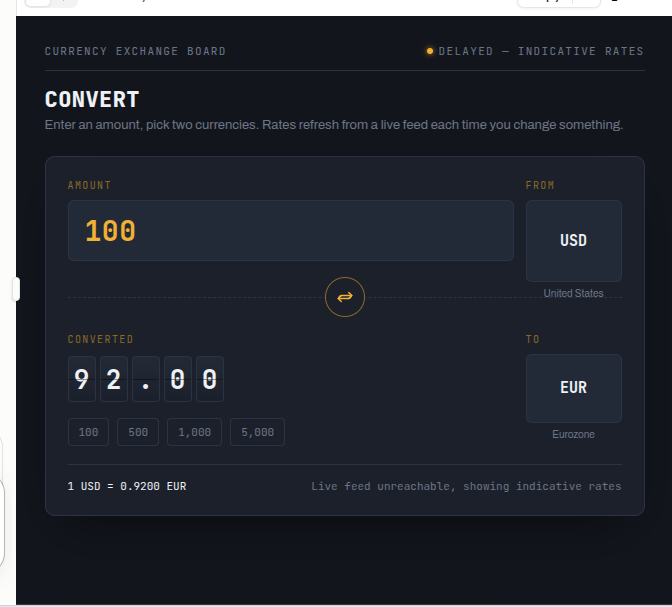
    # Currency Converter – Fast, Simple & Accurate Currency Conversion

    **Currency Converter** is a simple and useful digital tool designed to help users convert money from one currency into another quickly and easily. Whether you are learning about international currencies, planning a trip, comparing prices, studying global economics, or simply curious about exchange rates, this application makes currency conversion convenient and understandable.

    With a **Currency Converter**, users can enter an amount, select the currency they want to convert **from**, choose the currency they want to convert **to**, and instantly view the converted value. The clean and user-friendly interface makes the process simple for beginners as well as experienced users.

    Currency conversion is especially helpful in today's connected world. People regularly deal with different currencies when traveling, shopping internationally, studying abroad, sending money, or comparing products and services from different countries. A currency converter provides a quick way to understand the approximate value of money across different currencies.

    This project is also a great example of how technology can solve everyday problems. It demonstrates concepts such as **user input, calculations, exchange rates, numerical processing, and interactive interfaces**. Students can use it as an educational project to understand how a practical application works.

    The Currency Converter can be improved further by adding more currencies, live exchange-rate updates, conversion history, favorite currencies, charts, and a responsive design for mobile and desktop devices. These features can make the application even more powerful and useful.

    **Learn about currencies, explore the global economy, and make conversions easier with a simple Currency Converter!**

    ### Hashtags

    #CurrencyConverter #CurrencyExchange #MoneyConverter #ExchangeRates #FinanceApp #FinTech #GlobalCurrency #InternationalFinance #MoneyManagement #TravelTools #TravelTechnology #DigitalTools #ProgrammingProject #CodingProject #StudentProject #EducationalTechnology #Technology #Innovation #WebDevelopment #AppDevelopment #Learning #Finance #Economics #GlobalEconomy #CurrencyExchangeApp
    #rsisb Roll No.247 Foundation level # ๐Ÿ’ฑ Currency Converter – Fast, Simple & Accurate Currency Conversion ๐ŸŒ๐Ÿ’ฐ ๐Ÿ’ต **Currency Converter** is a simple and useful digital tool designed to help users convert money from one currency into another quickly and easily. Whether you are learning about international currencies, planning a trip, comparing prices, studying global economics, or simply curious about exchange rates, this application makes currency conversion convenient and understandable. ๐ŸŒŽโœจ ๐Ÿ”„ With a **Currency Converter**, users can enter an amount, select the currency they want to convert **from**, choose the currency they want to convert **to**, and instantly view the converted value. The clean and user-friendly interface makes the process simple for beginners as well as experienced users. ๐Ÿ“ฑ๐Ÿ’ป ๐ŸŒ Currency conversion is especially helpful in today's connected world. People regularly deal with different currencies when traveling, shopping internationally, studying abroad, sending money, or comparing products and services from different countries. A currency converter provides a quick way to understand the approximate value of money across different currencies. ๐Ÿ’ณโœˆ๏ธ๐Ÿ›๏ธ ๐Ÿ“Š This project is also a great example of how technology can solve everyday problems. It demonstrates concepts such as **user input, calculations, exchange rates, numerical processing, and interactive interfaces**. Students can use it as an educational project to understand how a practical application works. ๐ŸŽ“๐Ÿ’ก ๐Ÿš€ The Currency Converter can be improved further by adding more currencies, live exchange-rate updates, conversion history, favorite currencies, charts, and a responsive design for mobile and desktop devices. These features can make the application even more powerful and useful. ๐Ÿ”ฅ๐Ÿ“ˆ ๐ŸŒ **Learn about currencies, explore the global economy, and make conversions easier with a simple Currency Converter!** ๐Ÿ’ฑโœจ ### ๐Ÿ”– Hashtags #CurrencyConverter #CurrencyExchange #MoneyConverter #ExchangeRates #FinanceApp #FinTech #GlobalCurrency #InternationalFinance #MoneyManagement #TravelTools #TravelTechnology #DigitalTools #ProgrammingProject #CodingProject #StudentProject #EducationalTechnology #Technology #Innovation #WebDevelopment #AppDevelopment #Learning #Finance #Economics #GlobalEconomy #CurrencyExchangeApp ๐Ÿ’ฑ๐ŸŒŽ๐Ÿ’ฐ๐Ÿ“ฑ๐Ÿš€๐ŸŽ“โœจ
    0 Commenti 0 condivisioni 6815 Views
  • #rsisb
    Roll No.240
    Coding Task No.3
    Foundation Level

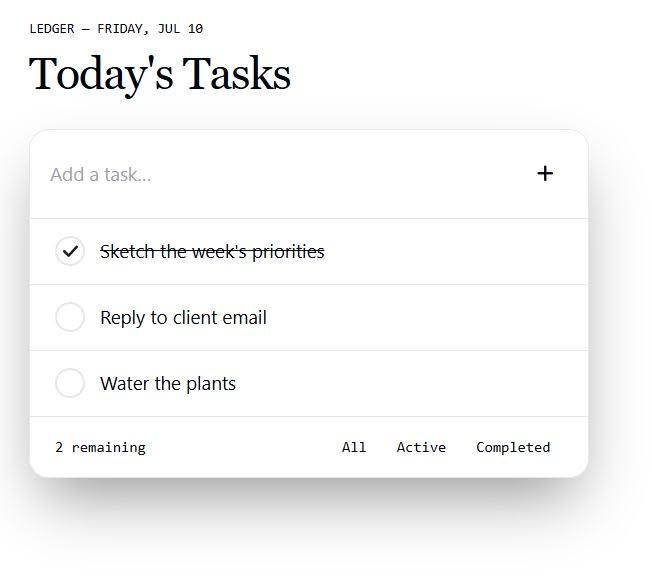
    **Simple To-Do List App**

    Stay organized, boost your productivity, and never miss an important task! This simple and easy-to-use To-Do List App helps you manage your daily goals, keep track of your progress, and make every day more productive.

    Whether it's work, study, or personal tasks, this app keeps everything in one place.

    Start planning today and turn your goals into achievements!

    #ToDoList #Productivity #TaskManager #Coding #WebDevelopment #JavaScript #HTML #CSS #Programming #Developer #AppDevelopment #LearnToCode #Tech #CodingProject #DailyTasks #OrganizedLife

    Rehan School Islamabad Campus
    Asma Shaheen EducationWali
    Irum Asim
    Saima Happinesswali

    #rsisb Roll No.240 Coding Task No.3 Foundation Level ๐Ÿ“ **Simple To-Do List App** โœ… Stay organized, boost your productivity, and never miss an important task! ๐Ÿš€ This simple and easy-to-use To-Do List App helps you manage your daily goals, keep track of your progress, and make every day more productive. Whether it's work, study, or personal tasks, this app keeps everything in one place. ๐Ÿ’™โœจ ๐Ÿ“Œ Start planning today and turn your goals into achievements! ๐ŸŒŸ #ToDoList #Productivity #TaskManager #Coding #WebDevelopment #JavaScript #HTML #CSS #Programming #Developer #AppDevelopment #LearnToCode #Tech #CodingProject #DailyTasks #OrganizedLife ๐Ÿš€๐Ÿ’ป๐Ÿ“‹ Rehan School Islamabad Campus Asma Shaheen EducationWali Irum Asim Saima Happinesswali
    0 Commenti 0 condivisioni 2931 Views
  • #rsisb
    Roll No.247
    Coding task No.1
    Foundation Level

    # Create a Basic Calculator | Beginner Programming Project

    Creating a **Basic Calculator** is one of the best beginner programming projects for anyone who wants to learn coding. It helps you understand the fundamentals of programming, including variables, user input, operators, functions, and conditional statements. Whether you're using **Python, JavaScript, C++, Java, or any other programming language**, building a calculator is a great way to strengthen your coding skills.

    A basic calculator typically performs the four essential mathematical operations:
    Addition
    Subtraction
    Multiplication
    Division

    As you build your calculator, you'll also learn how to accept user input, process calculations, display results, and handle invalid inputs gracefully. This project improves logical thinking and problem-solving abilities while giving you hands-on experience with real programming concepts.

    Once you've mastered a basic calculator, you can enhance it with advanced features such as:
    Percentage calculations
    Square root and power functions
    Scientific calculator features
    Memory storage
    User-friendly graphical interface (GUI)
    Error handling for invalid operations
    Keyboard shortcuts and responsive design

    This beginner-friendly project is perfect for students, aspiring software developers, and anyone starting their programming journey. Every successful programmer begins with small projects like this before moving on to larger applications. Keep practicing, experiment with new features, and continue learning every day. Small steps today lead to big achievements tomorrow!

    Happy Coding! Keep building, keep learning, and never stop creating amazing projects!

    #BasicCalculator #Programming #Coding #Python #JavaScript #Java #Cpp #SoftwareDevelopment #CodingForBeginners #LearnProgramming #CodeNewbie #Developer #ComputerScience #TechEducation #CodingProject #ProgrammingTutorial #STEM #ArtificialIntelligence #WebDevelopment #AppDevelopment #ProblemSolving #TechSkills #LearnToCode #CodingJourney #ProgrammingLife #BeginnerProjects #Innovation #Technology #FutureDevelopers
    #rsisb Roll No.247 Coding task No.1 Foundation Level # ๐Ÿงฎ Create a Basic Calculator | Beginner Programming Project ๐Ÿ’ปโœจ Creating a **Basic Calculator** is one of the best beginner programming projects for anyone who wants to learn coding. ๐Ÿš€ It helps you understand the fundamentals of programming, including variables, user input, operators, functions, and conditional statements. Whether you're using **Python, JavaScript, C++, Java, or any other programming language**, building a calculator is a great way to strengthen your coding skills. A basic calculator typically performs the four essential mathematical operations: โž• Addition โž– Subtraction โœ–๏ธ Multiplication โž— Division As you build your calculator, you'll also learn how to accept user input, process calculations, display results, and handle invalid inputs gracefully. This project improves logical thinking and problem-solving abilities while giving you hands-on experience with real programming concepts. Once you've mastered a basic calculator, you can enhance it with advanced features such as: ๐Ÿ”น Percentage calculations ๐Ÿ”น Square root and power functions ๐Ÿ”น Scientific calculator features ๐Ÿ”น Memory storage ๐Ÿ”น User-friendly graphical interface (GUI) ๐Ÿ”น Error handling for invalid operations ๐Ÿ”น Keyboard shortcuts and responsive design This beginner-friendly project is perfect for students, aspiring software developers, and anyone starting their programming journey. Every successful programmer begins with small projects like this before moving on to larger applications. Keep practicing, experiment with new features, and continue learning every day. Small steps today lead to big achievements tomorrow! ๐ŸŒŸ Happy Coding! ๐Ÿ’ป๐ŸŽฏ Keep building, keep learning, and never stop creating amazing projects! ๐Ÿš€ #BasicCalculator #Programming #Coding #Python #JavaScript #Java #Cpp #SoftwareDevelopment #CodingForBeginners #LearnProgramming #CodeNewbie #Developer #ComputerScience #TechEducation #CodingProject #ProgrammingTutorial #STEM #ArtificialIntelligence #WebDevelopment #AppDevelopment #ProblemSolving #TechSkills #LearnToCode #CodingJourney #ProgrammingLife #BeginnerProjects #Innovation #Technology #FutureDevelopers
    0 Commenti 0 condivisioni 6359 Views
  • Built a PayPal-style website from scratch today
    Used Claude Code to speed up development

    Book 3 – Task 1 complete

    Check it out:
    http://rsk165.rehanschool.us/Paypal_Clone/index.php

    Thanks to Ahab CodingWala for the support
    #WebDevelopment #PayPalClone #BuildInPublic #CodingJourney

    @followers
    Rehan Allahwala
    Built a PayPal-style website from scratch today ๐Ÿ’ป๐Ÿ”ฅ Used Claude Code to speed up development โšก Book 3 – Task 1 complete โœ… Check it out: http://rsk165.rehanschool.us/Paypal_Clone/index.php Thanks to Ahab CodingWala for the support ๐Ÿ™Œ #WebDevelopment #PayPalClone #BuildInPublic #CodingJourney @followers Rehan Allahwala
    0 Commenti 0 condivisioni 2802 Views 0
Pagine in Evidenza